Comparison Table
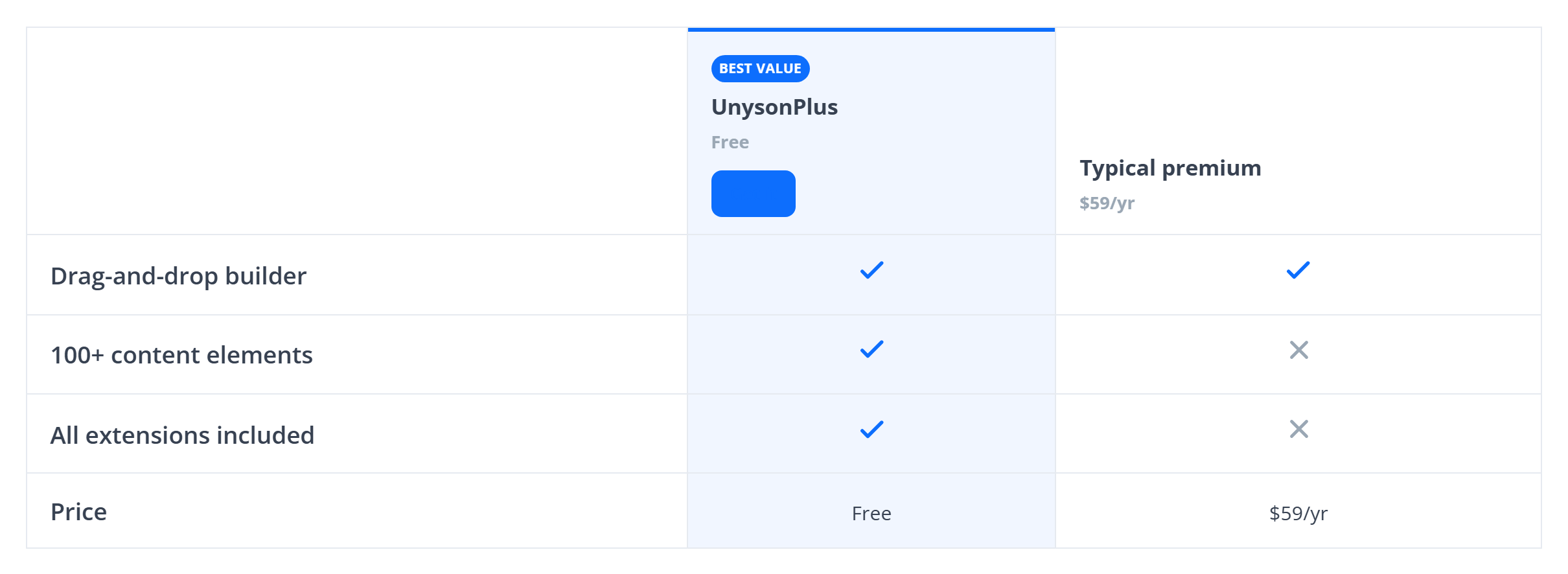
A feature-by-feature grid comparing plans or products across the top, with a check, a cross, a dash or a literal value in each cell — the "how do we stack up" table. Like every block in the library, it is a second authoring surface, not a second renderer: the canvas preview and the front end are both produced by the Comparison Table element — the same server-side code as the page builder — so the output is identical either way.
Options
Select the block and open the Settings (block) tab; the whole sidebar is generated from the element's option schema, so it stays in step with the page builder.
| Option | What it does |
|---|---|
Columns (columns) | The plans/products across the top. Each has a name, a price/subtitle, an optional badge, a featured flag, and a button. |
Rows (rows) | The feature rows. Each has a label, an optional tooltip, and cell values — one line per column: yes for a check, no for a cross, - for a dash, or any text for a literal value. A row can also be a heading to group features. |
Style (style, center_cells, highlight_featured) | The table look, cell alignment, and whether the featured column is emphasised. |
Header (header_bg, header_text, sticky_header) | The header row's colours, and whether it sticks while scrolling. |
Colours (accent_color, border_color, text_color) + Font size (font_size_preset) | The palette and type scale. |
The block also opts into WordPress Margin / Padding (and, where it makes sense, alignment), which inherit the site's design system from theme.json.
Sample content
A block stores only what you change as one upOptions object; the element's declared defaults fill in the rest at render time. The demo above is:
<!-- wp:unysonplus/comparison-table {"upOptions":{
  "columns":[{"name":"UnysonPlus","price":"Free","badge":"Best value","featured":"yes"},{"name":"Typical premium","price":"$59/yr"}],
  "rows":[
    {"label":"Drag-and-drop builder","values":"yes\nyes"},
    {"label":"100+ content elements","values":"yes\nno"},
    {"label":"Price","values":"Free\n$59/yr"}
  ]
}} /-->
The comparison-table element
The block and the page builder's Comparison Table element are two doors onto the same code. Its full option, markup and behaviour reference is documented there.