Feature List
A list of features with icons or markers, in one or several columns. Like every block in the library, it is a second authoring surface, not a second renderer: the canvas preview and the front end are both produced by the feature-list element — the same server-side code as the page builder — so the output is identical either way.
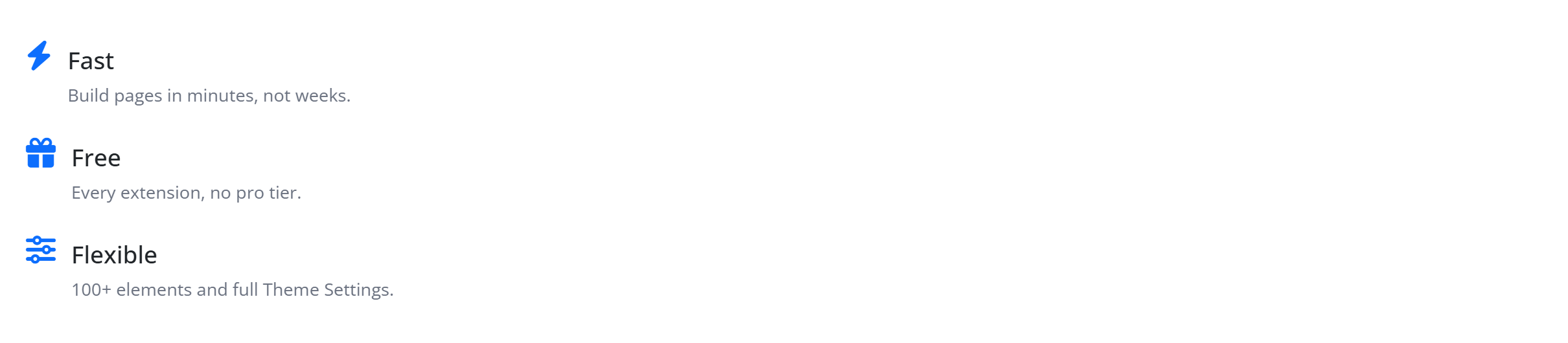
Configure it
Select the block and open the Settings (block) tab. The whole sidebar is generated from the element’s option schema, so it stays in step with the page builder.
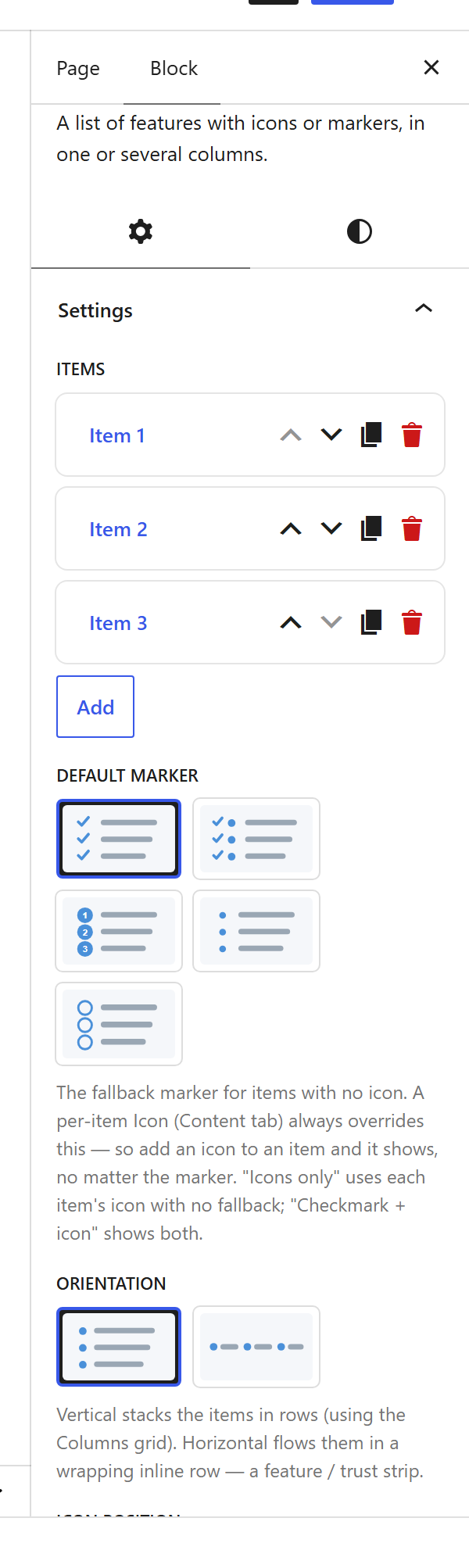
Options
| Option | What it does |
|---|---|
Items (items) | The rows. Each has an Icon, a Text (title) and a Subtext. |
Design (design) + Icon Style (icon_style) | The marker style — checkmarks, icons, badges. |
Orientation (orientation) + Columns (columns) | A vertical list or a horizontal grid, in one or more columns. |
Icon Position (icon_position) + Badge (icon_badge_preset) | Icon before the text, and an optional badge behind it. |
Dividers (dividers) + Zebra (zebra) + Spacing (spacing_size) | Lines between rows, alternating backgrounds, and row spacing. |
Box Style (box_style) | Plain, or each item as a card. |
Colours (marker_color, text_color, sub_color) + Font size (font_size_preset) | Marker and text colours, and a preset size. |
The block also opts into WordPress alignment (Wide / Full) and Margin / Padding, which inherit the site’s design system from theme.json.
Sample content
A block stores only what you change as one upOptions object (keyed by the same paths the page builder uses); the element’s declared defaults fill in the rest at render time. The demo above is:
<!-- wp:unysonplus/feature-list {"upOptions":{"items":[{"icon":{"type":"icon-font","icon-class":"fa-solid fa-bolt"},"text":"Fast","subtext":"Build pages in minutes, not weeks."},{"icon":{"type":"icon-font","icon-class":"fa-solid fa-gift"},"text":"Free","subtext":"Every extension, no pro tier."},{"icon":{"type":"icon-font","icon-class":"fa-solid fa-sliders"},"text":"Flexible","subtext":"100+ elements and full Theme Settings."}]}} /-->
The feature-list element
The block and the page builder’s Feature List element are two doors onto the same code. Its full option, markup and behaviour reference is documented there.