Companies
A company record groups the people you deal with at one business, and the deals, tasks, files and history that belong to it. Contacts can work at several companies, with one marked as their main company.
Companies is a module: switch it on under CRM → Modules if you sell to businesses.
Add a company
- New → Company in the top bar, or Add company on CRM → Companies.
- Or from a contact's page: in Companies, pick an existing company or type a new name and click Link.
A company has a name (required), website and domain, phone, email, industry, size, address, an owner and any custom fields you add for companies.
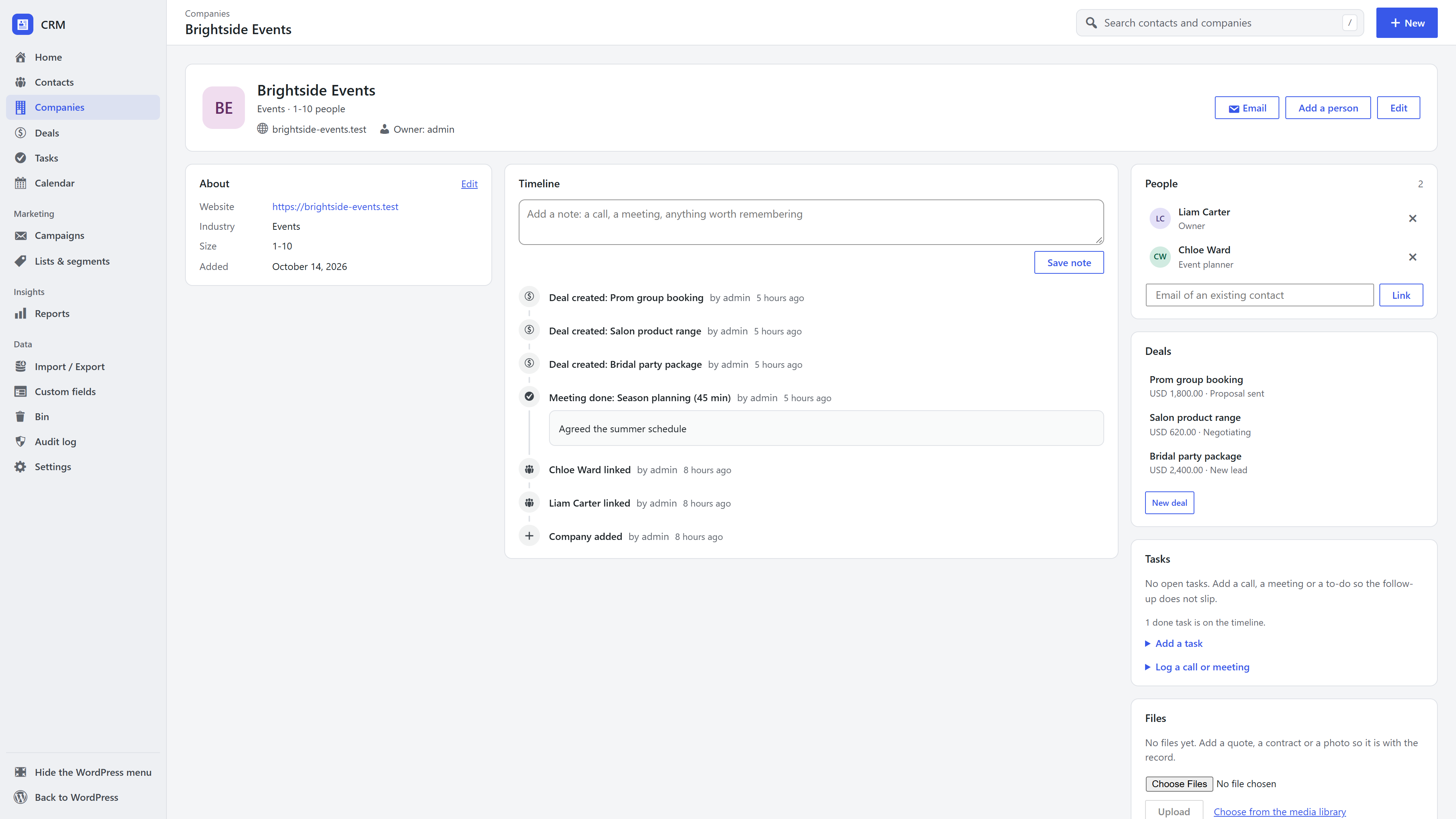
The company page
- About: the company's details. Click Edit to change them.
- Timeline: notes and everything that happened with the company, including its deals.
- People: everyone linked to it. Add a person creates a contact already linked to the company, or link an existing contact by email.
- Deals, Tasks and Files, like a contact's page.
- Email in the header writes to one of its people. See One-to-one email.
Frequently asked questions
Can a contact belong to more than one company? Yes. Link as many as you need; the first is their main company, shown in lists and on their page.
What happens to the people when I delete a company? They stay. Moving a company to the bin hides it; its people keep their records, and deals keep their history.
Do I have to use companies? No. If you sell to individuals, ignore companies entirely. Nothing requires them.