Custom fields
Every business tracks something the CRM cannot guess: a membership number, a preferred stylist, a contract renewal date. Custom fields add them to contacts, companies and deals, and they work everywhere: on the record page, in segments, in CSV import and export and in the REST API.
Field types
| Type | Use it for |
|---|---|
| Text, Long text | Anything written: a preference, a note that belongs to a field |
| Number, Money | Quantities and amounts (sortable and usable in segment rules like "greater than") |
| Date, Date and time | Birthdays, renewals, appointments (segment rules like "in the next 30 days") |
| Choice, Multiple choice | A fixed set of options, such as a size or a service |
| Checkbox | Yes or no |
| URL, Email, Phone | Links and contact details, checked when saved |
| Lookup | A link to another record: a contact, company, deal, page or user |
| Address | A full address in one field |
| Auto-number | A running number with a prefix, such as WL-0001, given automatically |
Add a field
- Open CRM → Custom fields (under Data; CRM managers and administrators).
- Pick the record type at the top: Contacts, Companies or Deals.
- Click Add a field and give it a label, such as "Preferred stylist". The key fills itself in
(
preferred_stylist); it is the name used in imports, exports and the API. - Choose the type. A choice field asks for its options (one per line), a link field for the kind of record it points to, and an auto-number for its prefix and number of digits.
- Optionally put it in a group and tick Required, then Save field.
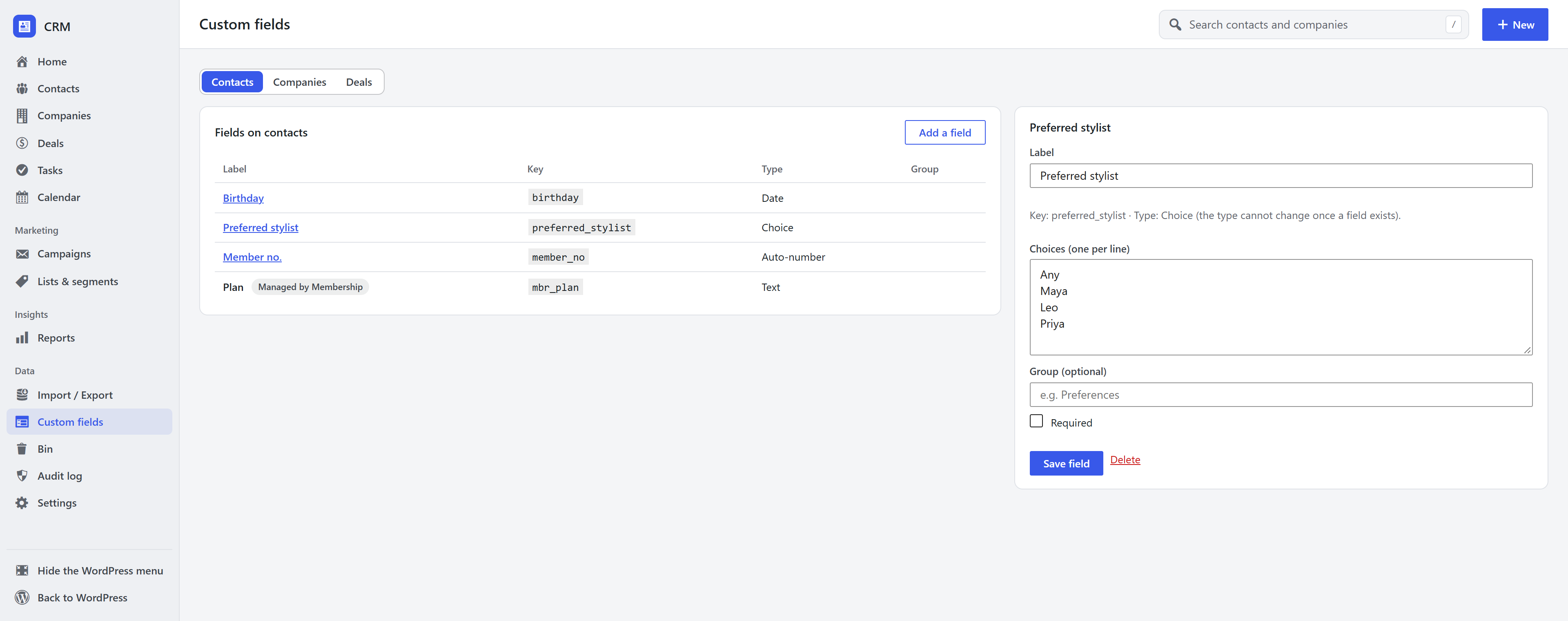
The new field appears straight away on every record of that type, in the segment builder and in the import screen. A field's type cannot change once it exists, so its stored values always match it; to change the type, add a new field. Deleting a field also deletes the values stored in it.
Some fields are managed by another extension: for example, the Membership extension keeps a member's plan and renewal date up to date. Those show on the record but are read-only, because the extension owns them.
Frequently asked questions
Can I segment contacts by a custom field? Yes. Every contact field appears in the segment builder with operators that suit its type.
Can I import custom field values from a spreadsheet? Yes. The import screen offers every custom field as a column to map to.