Lists, tags and segments
The CRM has three ways to group contacts, each for a different job:
| What it is | Use it for | |
|---|---|---|
| List | Something people subscribe to and can leave | Newsletters and email audiences, such as "Monthly news" |
| Tag | A label you (or a form, an import, an extension) put on someone | Anything to remember: "VIP", "Wedding enquiry", "Event 2026" |
| Segment | A saved set of rules, re-checked every time | "Leads in Bristol added in the last 30 days", "Customers tagged VIP who have not been contacted for 90 days" |
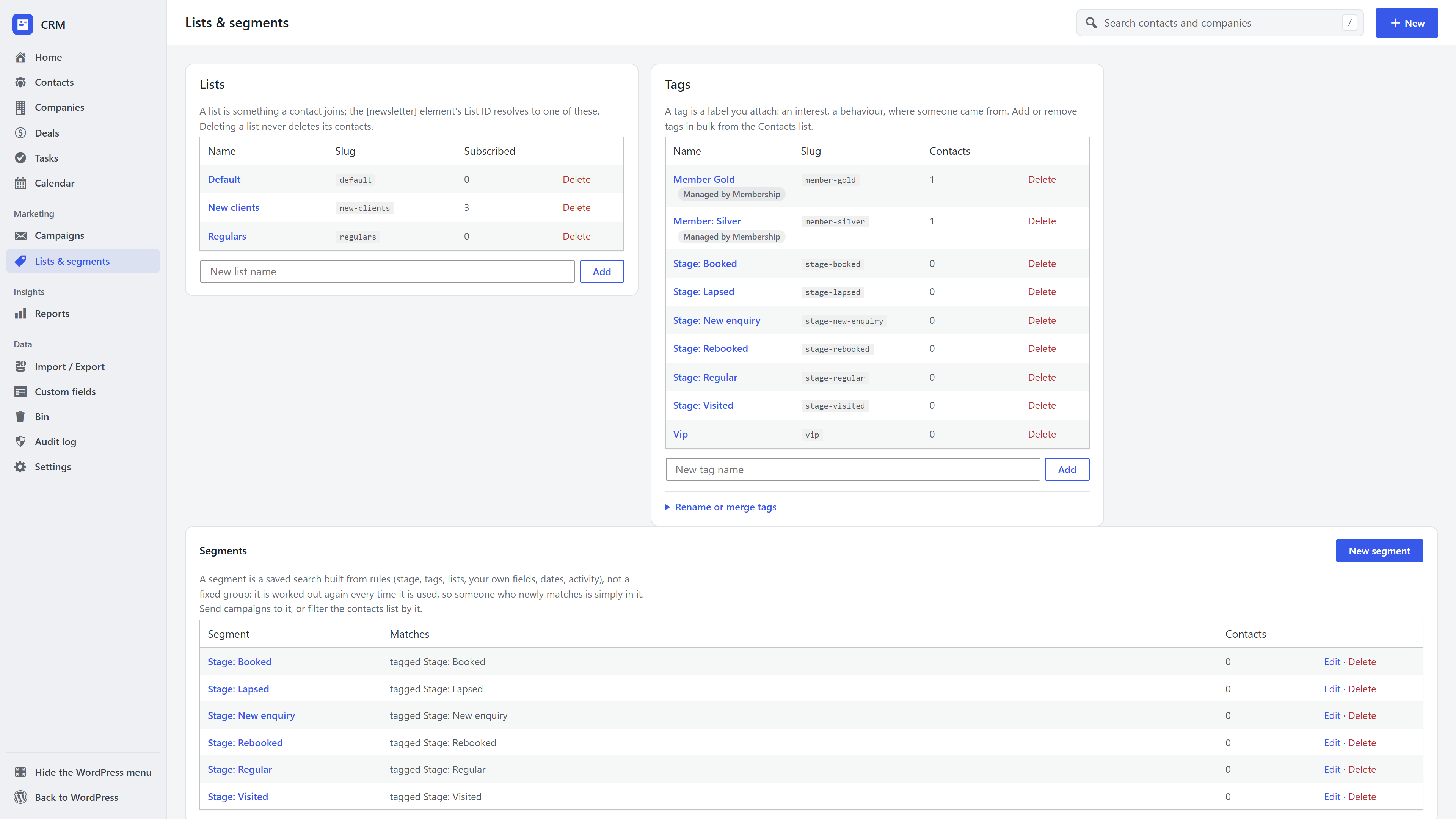
Lists and subscription status
A list is about consent. Each person on a list is either subscribed or unsubscribed, with the date and the way they joined (a form, an import, by hand). Someone who leaves a list stays on record as having left, so a later import does not quietly put them back.
Someone is emailed for a list only while they are subscribed to that list and their email address is subscribed overall. Their page shows the history of every list they joined or left.
Tags
Tags need no consent and have no status: a contact simply has a tag or not. Add tags on a contact's page, in bulk from the contacts list, in an import, or through a form's Add to the CRM settings.
Rename or merge tags (on Lists & segments) renames a tag everywhere, or merges two tags into one: every contact moves to the kept tag and the segments that used the other one are updated. Tags created by another extension (shown with a lock) are managed by it and cannot be renamed or merged here.
Segments
A segment is a set of rules. It is never a stored copy of people: whoever matches the rules at that moment is in it.
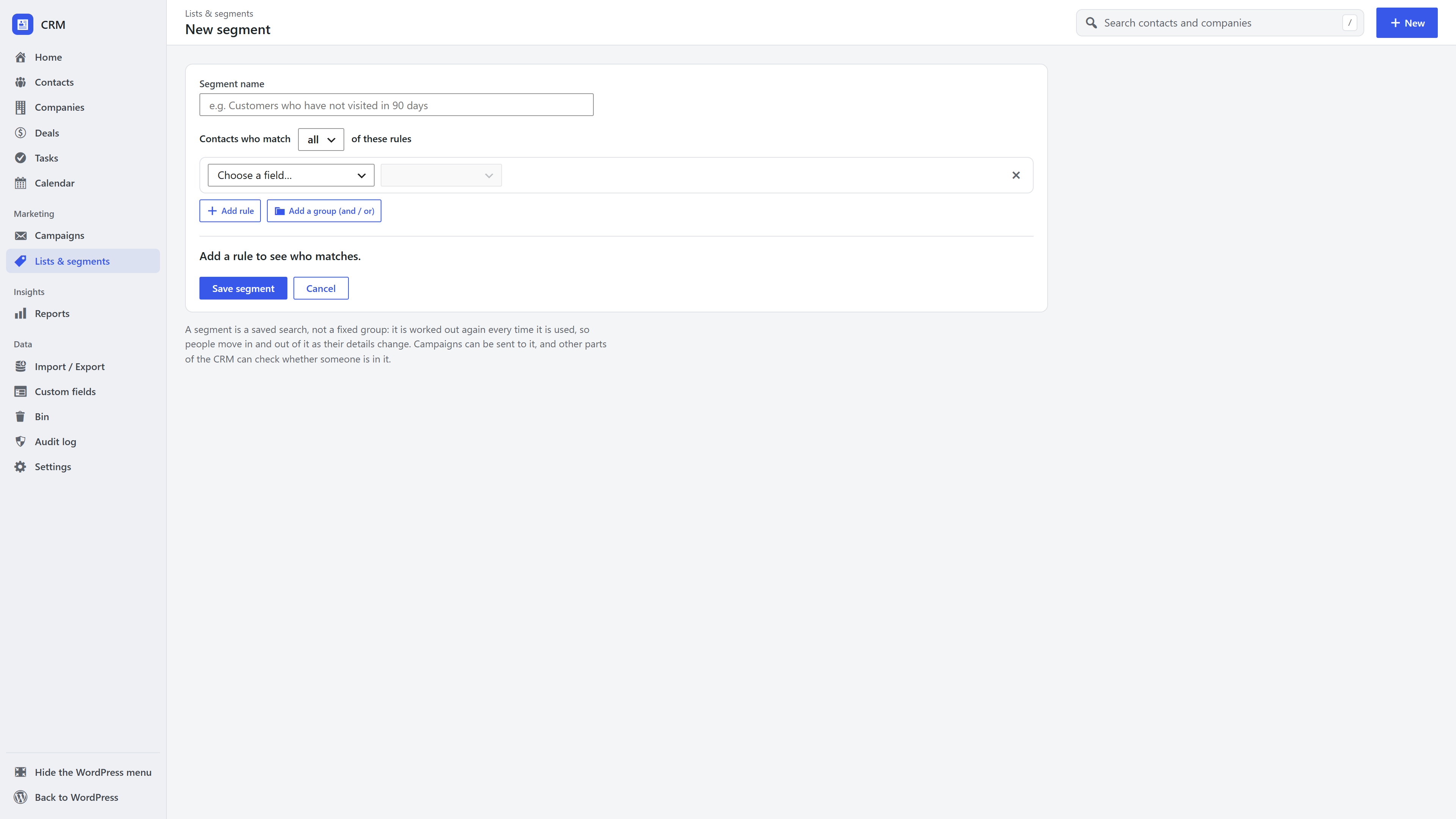
- Open Lists & segments → New segment (or filter the contacts list and click Save as segment).
- Choose whether contacts must match all rules or any of them.
- Add rules. Each picks a field, a condition and a value. Groups let you combine "all" and "any".
- The live count shows how many contacts match as you build. Save it with a name.
What rules can use:
- People: name, email, phone, job title, company, city, region, country, owner (including "me").
- Status: lifecycle stage, email status, whether they have a WordPress account.
- Groups: tags (has any / all / none of), lists (subscribed to).
- Numbers and dates: score, lifetime value, date added, last activity, and "in the last / next N days".
- Activity: something happened (or did not) in the last N days, such as a form entry or a call.
- Your custom fields, with conditions that suit their type.
Segments are used for email campaigns (only subscribed contacts are ever emailed), for filtering the contacts list, for exports, and by other extensions, for example to decide who can see members-only content.
Frequently asked questions
What is the difference between a list and a tag? A list is something a person subscribes to and can unsubscribe from; a tag is a label you apply. Email campaigns respect list subscriptions; tags are for organising.
Do segments update automatically? Yes. A segment is a set of rules checked each time it is used, so new contacts who match are included and contacts who stop matching drop out.
Can I email a segment? Yes, with email marketing on. Only contacts who are subscribed are included.