Create your own CRM module
The Unyson+ CRM is a small core plus modules that a site switches on when it needs them. Your own plugin can add a module of its own: it gets a card and a switch on CRM → Modules, next to the built-in ones, and your code loads only while it is switched on.
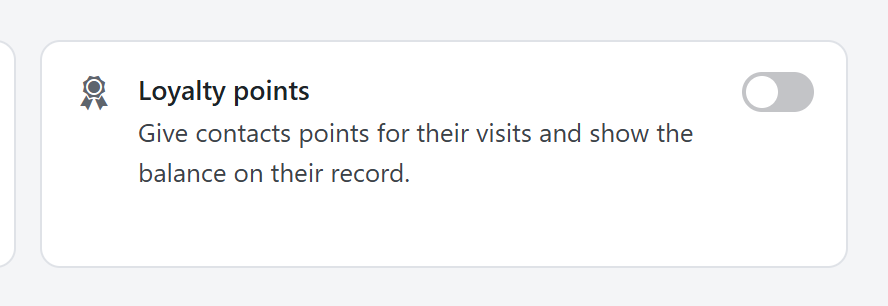
This page builds a complete example, a Loyalty points module: points on each contact, a panel on the contact page, a sidebar screen, a REST route and a webhook event. It is a normal WordPress plugin with two files.
my-crm-loyalty/
├── my-crm-loyalty.php            ← registers the module, loads the rest when it is on
└── includes/
    └── class-my-crm-loyalty.php  ← everything the module does
1. Register the module
Add your module with the unysonplus_crm_modules filter. That alone puts it on the Modules screen.
<?php
/**
 * Plugin Name: My CRM Loyalty Points
 * Description: An example Unyson+ CRM module: loyalty points on contacts.
 * Version: 1.0.0
 */

if ( ! defined( 'ABSPATH' ) ) {
	exit;
}

add_filter( 'unysonplus_crm_modules', function ( $modules ) {
	$modules['loyalty'] = array(
		'label'       => __( 'Loyalty points', 'my-crm-loyalty' ),
		'description' => __( 'Give contacts points for their visits and show the balance on their record.', 'my-crm-loyalty' ),
		'icon'        => 'dashicons-awards',
		'group'       => 'marketing',
	);
	return $modules;
} );
Every key a module can have:
| Key | Meaning |
|---|---|
label, description | The card's name and one-line description. Say what it does for the person, not how. |
icon | A dashicons class. |
group | The section of the Modules screen: sales, marketing, workspace (team and records) or connect. Add your own with the unysonplus_crm_module_groups filter (id => label). |
default | true to start switched on. Leave it false (the default): sites choose what they use. |
requires | Other module ids that must be on, e.g. array( 'pipeline' ). Your module counts as off while one of them is off, and the card says "Needs Sales pipeline." |
requires_text | Your own "Needs …" line, for example when you depend on another plugin. |
available | false, or a callable returning a boolean. When false the card shows "Not available" instead of a switch. Use it when a plugin you need is not installed: 'available' => function () { return class_exists( 'WooCommerce' ); }. |
soon | true lists the module as coming soon, with no switch. |
Pick a module id that is unlikely to clash, such as your plugin's prefix (acme_loyalty). The built-in ids
are companies, pipeline, calendar, conversations, email, audit, webhooks, automations,
scoring and cases.
2. Load your code only while the module is on
Check the switch on WordPress's init hook. By then the CRM has loaded, and FW_CRM_Modules::enabled()
returns the site's choice.
add_action( 'init', function () {
	if ( ! class_exists( 'FW_CRM_Modules' ) || ! FW_CRM_Modules::enabled( 'loyalty' ) ) {
		return; // The CRM is not active, or the module is switched off.
	}
	require_once __DIR__ . '/includes/class-my-crm-loyalty.php';
	My_CRM_Loyalty::init();
} );
This is the promise every module keeps: a module that is off loads no code, runs no background job and adds no menu. Keep that promise in yours, and the CRM stays light for the people who do not use it.
3. Add a sidebar item
Register the sidebar item outside the enabled() check, with a module key. The CRM hides it while
the module is off, and if someone opens its address anyway they see "Loyalty points is turned off" with a
button to the Modules screen, instead of an empty page.
add_filter( 'unysonplus_crm_nav', function ( $nav ) {
	$nav['marketing']['items']['loyalty'] = array(
		'label'  => __( 'Loyalty', 'my-crm-loyalty' ),
		'icon'   => 'dashicons-awards',
		'cap'    => 'fw_crm_manage', // CRM managers only; leave it out for every CRM user.
		'module' => 'loyalty',
	);
	return $nav;
} );
The sidebar groups are main (no heading), marketing, insights and admin (shown as "Data"). The
screen itself is rendered on unysonplus_crm_render_view, inside the module's own code (next step).
4. Set things up when it is switched on
unysonplus_crm_module_toggled fires whenever any module is switched on or off. Use it for one-time setup,
such as creating the custom field your module stores its values in. Register it outside the enabled()
check too, so it runs at the moment the switch is flipped.
add_action( 'unysonplus_crm_module_toggled', function ( $id, $on ) {
	if ( 'loyalty' === $id && $on ) {
		FW_CRM_Fields::save_definition( array(
			'object'     => 'contact',
			'key'        => 'loyalty_points',
			'label'      => __( 'Loyalty points', 'my-crm-loyalty' ),
			'type'       => 'number',
			'managed_by' => 'my-crm-loyalty', // Shown locked: staff cannot edit or delete it.
		) );
	}
}, 10, 2 );
Do not delete data when a module is switched off. Switching a module back on should bring everything back as it was; the CRM's own modules work that way.
To stop the module being switched off at a bad moment, return a WP_Error from the
unysonplus_crm_module_can_disable filter. The CRM shows its message and keeps the module on:
add_filter( 'unysonplus_crm_module_can_disable', function ( $ok, $id ) {
	if ( 'loyalty' === $id && get_transient( 'my_loyalty_import_running' ) ) {
		return new WP_Error( 'busy', __( 'A points import is running. Try again when it has finished.', 'my-crm-loyalty' ) );
	}
	return $ok;
}, 10, 2 );
5. Build what the module does
includes/class-my-crm-loyalty.php holds everything else. It uses the CRM's extension points: a panel on
the contact page, a timeline entry type, a webhook event and a REST route.
<?php
if ( ! defined( 'ABSPATH' ) ) {
	exit;
}

class My_CRM_Loyalty {

	public static function init() {
		// The screen behind the sidebar item.
		add_action( 'unysonplus_crm_render_view', function ( $view ) {
			if ( 'loyalty' === $view ) {
				echo '<p>' . esc_html__( 'Points are added from the contact page, the REST API or your booking code.', 'my-crm-loyalty' ) . '</p>';
			}
		} );

		// A panel on every contact page.
		add_filter( 'unysonplus_crm_contact_panels', function ( $panels ) {
			$panels['loyalty'] = array(
				'label'    => __( 'Loyalty points', 'my-crm-loyalty' ),
				'column'   => 'side',
				'priority' => 20,
				'callback' => function ( $contact ) {
					printf( '<p class="fw-crm-muted">%s</p>', esc_html( sprintf( __( '%s points', 'my-crm-loyalty' ), number_format_i18n( self::points( $contact['id'] ) ) ) ) );
				},
			);
			return $panels;
		} );

		// How its entries look on the timeline.
		add_filter( 'unysonplus_crm_activity_types', function ( $types ) {
			$types['loyalty'] = array( 'label' => __( 'Loyalty', 'my-crm-loyalty' ), 'icon' => 'dashicons-awards' );
			return $types;
		} );

		// An event other apps can receive through CRM → Webhooks.
		add_filter( 'unysonplus_crm_webhook_events', function ( $events ) {
			$events['loyalty.points_added'] = array( 'label' => __( 'Loyalty points added', 'my-crm-loyalty' ), 'group' => __( 'Loyalty', 'my-crm-loyalty' ) );
			return $events;
		} );

		// Its own REST route, with the CRM's permission rules.
		add_action( 'rest_api_init', function () {
			register_rest_route( 'my-crm-loyalty/v1', '/contacts/(?P<id>\d+)/points', array(
				'methods'             => 'POST',
				'callback'            => function ( $request ) {
					$total = self::add( (int) $request['id'], (int) $request['points'], 'api' );
					return is_wp_error( $total ) ? $total : array( 'points' => $total );
				},
				'permission_callback' => function ( $request ) {
					return FW_CRM_Capabilities::can_edit_contact( (int) $request['id'] );
				},
				'args'                => array(
					'points' => array( 'type' => 'integer', 'required' => true ),
				),
			) );
		} );
	}

	public static function points( $contact_id ) {
		$values = FW_CRM_Fields::get_values( 'contact', (int) $contact_id );
		return (int) ( $values['loyalty_points'] ?? 0 );
	}

	/** Add points: store them, put them on the timeline, tell the webhooks. */
	public static function add( $contact_id, $points, $source = '' ) {
		if ( ! FW_CRM_Contacts::get( $contact_id ) ) {
			return new WP_Error( 'my_crm_loyalty_contact', __( 'Contact not found.', 'my-crm-loyalty' ), array( 'status' => 404 ) );
		}
		$total = self::points( $contact_id ) + (int) $points;
		FW_CRM_Fields::set_values( 'contact', $contact_id, array( 'loyalty_points' => $total ) );
		FW_CRM_Activity::log( 'contact', $contact_id, 'loyalty', sprintf( __( '%1$s points added (%2$s in total)', 'my-crm-loyalty' ), $points, $total ) );
		do_action( 'unysonplus_crm_webhook', 'loyalty.points_added', array(
			'contact' => FW_CRM_Contacts::get( $contact_id ),
			'points'  => (int) $points,
			'total'   => $total,
			'source'  => $source,
		) );
		return $total;
	}
}
Activate the plugin, open CRM → Modules, switch Loyalty points on and save. The Loyalty item appears
in the sidebar, every contact page gets a Loyalty points panel, and
POST /wp-json/my-crm-loyalty/v1/contacts/15/points with {"points": 25} adds points, logs them on the
timeline and sends loyalty.points_added to any webhook that asked for it.
Rules that keep a module well behaved
- Go through the CRM's classes, not its tables.
FW_CRM_Contacts,FW_CRM_Fields,FW_CRM_Activity,FW_CRM_Tagsand the rest keep caches, the bin, the audit log and the hooks consistent; a direct query skips all of that. See PHP API and hooks. - Respect team roles. Check
FW_CRM_Capabilities::can_manage()for settings andcan_edit_contact( $id )(orcan_edit_company,can_edit_deal) for records, so a sales rep only reaches their own records through your screens and routes too. - Store values in custom fields marked
managed_bywhen they belong to a contact or company; they then show on the record, work in segments and appear in exports without extra code. Use your own table only for data that is not a property of a record (a log, a ledger). - Name events and automation triggers
<plugin>.<event>, likeloyalty.points_added, so they never collide with the CRM's own or another plugin's. - Keep the data when the module is switched off, and only remove it from your plugin's uninstall routine.
- Check that the CRM is there. Wrap calls in
class_exists( 'FW_CRM_Modules' )so your plugin does nothing (and breaks nothing) on a site without the CRM.
Offer your module on the first-run question
A new site is asked "What will you use the CRM for?" the first time a manager opens it, and only the modules
behind the answers are switched on. Add your own answer with unysonplus_crm_setup_uses:
add_filter( 'unysonplus_crm_setup_uses', function ( $uses ) {
	$uses['loyalty'] = array(
		'label'       => __( 'Reward regular customers', 'my-crm-loyalty' ),
		'description' => __( 'Loyalty points on every contact.', 'my-crm-loyalty' ),
		'icon'        => 'dashicons-awards',
		'modules'     => array( 'loyalty' ),
	);
	return $uses;
} );
Related
- Webhooks: send CRM events, including your module's, to other apps.
- REST API: the CRM's own routes under
fw-crm/v1. - PHP API and hooks: contacts, tags, the timeline, panels, Home cards and events.
- Modules and settings: the Modules screen from the user's side.