Calendar
The calendar puts everything with a date on one screen: your tasks, calls and meetings by their time, deals on the day they are expected to close, and email campaigns on the day they are scheduled or were sent.
The calendar is a module: switch it on under CRM → Modules.
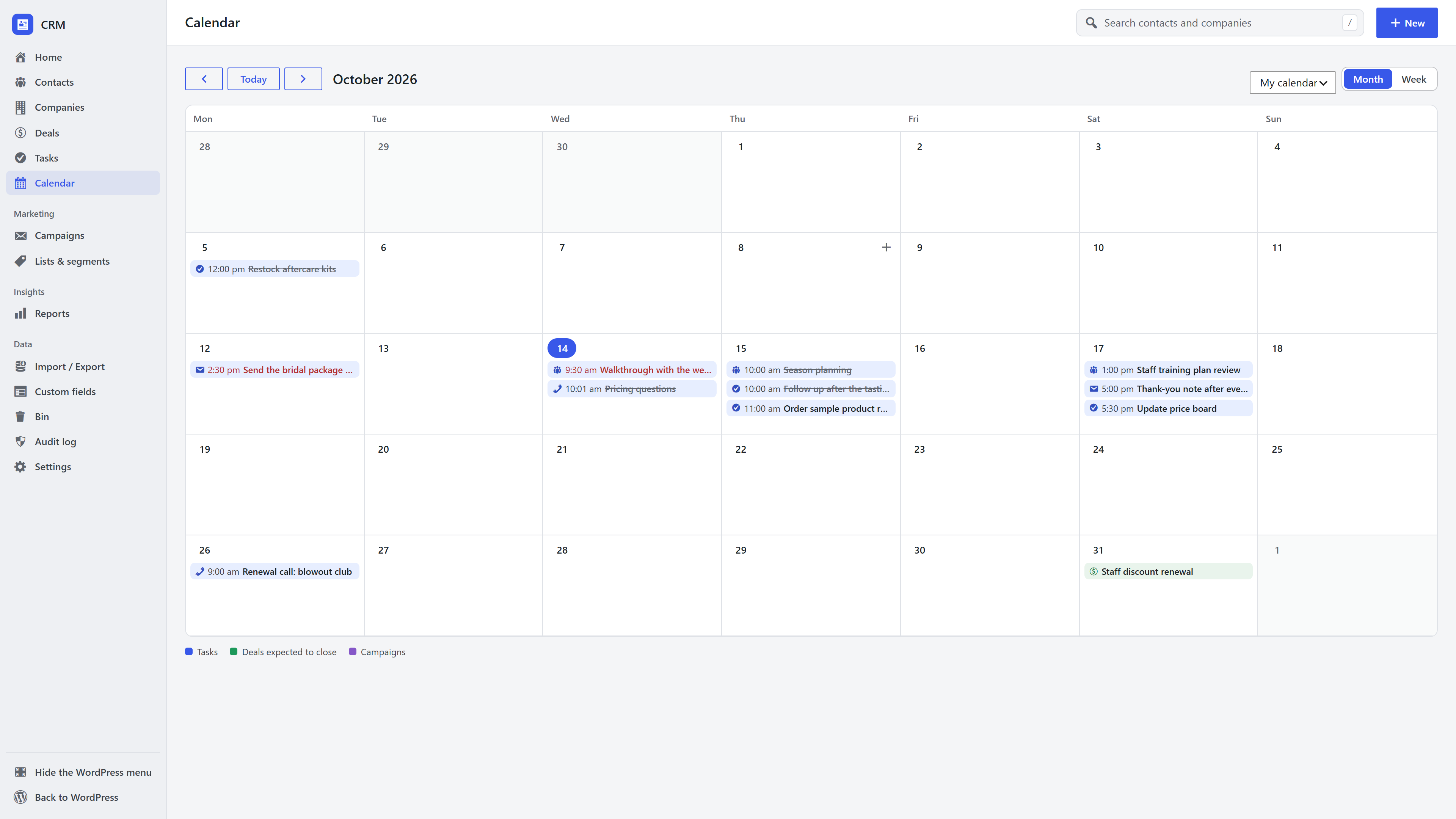
Month and week
- Month shows up to three items a day, with "N more" linking to that week.
- Week shows every item with its details: type, duration, place and the record it belongs to.
- Previous, Today and Next move through time; a day's number opens its week.
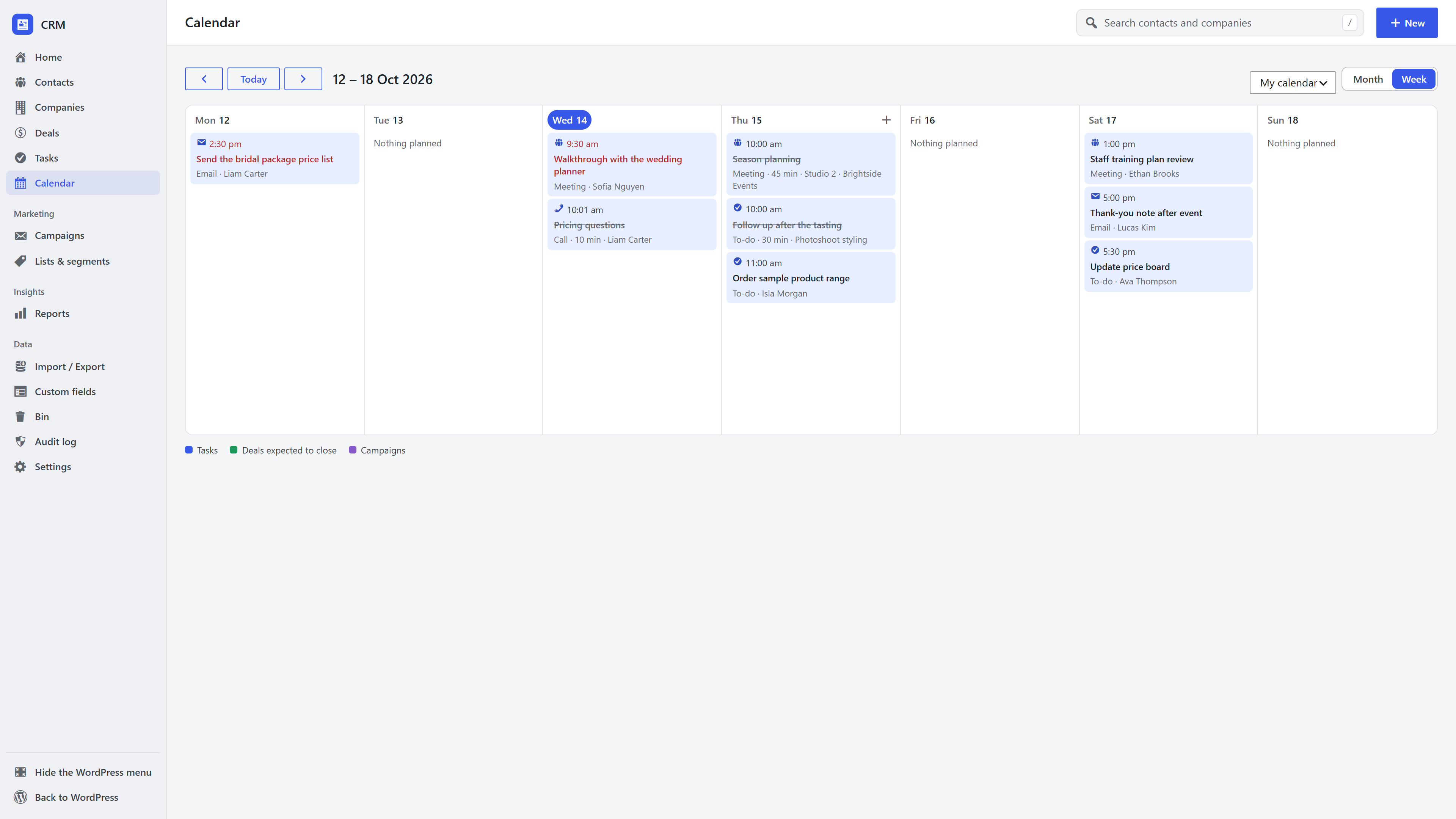
Overdue items show in red and done ones are struck through. Click any item to open its contact, company, deal or campaign.
Whose calendar
You see your own tasks and deals. Managers can switch to anyone's calendar, or everyone's. Campaigns show for managers.
Add a task from the calendar
Hover a day and click + to add a task for that day (09:00 by default, or the next hour today). To put the task on a contact, company or deal, add it from that record's page instead.
On a phone
The month becomes a list of the days that have something on.
For other extensions
Extensions can add their own items to the calendar, such as membership renewals. See PHP API and hooks.