Pipelines and deals
A deal is something you hope to sell: a quote, a booking, a contract, a project. A pipeline is the series of stages a deal moves through until it is won or lost. The Unyson+ CRM shows your pipeline as a board you drag deals across, right inside WordPress.
Switch on the Sales pipeline module under CRM → Modules to use it.
The deals board
Open CRM → Deals.
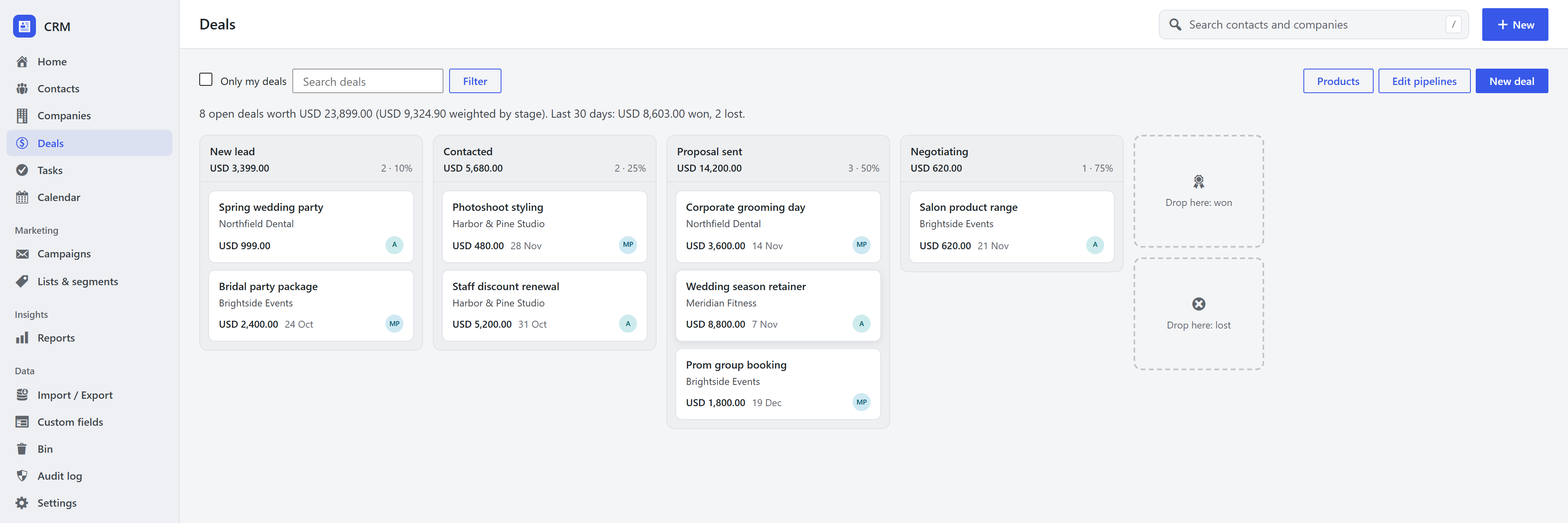
- Columns are the open stages. Each shows how many deals it holds and their total value.
- Cards show the deal's name, company, value, expected close date and owner. A card flagged as stalled has sat in its stage longer than the stage allows.
- Drag a card to another column to move it. Drop it on Won or Lost to close it; Lost asks for the reason. Everything saves at once.
- The line above the board sums it up: open deals and their value, the value weighted by each stage's probability, and what was won and lost in the last 30 days.
- Only my deals, search, and a pipeline picker (when you have more than one) filter the board.
On a phone, or without a mouse, open a deal and use its stage path instead of dragging.
Add a deal
Click New deal on the board, New → Deal in the top bar, or New deal on a contact's or company's page (which fills them in). A deal has:
- a name and a value (or let products add the value up),
- a currency (the pipeline's if it has one, otherwise WooCommerce's store currency, otherwise US dollars),
- the pipeline and stage, an owner, a main contact and a company,
- an expected close date and, if you want to override the stage's, a probability.
The deal page
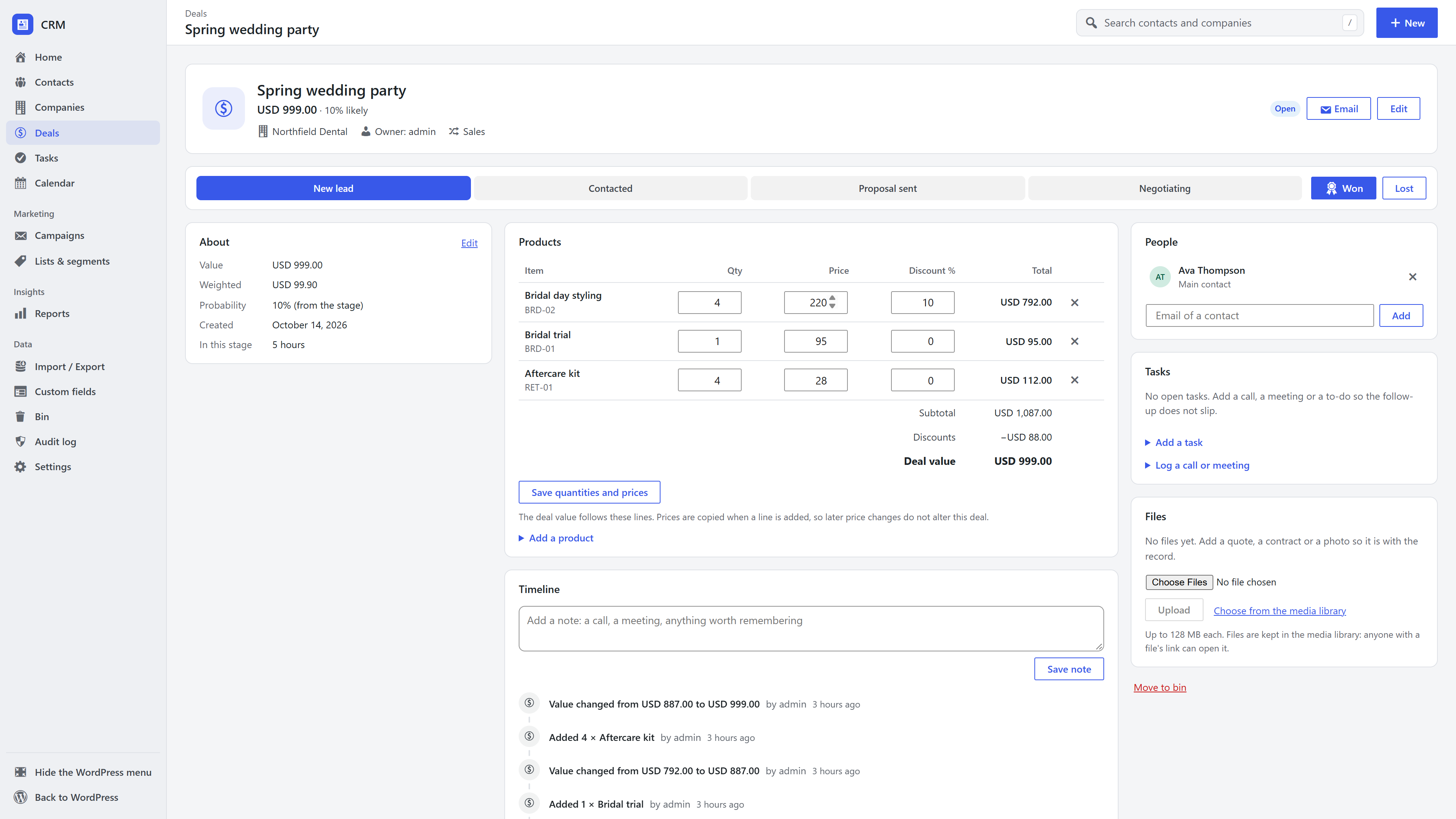
- Stage path: click a stage to move the deal there; Won and Lost close it. Moving a closed deal back to an open stage reopens it.
- About: value, weighted value, probability, created date and how long it has been in this stage. Edit changes the details.
- Products, Timeline, People, Tasks and Files. Add more contacts to the deal under People.
- Email writes to one of the deal's contacts and logs it on the deal. See One-to-one email.
Every change is on the deal's timeline, and the important ones (created, won, lost) also appear on the contact's and company's timelines.
Pipelines and stages
Open Deals → Edit pipelines (CRM managers).
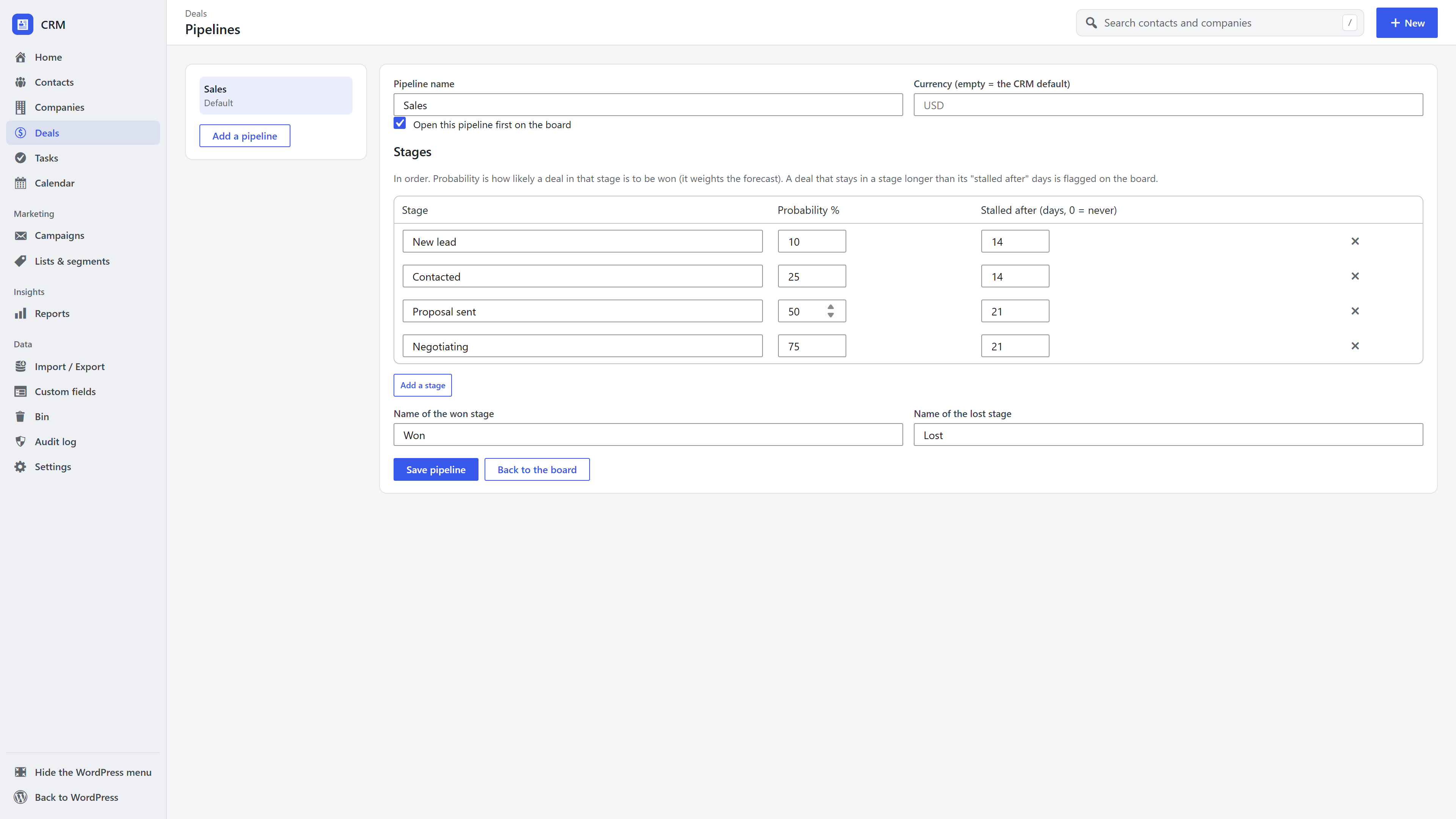
- Stages: add, rename, reorder and remove them. Each has a probability (the chance a deal at this stage is won, used for the weighted value) and an optional stalled after number of days.
- Won and Lost are always the last two stages; you can rename them (for example "Hired" and "Rejected" in a recruitment pipeline).
- Removing a stage moves its open deals to the first stage.
- Several pipelines: add one per process, such as sales and renewals. One is the default the board opens. A pipeline can be deleted once it has no deals.
Won and lost
Closing a deal records when it closed. Lost asks for a reason (price, timing, chose a competitor, no budget, no response or other); the reasons feed sales reports.
Frequently asked questions
Can I have more than one pipeline? Yes. Add as many as you need under Edit pipelines and switch between them on the board.
What is the weighted value? A deal's value multiplied by its probability. A USD 1,000 deal at a 25% stage counts as USD 250, which gives a realistic forecast of what will close.
Can sales reps see each other's deals? No. A sales rep sees the deals they own; managers see everything. See Team roles.
Is there an API? Yes. See the REST API.