Products and line items
List what you sell once, then add it to deals with a quantity and an optional discount. The deal's value adds itself up, and every line keeps the price it had when it was added.
The product list
Open Deals → Products. CRM managers add and edit products; everyone can pick them on deals.
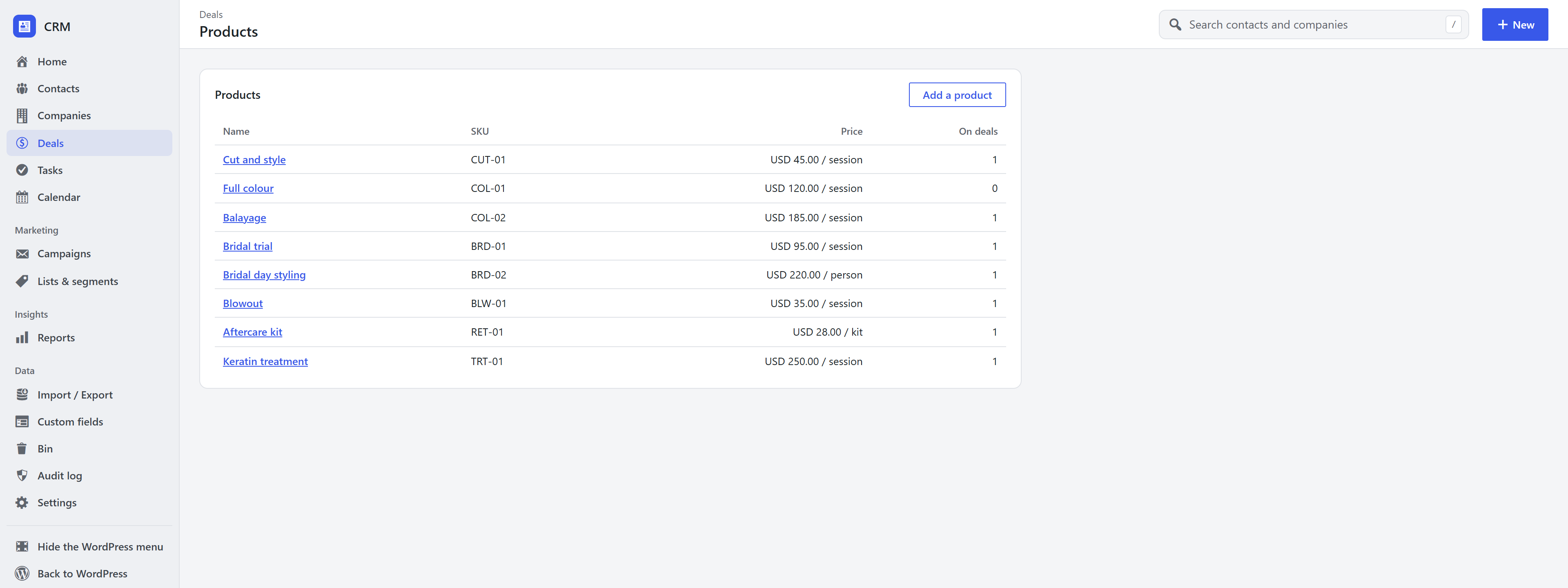
Each product has a name, a price, an optional per unit (hour, session, month…), an optional SKU and description, and an offer it on deals switch: untick it to archive a product without losing it.
WooCommerce products. When WooCommerce is active, its products can be picked on deals too, at their current price. Products sold in options (variable products) are not offered; add those as CRM products or custom lines.
Add products to a deal
- Open a deal and find Products.
- Add a product: pick one from the list (its price fills in), or choose Something else and type a name for a one-off line.
- Set the quantity, the price if it differs, and a discount in percent.
- Add to deal.
Change quantities, prices and discounts in the table and click Save quantities and prices. Remove a line with its ×.
How the deal value works
- With products on it, a deal is worth the total of its lines (after discounts). The value field turns read-only and follows the lines, and the board, forecast and reports use it.
- Without products, you type the value yourself, as before.
- Each line copies the name and price. Changing a product's price, or deleting the product, never changes deals that already use it.
- Adding and removing lines is written on the deal's timeline, as are value changes.
Frequently asked questions
Can I create quotes or invoices? Not yet. Line items record what a deal is for and what it is worth; sending quotes is planned.
Do product prices include tax? Prices are stored as you type them. Use the same convention (with or without tax) across your products.
What if my products are in WooCommerce? Pick them directly on the deal. The CRM reads WooCommerce's products and prices; you do not need to copy them.