Home dashboard
CRM → Home shows where things stand the moment you open the CRM.
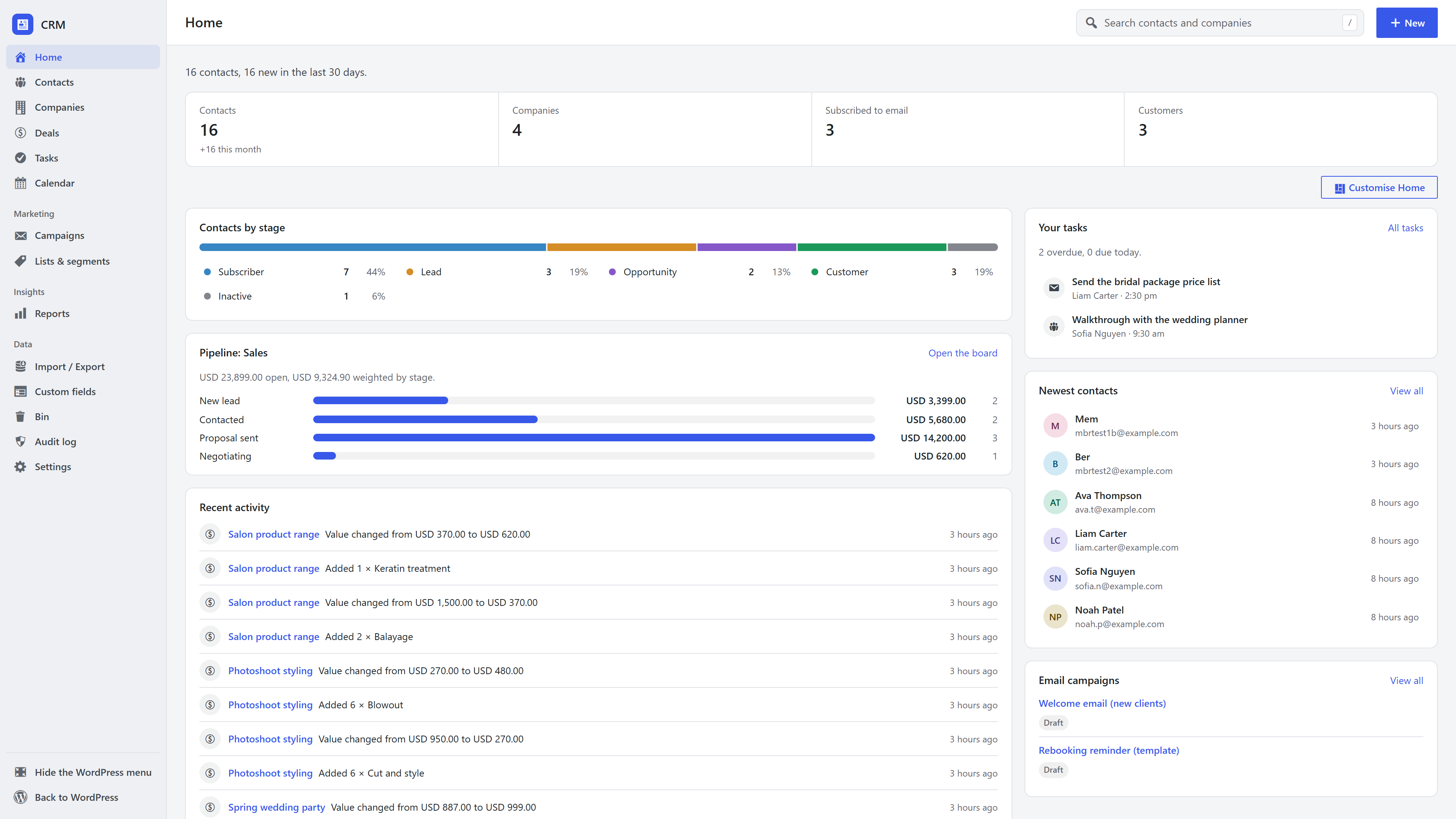
- The status line and counts: contacts and how many are new this month, companies, people subscribed to your emails and customers. Each count opens the matching list.
- Contacts by stage: how many contacts are subscribers, leads, opportunities, customers and inactive.
- Pipeline: open deal value per stage of your default pipeline, with the weighted total.
- Recent activity: what happened across every record lately.
- Your tasks: what is overdue and due today.
- Newest contacts and Email campaigns.
A sales rep's Home is about their own records. An empty CRM shows the three ways contacts arrive instead.
Customise Home
Everyone can arrange their own Home. Click Customise Home:
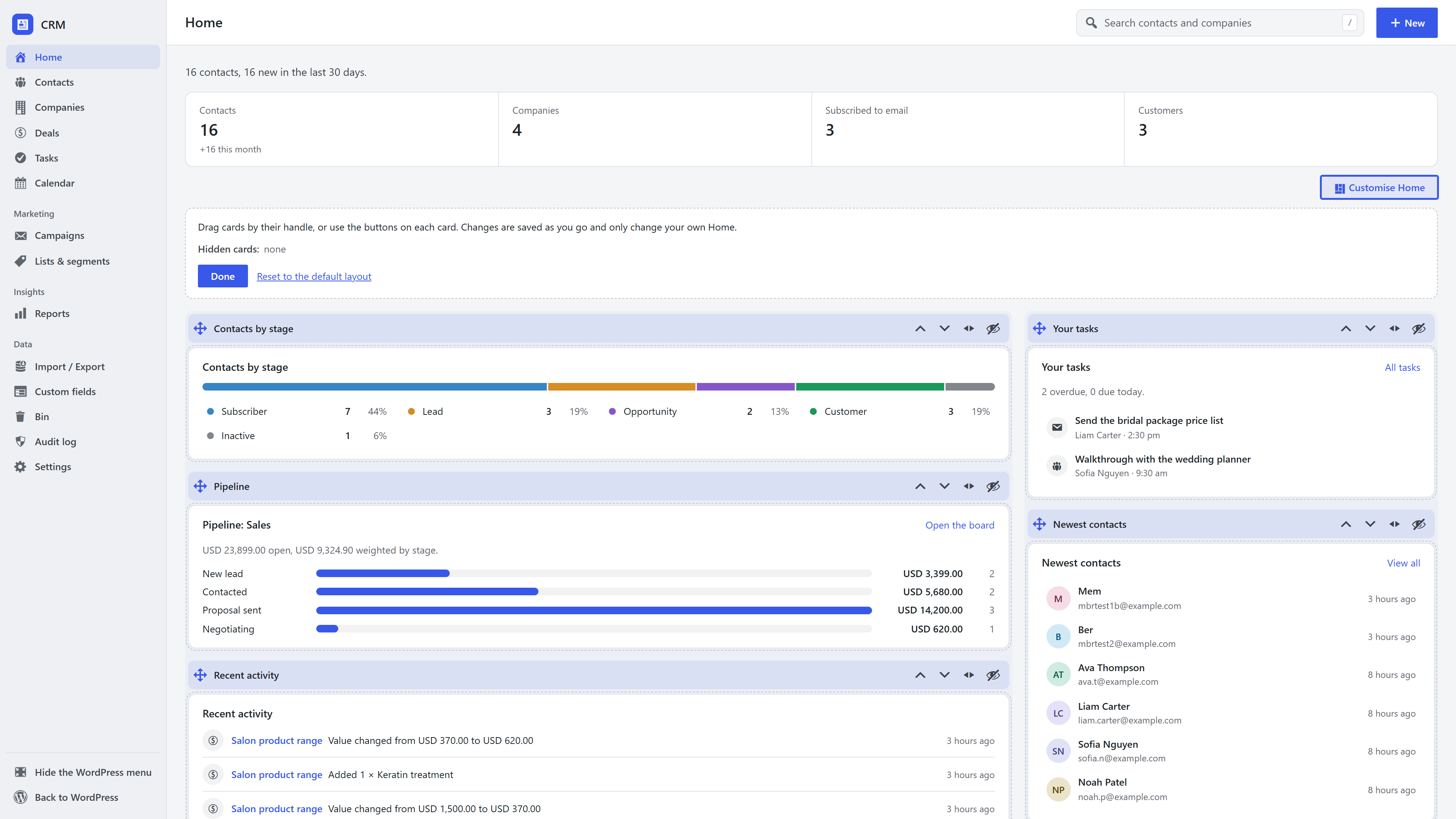
- Drag a card by its handle, within a column or to the other column.
- Or use the buttons on each card: move up, move down, move to the other column, hide.
- Hidden cards wait in the tray at the top; Show puts one back.
- Reset to the default layout undoes it all.
Changes save as you make them and only change your own Home. Cards added by other extensions (such as a Membership card) join the same layout.