Box Shadow
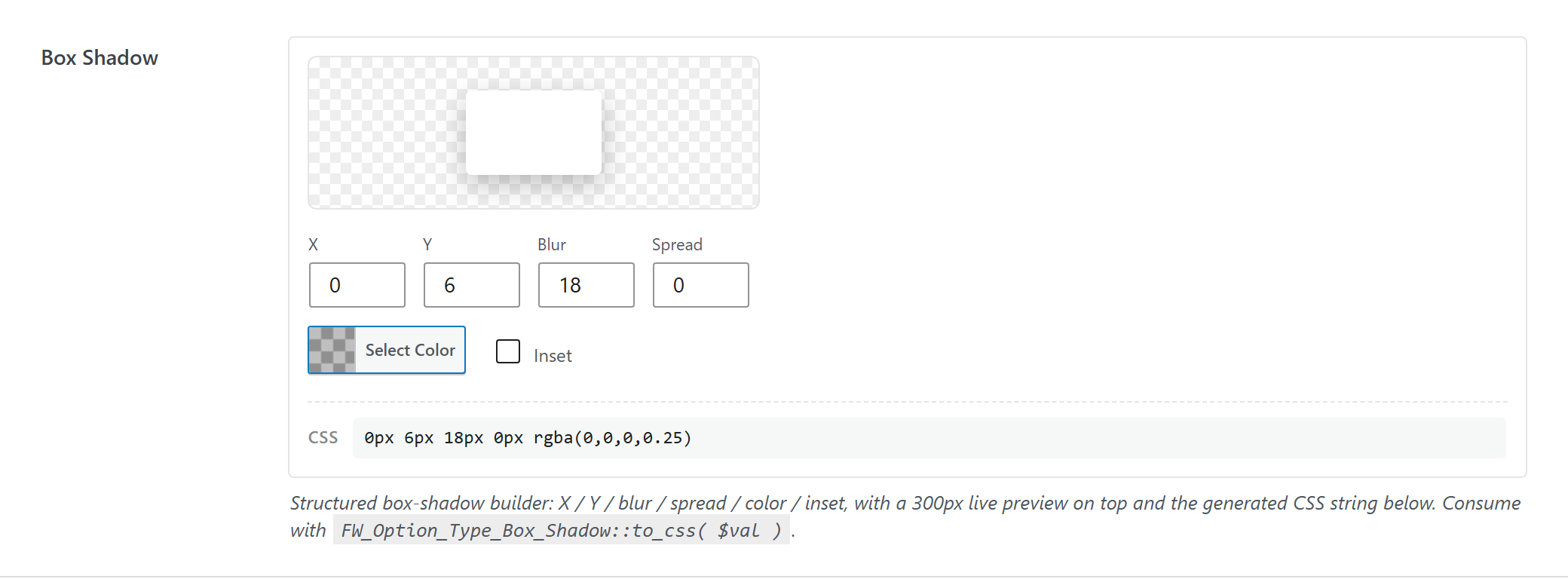
Structured box-shadow builder: X / Y / blur / spread / color / inset, with a live preview and the generated CSS string. Consume with FW_Option_Type_Box_Shadow::to_css( $val ).
$options = [
	'demo_box_shadow' => [
		'label' => __( 'Box Shadow', 'unysonplus' ),
		'type' => 'box-shadow',
		'value' => [ 'x' => 0, 'y' => 6, 'blur' => 18, 'spread' => 0, 'color' => 'rgba(0,0,0,0.25)', 'inset' => false ],
		'desc' => __( 'Structured box-shadow builder: X / Y / blur / spread / color / inset, with a 300px live preview on top and the generated CSS string below. Consume with <code>FW_Option_Type_Box_Shadow::to_css( $val )</code>.', 'unysonplus' ),
	],
];
Reading the value
box-shadow returns an array — read a field by key (the full shape is in Saved value below).
In a shortcode
The shortcode framework passes the option values into view.php as $atts:
$value = $atts['demo_box_shadow'];
printf( '%spx %spx %spx %spx %s',
	(int) $value['x'], (int) $value['y'], (int) $value['blur'], (int) $value['spread'], esc_attr( $value['color'] ) );
In a page template — a per-page option
Options defined on a post/page (a metabox) are read with fw_get_db_post_option():
$value = fw_get_db_post_option( get_the_ID(), 'demo_box_shadow' );
printf( '%spx %spx %spx %spx %s',
	(int) $value['x'], (int) $value['y'], (int) $value['blur'], (int) $value['spread'], esc_attr( $value['color'] ) );
When the field is one of several inside a box/group, read the whole group once and pick fields by key — the common CPT pattern (e.g. a review or book box):
$book  = fw_get_db_post_option( get_the_ID(), 'book' );
$value = $book['demo_box_shadow'];
printf( '%spx %spx %spx %spx %s',
	(int) $value['x'], (int) $value['y'], (int) $value['blur'], (int) $value['spread'], esc_attr( $value['color'] ) );
In Theme Settings — a global option
Global options are read with fw_get_db_settings_option():
$value = fw_get_db_settings_option( 'demo_box_shadow' );
printf( '%spx %spx %spx %spx %s',
	(int) $value['x'], (int) $value['y'], (int) $value['blur'], (int) $value['spread'], esc_attr( $value['color'] ) );
Saved value
fw_print( fw_get_db_settings_option( 'demo_box_shadow' ) ) outputs — the shape of this option type's stored value:
Array
(
    [x] => 0
    [y] => 4
    [blur] => 12
    [spread] => 0
    [color] => rgba(0,0,0,0.15)
    [inset] =>
)
In Gutenberg blocks (the React control)
box-shadow is one of the option types that also has a React version, so it can appear inside a Gutenberg block's sidebar.
Everything above is rendered by PHP. A block's settings sidebar is a React app and will not accept ready-made HTML from PHP, so the option type gets a second renderer. Both read the same schema and both produce the same saved value. See text for the full explanation.
What the box-shadow control does
Four number fields, a colour picker with alpha, an inset toggle — and a sample box carrying the shadow itself, because four numbers describing a shadow are almost impossible to picture.
sanitize() casts each with (int) round( (float) $v ). A control emitting '4' where the option stores 4 round-trips to a different value than the page builder saves for the same shadow.
blur and spread are floored at 0; x and y are not, because negative offsets are legitimate there.
Unlike the colour pickers that accept hex only, this option stores whatever string it is given — which is what lets a shadow carry alpha, the thing that makes it look like a shadow rather than a smear.