Code Editor
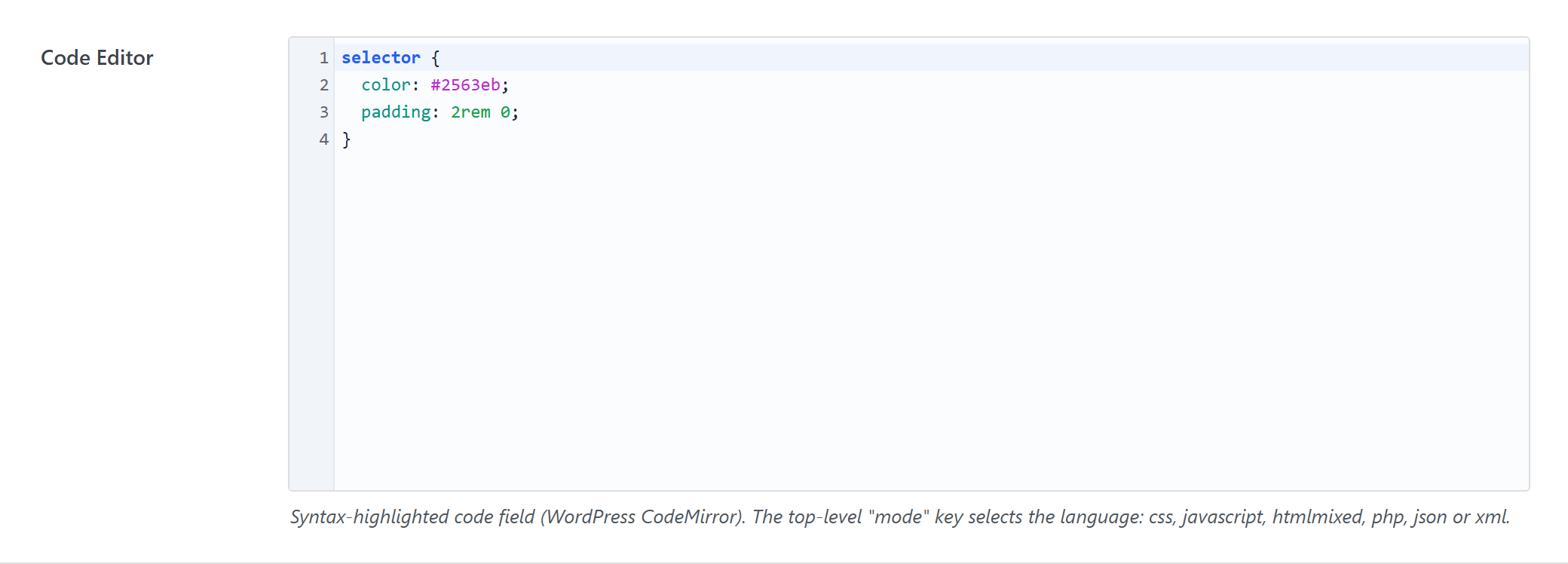
A syntax-highlighted code field (WordPress CodeMirror). The top-level mode key selects the language: css, javascript, htmlmixed, php, json or xml.
$options = [
	'demo_code_editor' => [
		'label' => __( 'Code Editor', 'unysonplus' ),
		'type' => 'code-editor',
		'mode' => 'css',
		'value' => "selector {\n\tcolor: #2563eb;\n\tpadding: 2rem 0;\n}",
		'desc' => __( 'Syntax-highlighted code field (WordPress CodeMirror). The top-level "mode" key selects the language: css, javascript, htmlmixed, php, json or xml.', 'unysonplus' ),
		'placeholder' => "/* Write CSS here */\nselector { … }",
		// — Optional attributes you can add —
		// 'height' => 300,
	],
];
Reading the value
code-editor returns a string — output it directly.
In a shortcode
The shortcode framework passes the option values into view.php as $atts:
echo esc_html( $atts['demo_code_editor'] );
In a page template — a per-page option
Options defined on a post/page (a metabox) are read with fw_get_db_post_option():
$value = fw_get_db_post_option( get_the_ID(), 'demo_code_editor' );
echo esc_html( $value );
When the field is one of several inside a box/group, read the whole group once and pick fields by key — the common CPT pattern (e.g. a review or book box):
$book = fw_get_db_post_option( get_the_ID(), 'book' );
echo esc_html( $book['demo_code_editor'] );
In Theme Settings — a global option
Global options are read with fw_get_db_settings_option():
$value = fw_get_db_settings_option( 'demo_code_editor' );
echo esc_html( $value );
Saved value
fw_print( fw_get_db_settings_option( 'demo_code_editor' ) ) outputs — the shape of this option type's stored value:
selector {
    color: #e5322d;
}
In Gutenberg blocks (the React control)
code-editor is one of the option types that also has a React version, so it can appear inside a Gutenberg block's sidebar.
Everything above is rendered by PHP. A block's settings sidebar is a React app and will not accept ready-made HTML from PHP, so the option type gets a second renderer. Both read the same schema and both produce the same saved value. See text for the full explanation.
What the code-editor control does
A plain monospace textarea, with spellcheck, autocapitalise and autocorrect switched off.
The PHP renderer loads CodeMirror. The React control does not, for two reasons in order of weight:
- WordPress's bundled editor (
wp.codeEditor) initialises against a real textarea and manages its own DOM. Wrapping that in a React component means two things believing they own the same node — the class of integration that works until an unrelated re-render wipes the buffer. For a code field, that is losing what you typed. - A sidebar column is the wrong shape for code anyway. Highlighting a line that wraps four times buys very little.
Real code editing stays in the page builder, where the editor has room and a stable host. The rendered output is identical from either surface.
Autocapitalising a variable name is a genuine hazard in a code field, not a cosmetic annoyance.