SVG Code
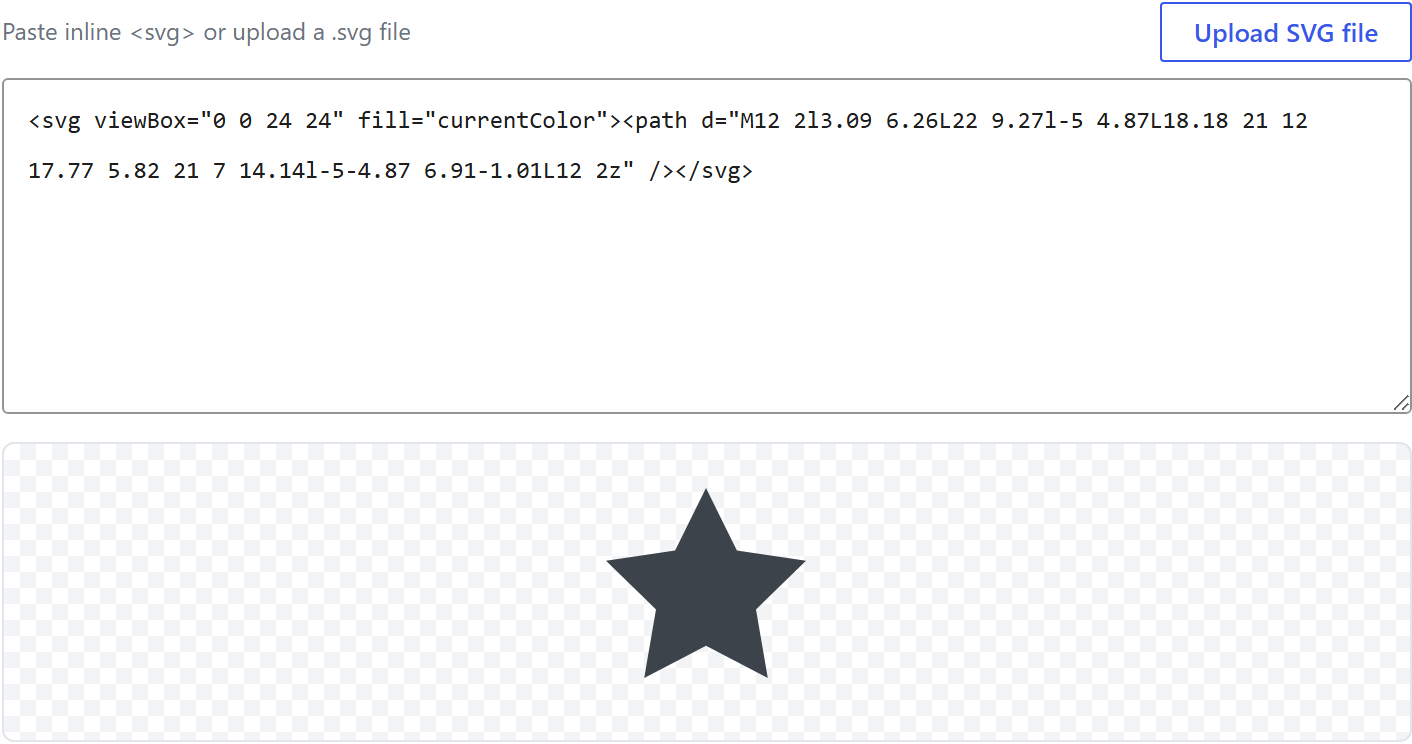
An inline-SVG field: a textarea for <svg>…</svg> markup plus an Upload SVG file button. It is
a reusable, self-contained control — drop it into any options array like any other type.
The upload button does not go through the WordPress media library: it reads the chosen .svg
client-side with FileReader straight into the textarea, so there is no SVG-mime block and no
"Safe SVG" plugin to install. Whatever ends up in the field — pasted or uploaded — is sanitised
server-side on save: <script>, event handlers (onload…) and external references are stripped,
and an Illustrator export's internal <style>/classes are flattened to presentation attributes so
it never renders black. The stored value is the cleaned SVG markup string.
$options = [
	'demo_svg_code' => [
		'label' => __( 'SVG Code', 'unysonplus' ),  // or false to hide the label column
		'type' => 'svg-code',
		'value' => '<svg viewBox="0 0 24 24" fill="currentColor"><path d="M12 2l3.09 6.26L22 9.27l-5 4.87L18.18 21 12 17.77 5.82 21 7 14.14l-5-4.87 6.91-1.01L12 2z"/></svg>',
		'desc' => __( 'Paste inline SVG or upload a .svg file.', 'unysonplus' ),
		// — Optional attributes you can add —
		// 'placeholder' => '<svg viewBox="0 0 24 24">…</svg>',
		// 'attr' => [ 'class' => 'my-class' ],
	],
];
Options
| Key | Type | Default | What it does |
|---|---|---|---|
value | string | '' | The SVG markup (sanitised on save) |
label | string / bool | false | The label column; false hides it |
desc | string / bool | false | Help text under the field |
placeholder | string | <svg viewBox="0 0 24 24">…</svg> | Empty-textarea hint |
Behaviour
- Paste or upload. Type/paste
<svg>…</svg>, or click Upload SVG file to load a.svgfrom disk — it is read as text into the textarea (never uploaded), so it works even where SVG media uploads are blocked. - Live preview. A checkerboard preview under the textarea renders the current SVG.
fill="currentColor". Use it in your SVG so the graphic inherits the surrounding text colour.- Only kept if it is SVG. A value that does not contain
<svgis discarded (stored as'').
Reading the value
svg-code returns a string of sanitised SVG markup. Because it is already cleaned on save, you
can echo it directly; re-running it through wp_kses() on output is a fine defence-in-depth habit.
In a shortcode
The shortcode framework passes the option values into view.php as $atts:
echo $atts['demo_svg_code']; // already-sanitised SVG markup
In a page template — a per-page option
Options defined on a post/page (a metabox) are read with fw_get_db_post_option():
$svg = fw_get_db_post_option( get_the_ID(), 'demo_svg_code' );
echo $svg;
When the field is one of several inside a box/group, read the whole group once and pick fields by key:
$brand = fw_get_db_post_option( get_the_ID(), 'brand' );
echo $brand['demo_svg_code'];
In Theme Settings — a global option
Global options are read with fw_get_db_settings_option():
$svg = fw_get_db_settings_option( 'demo_svg_code' );
echo $svg;
Saved value
fw_print( fw_get_db_settings_option( 'demo_svg_code' ) ) outputs — the shape of this option type's
stored value:
<svg viewBox="0 0 24 24" fill="currentColor"><path d="M12 2l3.09 6.26L22 9.27l-5 4.87L18.18 21 12 17.77 5.82 21 7 14.14l-5-4.87 6.91-1.01L12 2z"/></svg>
Where it is used
svg-code powers the svg-morph animation shortcode's shape fields and the Shape Dividers
preset library (Theme Settings → Components → Shape Dividers), where each edge shape is authored by
pasting or uploading an SVG. Reach for it whenever you need a user to supply raw SVG that you render
into your own trusted wrapper.
In Gutenberg blocks (the React control)
svg-code is one of the option types that also has a React version, so it can appear inside a Gutenberg block's sidebar.
Everything above is rendered by PHP. A block's settings sidebar is a React app and will not accept ready-made HTML from PHP, so the option type gets a second renderer. Both read the same schema and both produce the same saved value. See text for the full explanation.
What the svg-code control does
It is the code-editor control: a monospace field with spellcheck, autocapitalise and autocorrect switched off, and the schema's placeholder shown while empty.
_get_value_from_input() rejects anything without an <svg and then runs it through sc_icon_sanitize_svg(). Blocks never reach that validator — their attributes go straight to the element's view.
So paste SVG you trust. Markup from an unknown source gets sanitised when saved through the page builder and does not when saved through a block.