Choose what to book
A booking form normally books one bookable: a single rental, or one service. When you have several (rooms in a guest house, cabins, therapists, tables), one form can offer them all, and the visitor picks.
Set it up
- Add each room or person as its own bookable under Bookings → Bookables, with its own rates and settings.
- In the form, open the Dates and availability field and tick them under Or let the visitor choose.
Tick two or more to offer a choice; with one ticked, or none, the field books what is set in What is booked, as before.
The bookables you offer must all be booked the same way: all by the night, or all by time slot. The first one ticked decides, and any of the other kind is left out.
What the visitor sees
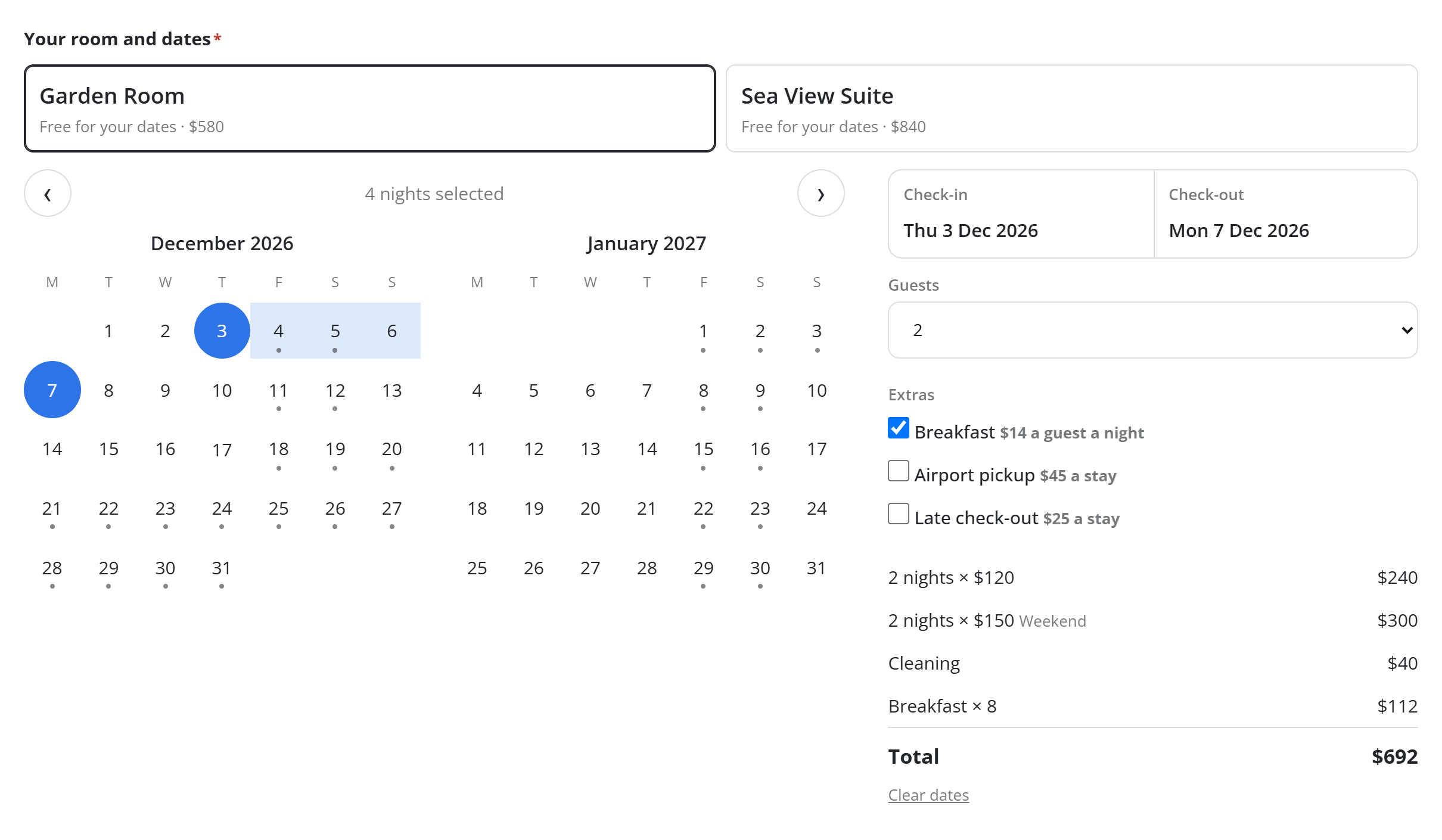
The choices appear above the calendar, each with its name and starting price ("From $100 a night"). The calendar shows the chosen one's taken dates and prices, its extras and its guest limit.
Once dates (or a day and time) are picked, every choice shows whether it is free for them:
- Free for your dates · $550, with the price for those dates;
- Not free for these dates.
The visitor can switch to another choice without starting again. Dates they already picked are kept if they are free there.
What is booked
The booking is made for the choice the visitor picked, under that bookable's own rules (confirmation, deposit, paying online, reminders). The server only accepts one of the choices the form offers, so a visitor can't book something else by editing the page.
The owner's alert, the guest's emails and the {booking_item} answer tag all name the room or person that was booked.
Without JavaScript
The choices are plain radio buttons, with the date fields and the extras as checkboxes. The form still works and is checked the same way when it is sent.