Rates and extras
A nightly rate and seasons cover most rentals. Three more settings cover the rest: a different price for weekend nights, a discount for longer stays, and extras the guest can add, such as breakfast or an airport pickup.
All three are set on the bookable, under Bookings → Bookables → (your room) → Booking settings.
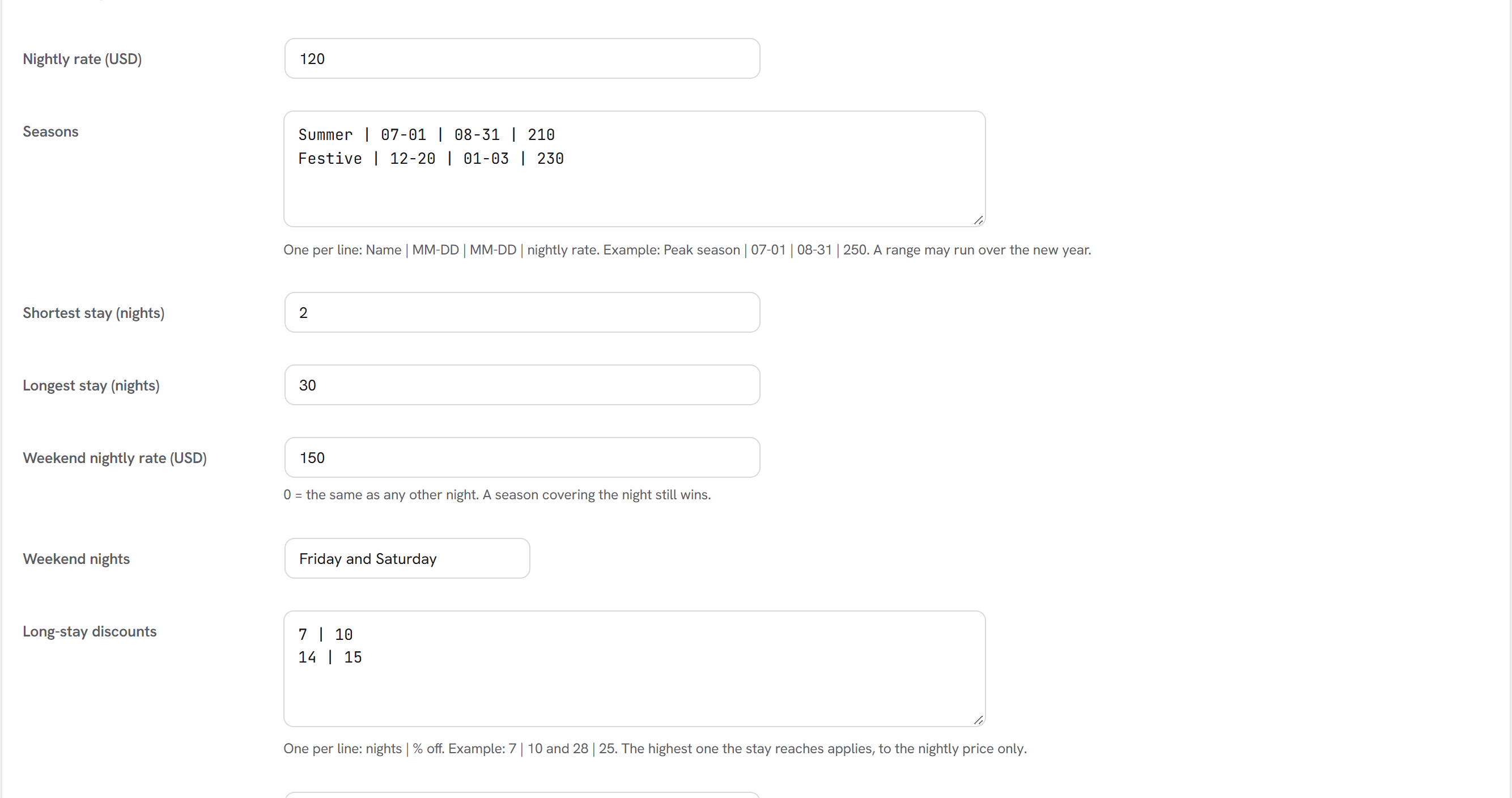
Weekend rate
Weekend nightly rate is the price of a weekend night. Leave it at 0 to price every night the same.
Weekend nights says which nights count as the weekend:
| Choice | Weekend nights |
|---|---|
| Friday and Saturday (default) | the nights starting on Friday and Saturday |
| Saturday | the night starting on Saturday |
| Friday, Saturday and Sunday | the nights starting on Friday, Saturday and Sunday |
A season always wins: when a season covers a night, that night costs the season's rate, weekend or not. So the order is season, then weekend, then the normal nightly rate.
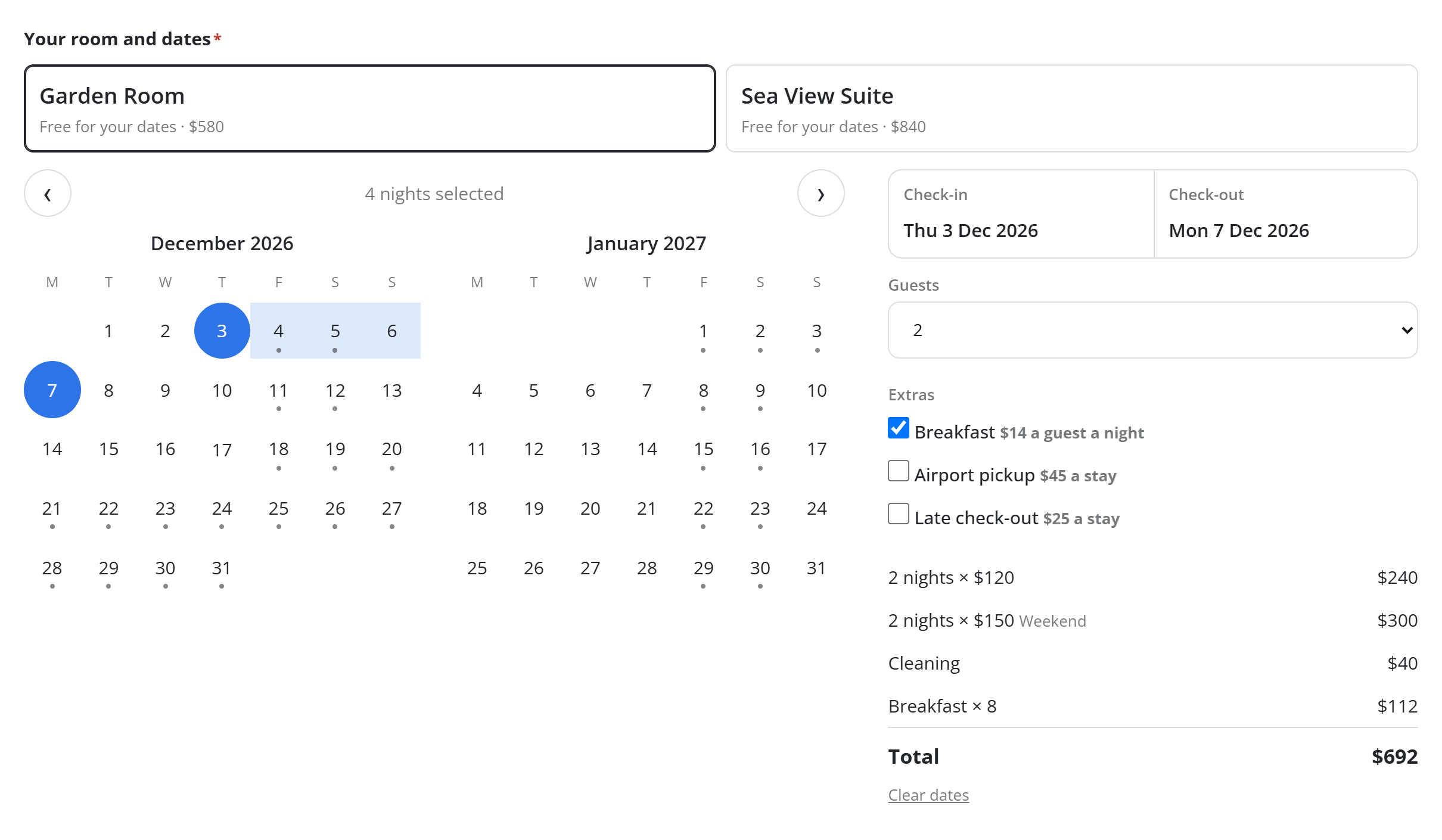
On the calendar, each day shows its own rate, and the price summary lists the weekend nights on their own line ("2 nights × $150, Weekend").
Long-stay discounts
Long-stay discounts takes one line per discount: the number of nights, then the percentage off.
7 | 10
28 | 25
Here a stay of 7 nights or more is 10% off, and a stay of 28 nights or more is 25% off. Only the highest discount the stay reaches applies. The discount comes off the nightly part of the price, not the cleaning fee or the extras.
Before any dates are chosen, the booking form tells visitors about the discount ("Save 10% on stays of 7 nights or more"), and the price summary shows it as its own line once it applies.
Extras
Extras guests can add takes one line per extra: its name, its price, and what the price is per.
Breakfast | 15 | guest-night
Airport pickup | 40 | stay
Late check-out | 30 | stay
| Per | For | Charged |
|---|---|---|
stay | rooms and rentals | once per booking |
night | rooms and rentals | each night |
guest | rooms and rentals | each guest, once |
guest-night | rooms and rentals | each guest, each night |
booking | appointments and tables | once per booking |
person | appointments and tables | each person |
The guest ticks the extras they want in the booking form, under the guests count. Each extra shows its price ("$15 a guest a night"), and the total updates straight away. Breakfast for 2 guests over 4 nights shows as "Breakfast × 8".
The extras chosen are kept on the booking. They appear in the owner's alert, the guest's emails, the booking list, the
guest's own booking page, and the {booking_extras} answer tag.
The price is always the server's
The price summary in the form comes from the same check the site makes when the form is sent. Seasons, the weekend rate, the discount and the extras are worked out in one place, so the price the visitor sees is the price the booking stores and the amount taken online.
Example
A cottage at $100 a night, $150 on Friday and Saturday nights, a $50 cleaning fee, 10% off from 7 nights, and breakfast at $15 a guest a night. Two guests book Thursday to Monday with breakfast:
| 2 nights × $100 | $200 |
| 2 nights × $150 (Weekend) | $300 |
| Cleaning | $50 |
| Breakfast × 8 | $120 |
| Total | $670 |
The same two guests staying 7 nights get 10% off the nightly part.