Reminders and follow-ups
Bookings can email the guest twice about a confirmed booking: a reminder before it starts, and a thank-you after it ends. You set both on each bookable, under Bookings → Bookables → (your room or service) → Reminders and follow-ups.
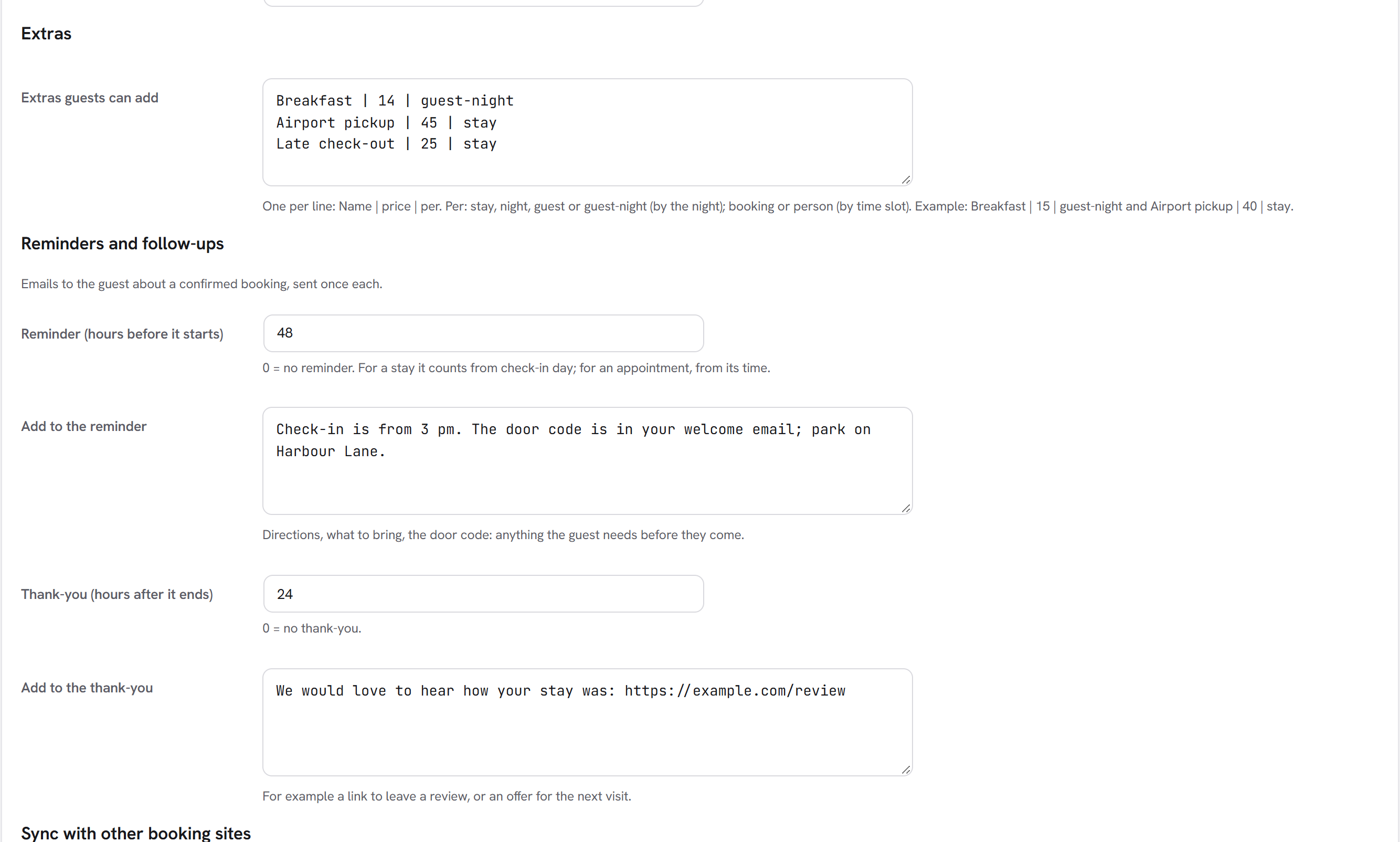
| Setting | What it does |
|---|---|
| Reminder (hours before it starts) | When the reminder goes out. 0 = no reminder. For a stay it counts from the start of check-in day; for an appointment, from its time. 48 means two days before. |
| Add to the reminder | Your own text in the reminder: directions, what to bring, the door code. |
| Thank-you (hours after it ends) | When the thank-you goes out. 0 = no thank-you. 24 means the day after check-out or the appointment. |
| Add to the thank-you | Your own text: a link to leave a review, an offer for the next visit. |
What the guest gets
The reminder, subject "Reminder: Garden Room, Sat 12 Mar 2027 to Wed 16 Mar 2027":
- a greeting, and your note;
- the booking's details: reference, dates, guests, extras, total, and the check-in and check-out times;
- the link to see, change or cancel their booking.
The thank-you, subject "Thank you for visiting (your site's name)": a greeting, and your note.
Replies go to the booking alert address set on the bookable.
When they are sent
A job runs every hour and sends what is due:
- Only confirmed bookings get them. A request still waiting for your answer, a declined or a cancelled booking does not.
- Each is sent once. The booking remembers that it had its reminder and its thank-you.
- A thank-you goes out in the day after its time. Switching thank-yous on does not email everyone who stayed last year.
- A booking made less than the reminder time before it starts (a booking for tomorrow, with a 48-hour reminder) gets its reminder at the next hourly run.
With the CRM
With the CRM on, each reminder and thank-you is also an automation trigger: Booking about to start and Booking ended, in the Bookings group. Use them for more than one email, for example a follow-up series after a stay, or a task for your team the day before an arrival. You can leave the bookable's own emails off and do it all in the CRM.
For developers
The filter fw_ext_bookings_reminder_mail receives { to, subject, body }, the booking, and reminder or thanks;
return false to skip the email. The action fw_ext_bookings_reminder( $booking_id, $kind ) fires when either is due.