Getting started
Switch it on
- Go to Unyson+ → Extensions and activate Visitor Insights.
- Collection starts at once. There is nothing to paste into your theme and no account to create.
- Open Unyson+ → Visitor Insights to see the reports.
Someone who may see the reports but not the rest of Unyson+ gets a Visitor Insights menu of their own.
See your first page view
Your own visits do not count while you are logged in as an editor, so the reports stay empty if you only browse the site yourself. To check that it works:
- Open your site in a private window.
- Visit a page or two.
- Wait about a minute and reload Overview.
If nothing arrives, look at Settings → Status. It says which collector is in use and whether a consent plugin is holding tracking back.
Find your way around
Every screen shares one sidebar, grouped by the question each view answers. The period switch (7, 30 or 90 days, or 12 months) sits at the top right.
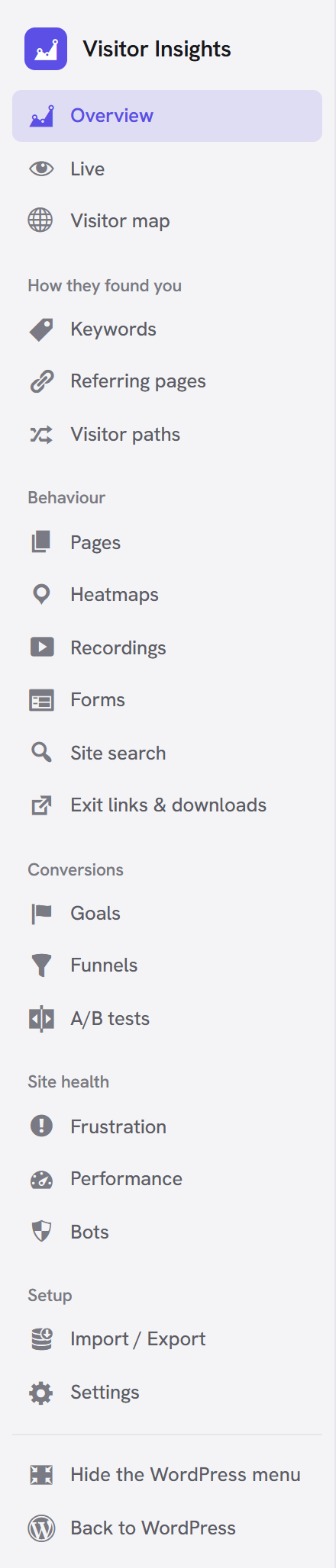
| Group | Views |
|---|---|
| (top) | Overview, Live, Visitor map |
| How they found you | Keywords, Referring pages, Visitor paths |
| Behaviour | Pages, Heatmaps, Recordings, Forms, Site search, Exit links & downloads |
| Conversions | Goals, Funnels, A/B tests |
| Site health | Frustration, Performance, Bots |
| Setup | Import / Export, Settings |
Hide the WordPress menu at the bottom of the sidebar gives the reports the whole screen.
Decide who is counted
Settings → Logged-in users sets this:
| Choice | Who is counted |
|---|---|
| Track them, except people who can edit content (default) | Customers and members, but not you or your editors |
| Track nobody who is logged in | Only logged-out visitors |
| Track everyone, editors included | Everyone |
Some pages are never tracked: cart, checkout and account pages, previews, and the Live Editor. Add your
own under Settings → Pages not to track, one path per line, with * as a wildcard
(/members/*). Visits from an address you list under Excluded IPs are never counted either.
Decide about consent
Visitor Insights uses no cookies and keeps no IP addresses, but whether you may track without asking
depends on where your visitors are. Read Privacy and consent before going live, and
put [visitor_insights_optout] on your privacy page.
Page caches and security plugins
Tracking works on cached pages, because it needs nothing per visitor in the HTML. A cached page keeps reporting for 45 days.
If your host blocks the fast collector, Visitor Insights notices and switches to the WordPress REST API by itself. Visits are still complete, just slower to record. Settings → Status shows which one is in use, and Check the collector again retests it.
After you change a setting or an A/B test, common page caches are cleared for you. If yours is not one of them, clear it by hand.
What to do first
- Add your first goal, such as your thank-you page.
- Connect Search Console to see search words.
- Download the free city database for regions and cities.
- Switch on the weekly email.