How to convert a Google Stitch design to WordPress
Google Stitch turns a prompt into a clean UI design and lets you export it as HTML. That export is a great starting point — but it's a static file, not a running website. The free Site Converter rebuilds a Stitch export into a native, fully editable WordPress site, and Stitch is natively, deterministically supported — no AI required, no guesswork.
A Stitch export is self-contained HTML that loads Tailwind + fonts from a CDN. The converter has a
dedicated Stitch path that reads that markup directly — so a Stitch .zip (a single frame or
a whole multi-screen project) comes across cleanly, section by section.
Step 1 — Export from Stitch
In Google Stitch, export your design to HTML — you'll get a .zip. It can be a single
exported frame or a multi-screen project; the converter handles both (each screen becomes a page).
Step 2 — Install Unyson+ and Site Converter
- Install and activate Unyson+ (free).
- Unyson+ → Extensions → activate Site Converter.
- (Recommended) start the capture service for full-fidelity, computed-CSS rendering. Stitch converts even without it (an offline PHP parser reads the Tailwind markup), but rendered mode matches colors, spacing and fonts far more closely.
Step 3 — Convert to WordPress
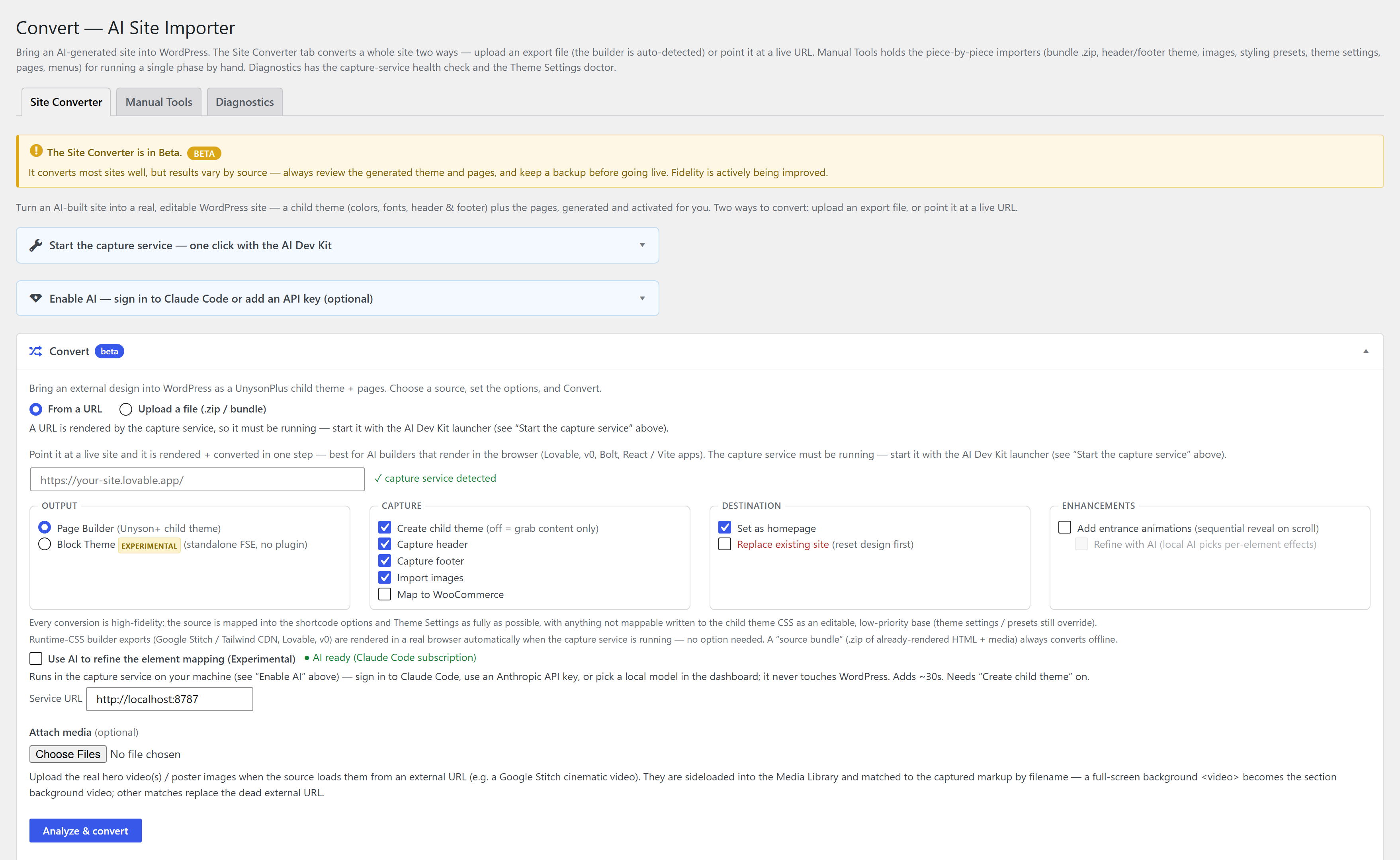
- Unyson+ → Convert → Convert tab → Upload a file (.zip).
- Choose File — your Stitch
.zip. (Or paste one screen'scode.htmlunder Advanced options.) - Set options — Create child theme, Capture header/footer, Import images, optional AI assist.
- Click Convert to WordPress, or Review mapping first to confirm each section's role, then Build the site.
The converter runs media → design presets → theme settings → pages → menus and reports each phase. See Convert from a file for the fidelity modes and the under-the-hood flow.
Step 4 — Edit in the builder
Every converted screen is a fully editable page-builder page — change text, swap images, add a blog, forms or WooCommerce. It's a normal WordPress site from here.
FAQ
Is it free? Yes — Unyson+ and the Site Converter are free, with no pro tier.
Do I need the AI/capture service? No. Stitch conversion is deterministic and works offline; the capture service just raises fidelity.
Single screen or a whole project? Both — a multi-screen Stitch .zip becomes multiple pages.
See also
- Convert an AI-generated static HTML site to WordPress — the general guide for any AI export (v0, Lovable, Bolt, Claude…).
- Convert from a file — fidelity modes and details.
- Site Converter · Capture service