How to convert your Lovable site to WordPress
Lovable builds a polished front end from a prompt, but the result is a hosted app — not a WordPress site you can hand to a client, blog from, or run SEO and forms on. The free Site Converter rebuilds your Lovable design into a native, fully editable WordPress site: real page-builder pages, a matching theme, menus and Media Library.
Watch the full conversion end to end — capture, convert, then edit the result in the builder. The written steps below cover the same ground.
Because Lovable renders in the browser, the reliable path is to convert from its published URL — the converter opens the live page in real Chrome and reads the computed styles, so what you see is what you get.
Step 1 — Publish your Lovable site (get a URL)
In Lovable, Publish your project to get a live preview/published URL. (If you've exported the code to GitHub and deployed it, that deployed URL works too.) Make sure the page you want is publicly reachable.
Step 2 — Install Unyson+ and Site Converter
- Install and activate Unyson+ (free).
- Unyson+ → Extensions → activate Site Converter.
- Start the capture service — for a URL conversion this is what renders the page in Chrome and captures the real colors, fonts and layout. (One-time local setup.)
Step 3 — Convert from the URL
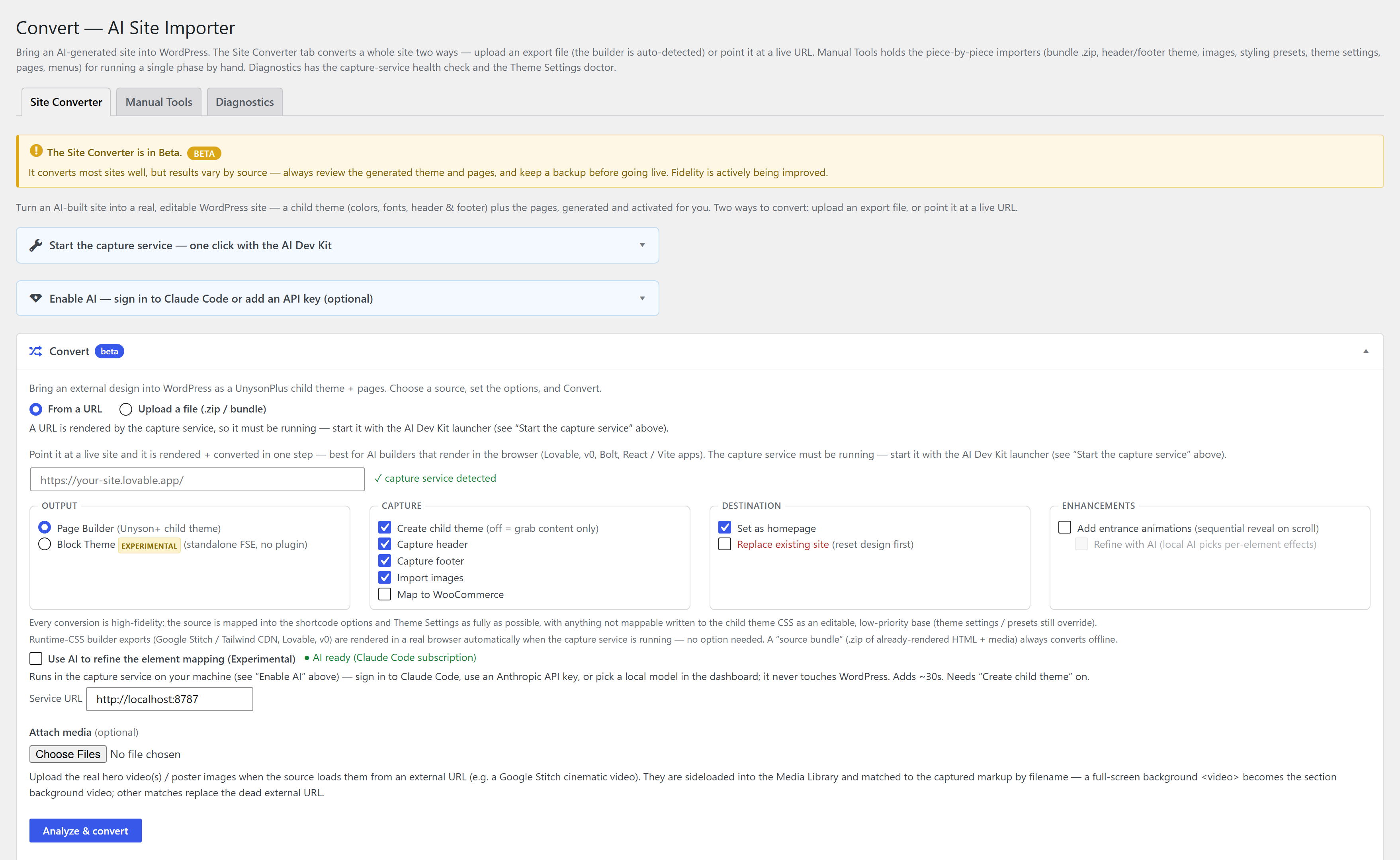
- Unyson+ → Convert → Convert tab → From a URL.
- Paste your published Lovable URL.
- Set options — Create child theme, Capture header/footer, Import images, optional AI assist (an optional Claude pass that only refines the section mapping; the design is always reproduced deterministically).
- Click Convert to WordPress, or Review mapping first, then Build the site.
Full walkthrough: Convert from a URL.
Step 4 — Edit in the builder
Every page comes across fully editable in the page-builder — tweak sections, swap content, then add the things a static app can't give you: posts, forms, WooCommerce, SEO plugins. It's a normal WordPress site now.
Convert each page from its own URL, or paste a URL list where the tool supports it. Menus and the footer are rebuilt as real WordPress menus and widget areas.
FAQ
Is it free? Yes — Unyson+ and the Site Converter are free, no pro tier.
Do I need to export the code? No — publishing to a URL is enough; the converter reads the live page.
Is it a static copy? No — it rebuilds the design as native, editable Unyson+ pages, not an iframe or screenshot.
See also
- Convert your Wegic site to WordPress — the same flow for another hosted AI builder.
- Convert an AI-generated static HTML site to WordPress — the general guide for any AI export (v0, Bolt, Stitch, Claude…).
- Convert from a URL — the URL path in detail.
- Site Converter · Capture service