How to convert your Wix site to WordPress
Wix is easy to start on but hard to leave: there's no real way to export a Wix site, and your pages, content and hosting are all tied to the Wix platform and its monthly plans. WordPress is the opposite — self-hosted, open, and yours: a full CMS, thousands of plugins, your own SEO, and hosting you choose.
Because Wix won't hand you your files, the practical route off it is to rebuild the design from your live page. The free Site Converter opens your published Wix URL in real Chrome, reads the computed design, and rebuilds it as a native, fully editable WordPress site — real page-builder pages, a matching theme, menus and Media Library.
Step 1 — Get your live Wix URL
Make sure your Wix site is published and publicly reachable — on your *.wixsite.com address or
your connected custom domain. That live page is what the converter reads.
Step 2 — Install Unyson+ and Site Converter
- Install and activate Unyson+ (free).
- Unyson+ → Extensions → activate Site Converter.
- Start the capture service — for a URL conversion this is what renders the page in Chrome and captures the real colors, fonts and layout. (One-time local setup.)
Step 3 — Convert from the URL
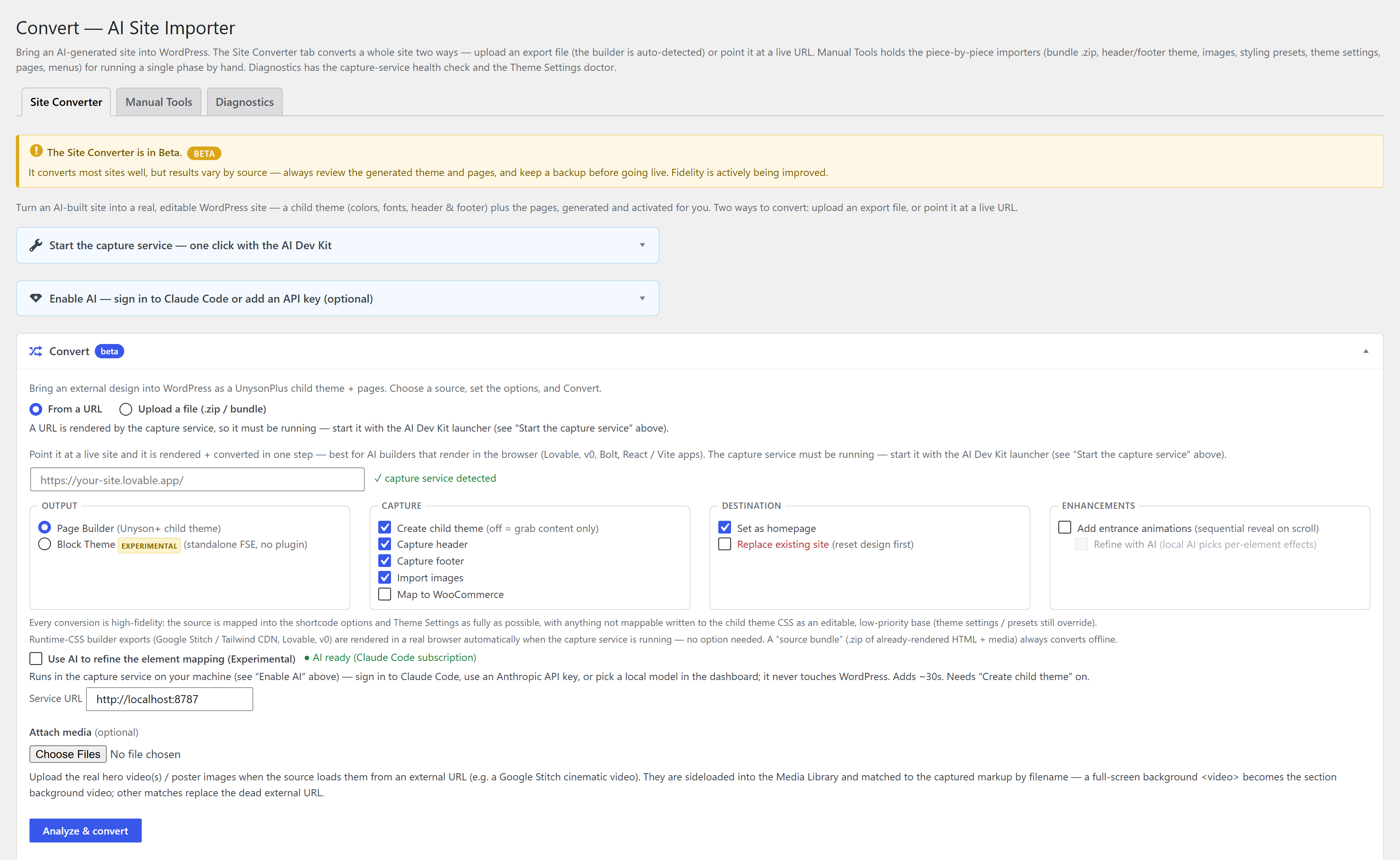
- Unyson+ → Convert → Convert tab → From a URL.
- Paste your live Wix URL.
- Set options — Create child theme, Capture header/footer, Import images, optional AI assist (an optional Claude pass that only refines the section mapping; the design is always reproduced deterministically).
- Click Convert to WordPress, or Review mapping first, then Build the site.
Full walkthrough: Convert from a URL.
Step 4 — Edit in the builder, then add what Wix locked away
Every page comes across fully editable in the page builder. Once you're on WordPress you can add the things Wix gated behind higher plans or didn't allow: real SEO plugins, unlimited forms, WooCommerce, custom post types, and any theme or plugin you like.
Convert each page from its own live URL. Dynamic pieces — a store, bookings, members — are rebuilt with native WordPress plugins (WooCommerce and friends) rather than copied, so you own those too.
An automatic conversion is a close, editable starting point — not always pixel-perfect. To get it the rest of the way, hand it to an AI agent like Claude: it runs the conversion, compares the result to your original section by section, and refines it until it matches. See Convert a site to WordPress with an AI agent.
FAQ
Can you export a Wix site to WordPress? Wix has no genuine export, so there's no file to import. Converting from the live URL is the way out — it rebuilds your design as editable WordPress pages.
Is it free? Yes — Unyson+ and the Site Converter are free, with no pro tier.
Will my content come over? The page design and content are rebuilt from the live page. Dynamic features (store, blog feeds, forms) are re-added with WordPress plugins, which is where they belong.
Is it a static copy? No — it rebuilds the design as native, editable Unyson+ pages.