Metered paywall
A metered paywall lets people read a few protected items for free before the paywall appears. News sites and magazines use it: you can read three articles a month, then you are asked to subscribe.
It works better than a hard paywall when your content is how people find you. A visitor arriving from a search result can read the article they came for, see what the site is like, and only meets the prompt once they keep coming back.
The Unyson+ metered paywall has two levels:
- Visitors (not logged in) get a small number of free reads per period.
- People with a free account but no plan get a larger number. This is a registration wall: it gives people a reason to sign up for a free account, which gives you their email address.
Once both allowances are used, the normal prompt to join appears: the subscription wall.
Before you start: switch the module on
The Metered paywall is a module and is off by default.
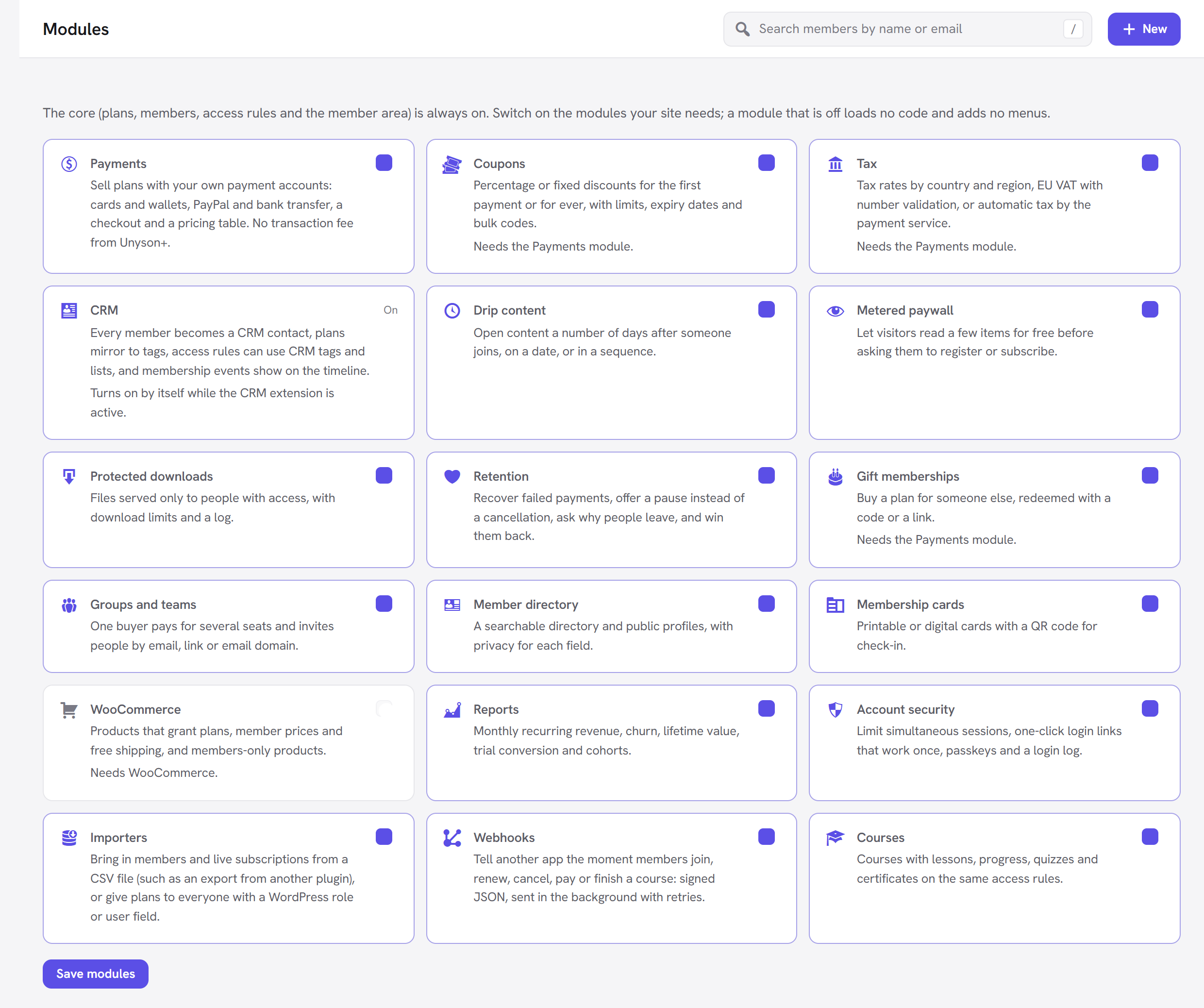
- Go to Unyson+ → Membership → Modules.
- Switch on Metered paywall ("Let visitors read a few items for free before asking them to register or subscribe.").
- Click Save modules.
How to set it up
The paywall has two parts: the allowances (one setting for the whole site) and the rules they apply to (you choose which content is metered).
Step 1: set the allowances
- Go to Unyson+ → Membership → Settings.
- Find the Metered paywall panel.
- Set Free reads for visitors, Free reads with a free account and Counted per.
- Click Save settings.
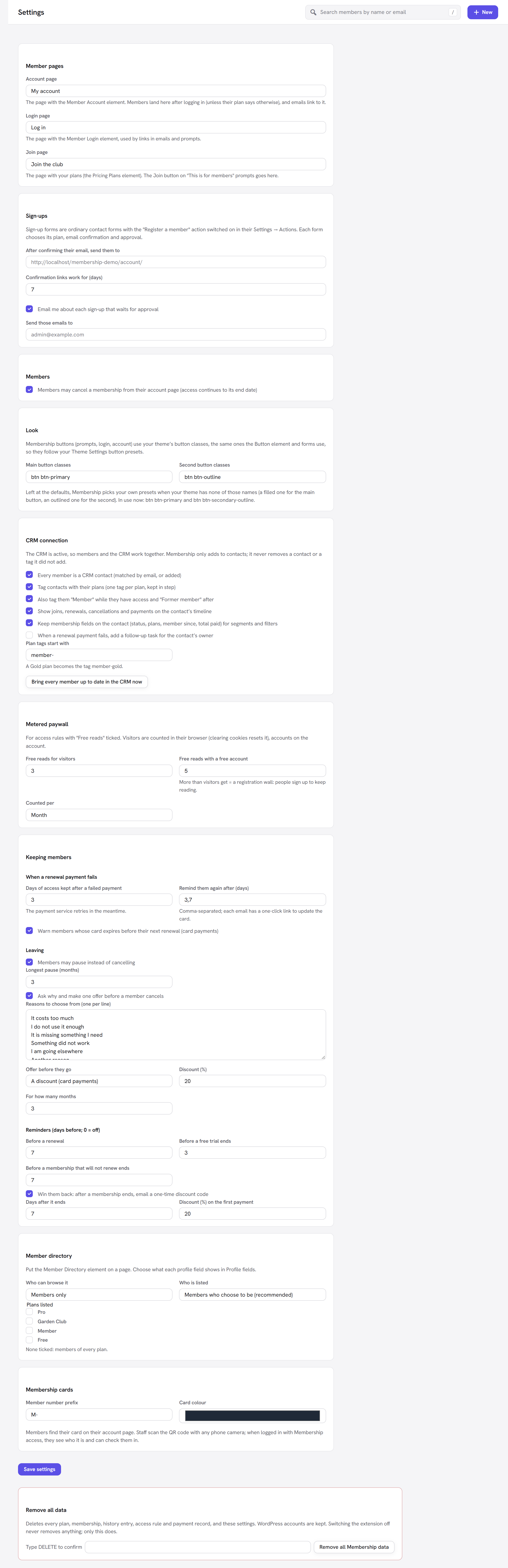
Example for the Larkspur Garden Club: visitors may read 3 articles a month, people with a free account 5 a month, and Member plan holders everything.
Step 2: tick "Free reads" on the rules to meter
Metering is switched on per access rule, so you decide which content can be sampled.
- Go to Unyson+ → Membership → Access rules and open the rule that protects your articles (or click New access rule). For example, a rule protecting Items in a category or tag → the "Growing guides" category, for the Member plan.
- Under What everyone else sees, choose A teaser and a prompt to log in or join (recommended).
- In Options, tick Free reads: people without access may read a few of these each period (Settings → Metered paywall).
- Click Save rule.
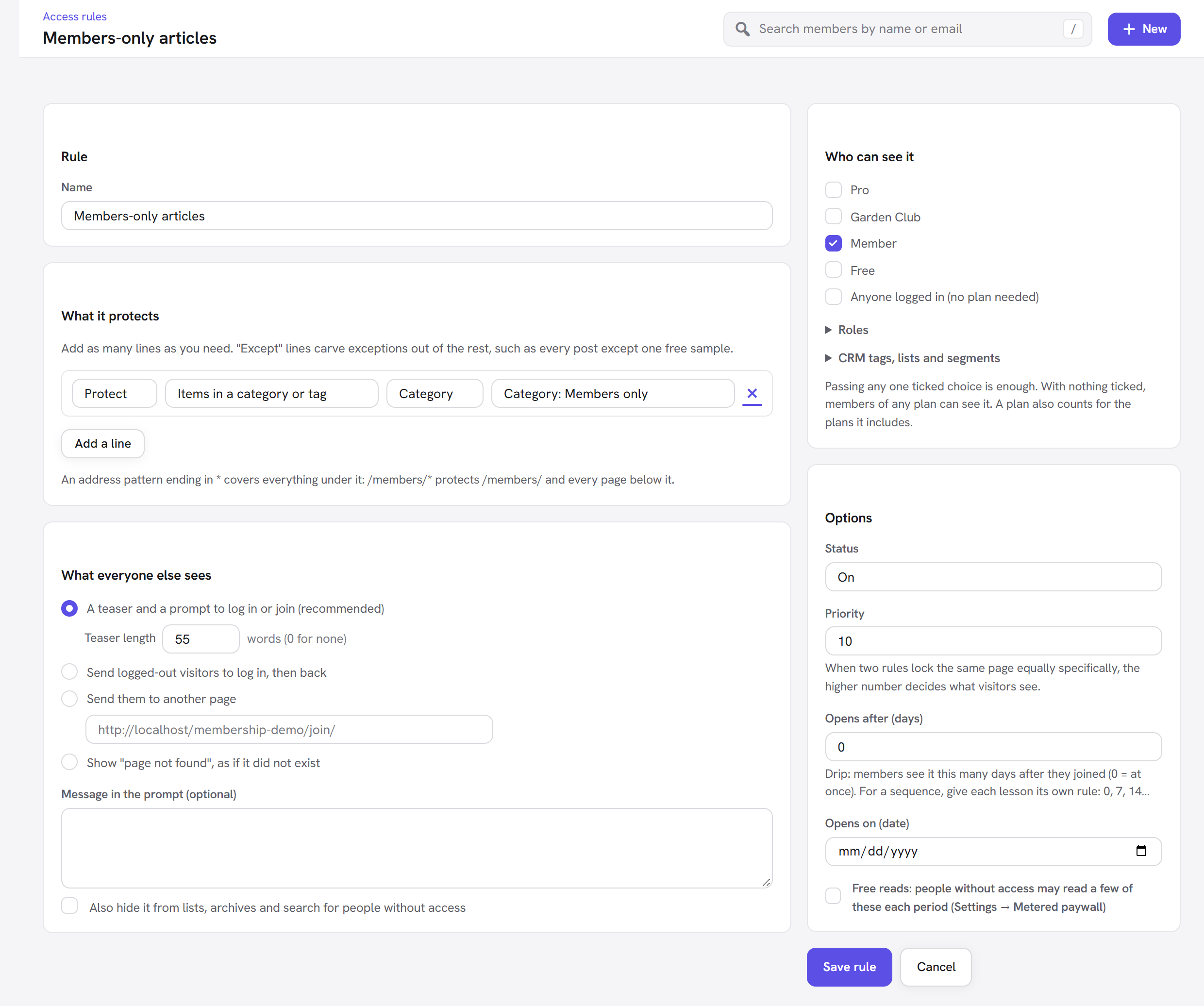
Content covered by that rule is now metered. Content covered by rules without the tick stays fully locked.
What visitors see
While they have free reads left, they see the whole article, with a short notice at the top:
- "You have 2 free articles left." (the number counts down);
- "This is your last free article for now." on the last one;
- visitors who are not logged in also get a Log in link next to the notice, so existing members are not charged a read.
When the allowance is used up, they see the rule's teaser and prompt, with a new title: You have read your free articles this month (or today / this week, to match Counted per). The message underneath depends on who they are:
- A visitor, when the account allowance is bigger than the visitor allowance: "Create a free account to read 5 a month, or join to read everything."
- Anyone else: "Join to read everything, whenever you like." (unless the rule has its own Message in the prompt).
<img src="/img/membership/front-paywall.png" alt="The "This is for members" prompt with Join and Log in buttons, which a visitor sees once their free reads are used up" width="878" />
Every option explained
The Metered paywall panel (Membership → Settings)
The panel note reads: "For access rules with "Free reads" ticked. Visitors are counted in their browser (clearing cookies resets it), accounts on the account."
| Field | What it does | Default | Tip |
|---|---|---|---|
| Free reads for visitors | How many metered items a visitor who is not logged in may read each period. 0 means none: visitors must register before they can read anything. | 3 | Lower it to push sign-ups harder; raise it if most of your traffic is one-off search visitors. |
| Free reads with a free account | How many metered items a logged-in person with no plan may read each period. Help text: "More than visitors get = a registration wall: people sign up to keep reading." | 5 | Keep it higher than the visitor number. If it is the same or lower, there is no reason to register, and the "Create a free account" message is not shown. |
| Counted per | The period the allowance resets on: Month, Week or Day. | Month | Month suits a magazine; Day or Week suits a site that publishes many short items a day. |
The periods are calendar periods: a month allowance resets on the 1st, a week allowance at the start of each week, a day allowance at midnight (your site's time zone).
The rule option (Access rules → a rule → Options)
| Field | What it does | Default |
|---|---|---|
| Free reads: people without access may read a few of these each period (Settings → Metered paywall) | Lets content covered by this rule be read using the free allowance. | Off |
How counting works
- Each item counts once per period. Reading the same article three times in a month uses one read. Going back to it later that month is free.
- Only the page being read counts. Seeing an article in a list, an archive, a feed, search results or through the REST API never uses a read; those keep showing the teaser.
- Visitors are counted in their browser, in a signed cookie that lasts 40 days. It cannot be edited to gain extra reads (a tampered cookie is ignored and counts as empty), but a visitor who clears their cookies or uses another browser starts again. This is true of every metered paywall: it is a soft limit meant to convert regular readers, not a lock.
- Accounts are counted on the account, so a logged-in person has the same allowance on every device.
- Members with a plan never get free reads. If someone already holds a plan but the article needs a higher one (a Member reading a Pro article), they see the upgrade prompt straight away. The free allowance is only for people with no plan.
- Dripped content is not metered. A page that has not opened yet for a member (see Drip content) shows the "opens on" message instead.
- "View as" previews are never metered, so you can check your rules without using up reads.
Good to know
Which "What everyone else sees" choice should the rule use? The teaser and prompt. That is where the paywall message appears when the free reads run out.
Can I meter one category and hard-lock another? Yes. Tick Free reads only on the rule for the metered category. A second rule without the tick stays locked for everyone without access.
Does a free account need a plan? No. Any logged-in account without a plan gets the account allowance. If you also have a Free plan, its holders count as members and see the content the Free plan opens, not free reads.
I set visitors to 0. What do they see? The prompt straight away, with the "Create a free account" message (when accounts get more than 0). This is a pure registration wall.
Administrators always see everything, so log out or use "View as" to test the meter.
Next steps
- Drip content: open content over time for members.
- Protected downloads: members-only files.
- Back to the Membership overview.