SEO
Premium SEO, ready in minutes.
Dynamic titles and meta descriptions, canonical URLs, XML sitemaps, Open Graph tags and indexing control — the SEO toolkit Yoast and Rank Math gate behind a paid plan, built in and free.
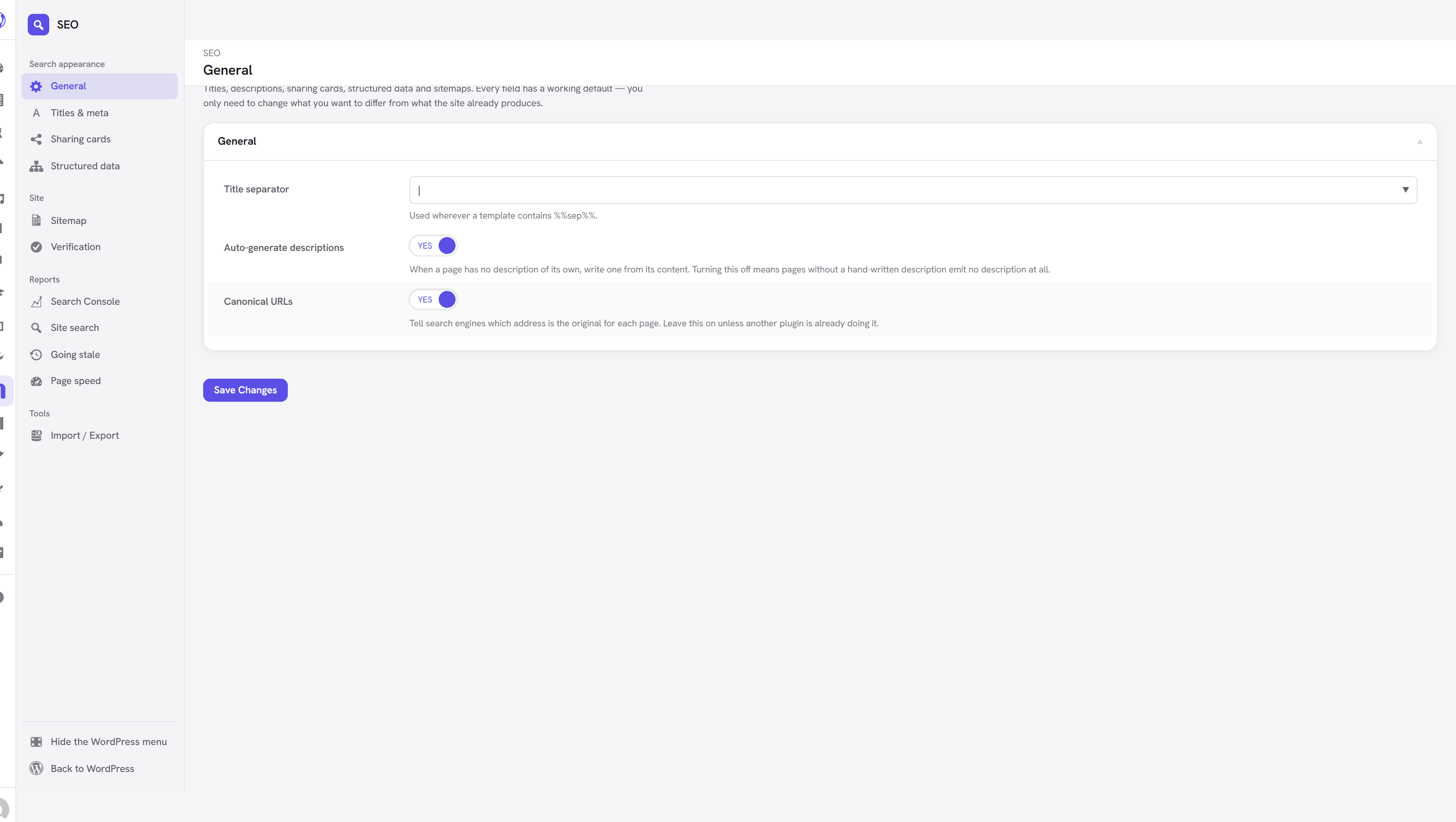
Dynamic titles and meta descriptions, generated automatically and overridable per page, with canonical URLs, indexing control and XML sitemaps.
The guiding idea: a site should be correctly described the moment the extension is activated, with no configuration. Every field has a sensible default, descriptions are written from your content, and you only touch a page's SEO settings when you want something different from what it already produces.
Activate it under Unyson+ → Extensions, then find its settings under Unyson+ → SEO.
Before any plugin trickery, get the fundamentals right: a unique, descriptive <title> and meta description on every page, and one clear topic per page written for humans. Search engines reward pages that genuinely answer a query; this extension just makes those signals easy to set. Google: SEO starter guide
How it decides what to output
Every field resolves the same way. The first step that produces something wins.
| Step | Where it comes from |
|---|---|
| 1. Your text | What you typed in this page's own SEO panel. |
| 2. The template | The pattern set for this content type in the settings. |
| 3. Generated | Written from the page's own content. |
| 4. Fallback | The site title, or nothing at all. |
This is why the per-page fields start out filled in but not saved: the box shows what the page will use, and until you edit it the page stays attached to its template. Change the template later and every page still following it updates too. Edit one page and only that page changes — clear the field again and it rejoins the template.
Descriptions are written for you
If a page has no description of its own, one is generated from its content. On page-builder pages the extension reads the builder tree directly, taking text from the elements that actually carry prose — headings, text blocks, accordions — rather than flattening the rendered markup. That is why generated descriptions on builder pages read like sentences instead of a list of button labels.
You can switch this off under Unyson+ → SEO → General → Auto-generate descriptions, though a page with no description at all is rarely what you want.
A description is only ever generated for pages that have something to describe. Ordinary pages with nothing to say get no description tag rather than a copy of the site tagline — the same description repeated across a site is worse than none.