Editing from the list
The posts list gains SEO title and Meta description columns, so you can review a whole section without opening a single page.
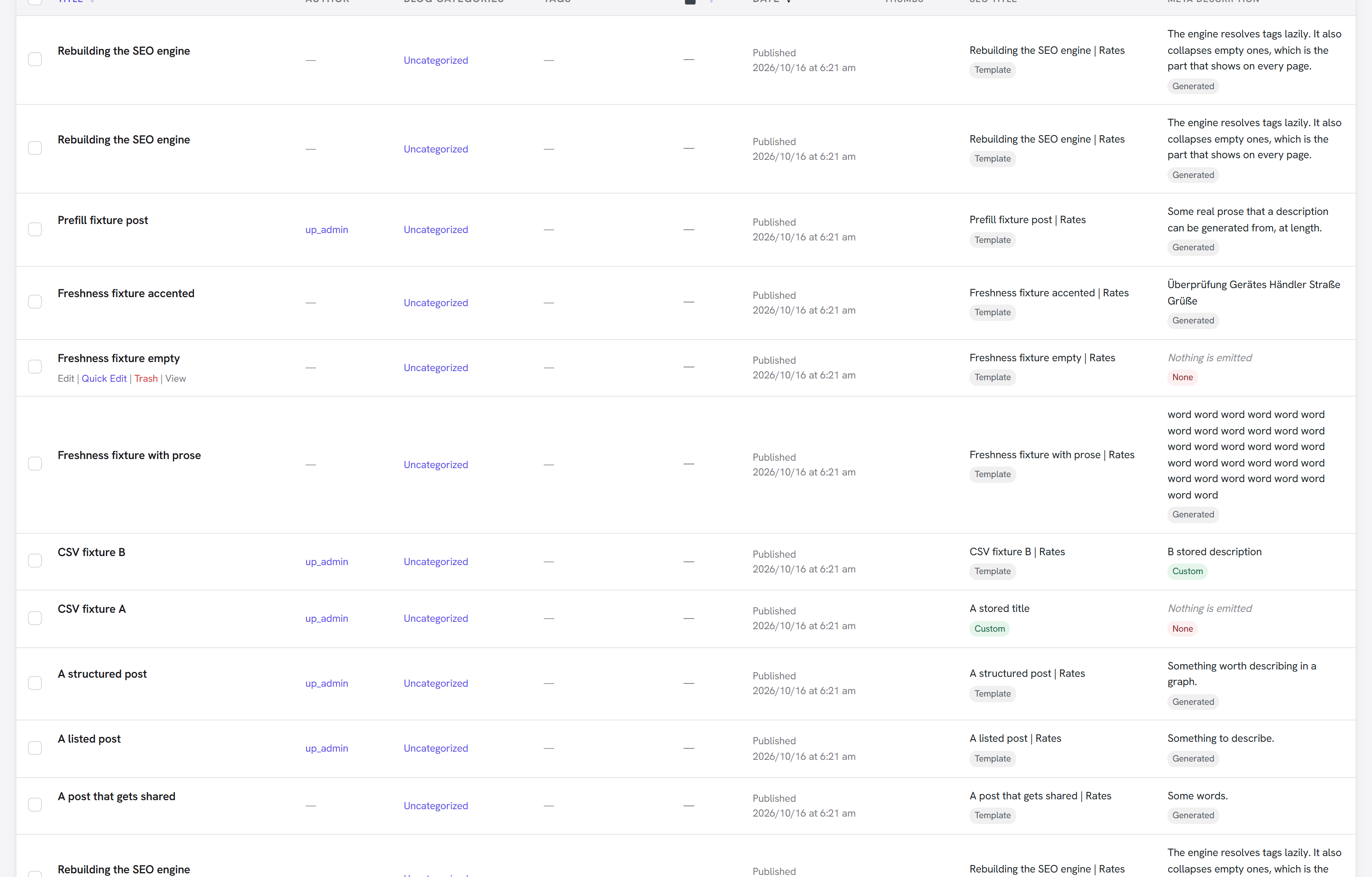
The columns show the resolved value — what the page will actually emit — with a label saying where it came from:
| Label | Meaning |
|---|---|
| Custom | Text you typed on this page |
| Template | The pattern for this content type |
| Generated | Written from the page's own content |
| Fallback | The site title, or nothing |
| None | Nothing is emitted at all |
Showing stored values instead would leave most rows blank, because most pages quite properly have no override — a correctly configured site would look like an empty one.
A row also warns when a value is long enough that a search engine may shorten it. That is phrased as a possibility rather than an error on purpose: a long title is not a mistake, and treating it as one trains people to write to a counter instead of to a reader.
Inline editing
Quick Edit carries the SEO title, the meta description and the no-index switch. Leaving a field empty keeps the page following its template — and clearing a field that had an override removes it, putting the page back on the template rather than storing an empty value.
The inline editor is filled from your stored overrides, never from the resolved text in the column. If it copied what you can see, every page you quick-edited would silently acquire a frozen copy of its template — and a later template change would then update nothing.
Filtering
A dropdown above the list filters by:
- Not indexed — everything currently carrying a
noindex - Has custom SEO — pages where you have written a title or a description
- Following the template — pages where you have written neither
- No custom share image — pages relying on the automatic image
You may notice there is no "pages with no description" filter, which is the one people ask for first. It is missing deliberately rather than forgotten: a description is worked out when the page renders — from an override, a template, or the content itself — so it is not a stored fact and there is nothing for the database to search. Offering the filter anyway would mean either a wrong answer or loading every page on the site into memory to check, which breaks as soon as the list has more than one screenful.
The per-row labels answer it honestly for the page you are looking at. Answering it for a whole site needs a stored index of resolved values, which is the site-wide audit on the roadmap.