The per-page SEO panel
Every post, page and term gets an SEO panel with three tabs.
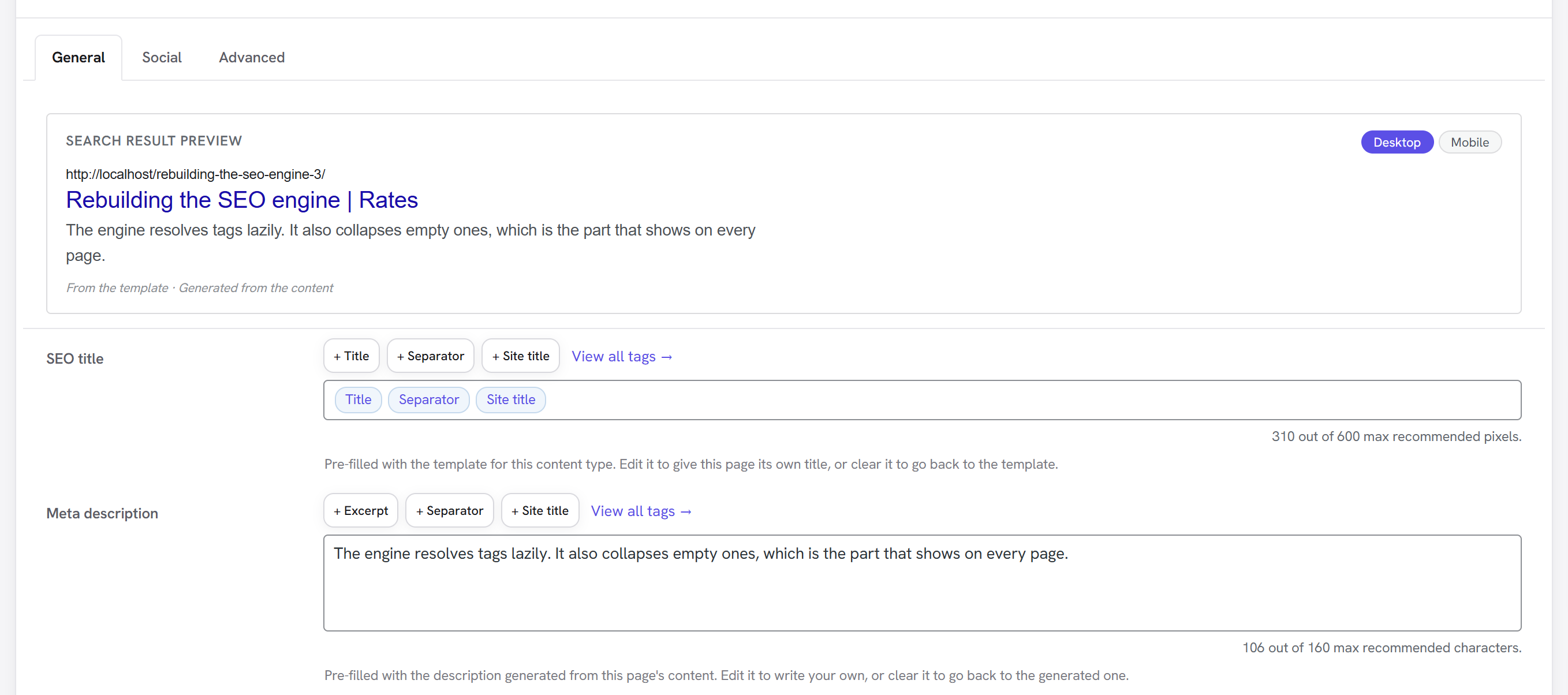
General holds a live search-result preview, the SEO title and the meta description.
- Template tags appear as chips —
Title,Separator,Site title— rather than raw%%tag%%text. Use the buttons above each field to insert one, or View all tags to browse everything available with example values for the current page. - The counters measure the resolved text, not the template: a title's width in pixels (Google truncates on width, not character count) and a description's length in characters.
- The preview line tells you where each value came from — your text, the template, or generated from the content.
Social holds the share title, description, image and card style. Every one of them is optional — leave them alone and the card is built from the fields above. See Sharing cards.
Advanced holds the canonical URL and the indexing controls. Those sit behind a use the settings for this content type switch, so the common case is one control rather than eight.