Redirects when an address changes
Rename a page and its address changes. Every link to the old one — from other sites, from search results, from someone's bookmarks — lands on a "page not found", and the search traffic that page had quietly stops.
The SEO extension notices the change and keeps the old address working: a visitor or a search engine asking for it is sent on to the new one with a permanent (301) redirect, which also tells Google to move the page's standing across.
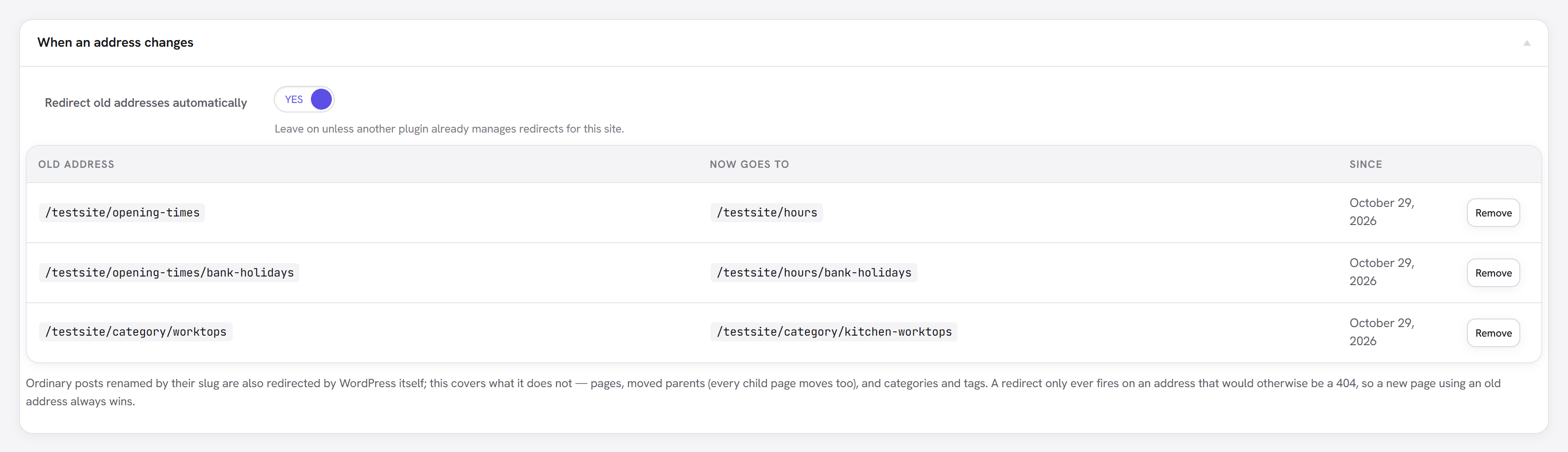
SEO → Redirects lists every old address it is keeping alive and where each one leads now.
What it covers
WordPress already redirects an ordinary post whose slug you change. It does nothing for the rest, which is what this covers:
| Change | Covered by |
|---|---|
| A post's slug | WordPress itself |
| A page's slug | This extension |
| A page moved under another parent | This extension — and every child page moves with it, so each child's old address is kept too |
| A category or tag renamed | This extension |
Tracking links keep their tags: an old address with ?utm_source=newsletter arrives at the new one
with the same query.
How it behaves
- No chains. Rename a page twice and both old addresses go straight to the current one, never through the middle. Each entry remembers the page, not an address, so the destination is always wherever the page lives today.
- Content always wins. A redirect only fires on an address that would otherwise be a 404. If you publish a new page at an old address, that page is served and the redirect stops mattering.
- Moving back undoes it. Rename a page back to an address it used before and that address is live again, so its redirect is removed.
- Gone means gone. If the page is unpublished, the old address is not sent anywhere — the list says so, rather than redirecting to something nobody can see. Deleting the page or term removes its entries.
Remove on a row deletes that one redirect. The switch at the top turns the feature off — worth doing only if another plugin already manages redirects for the site, so the two do not compete.