Alerts
Every report in the extension waits for you to open it, and a report nobody opens may as well not exist. Alerts bring the few findings worth acting on to where you already are:
- the Dashboard,
- the top of the SEO box of the page concerned, when you open it to edit,
- an optional weekly email.
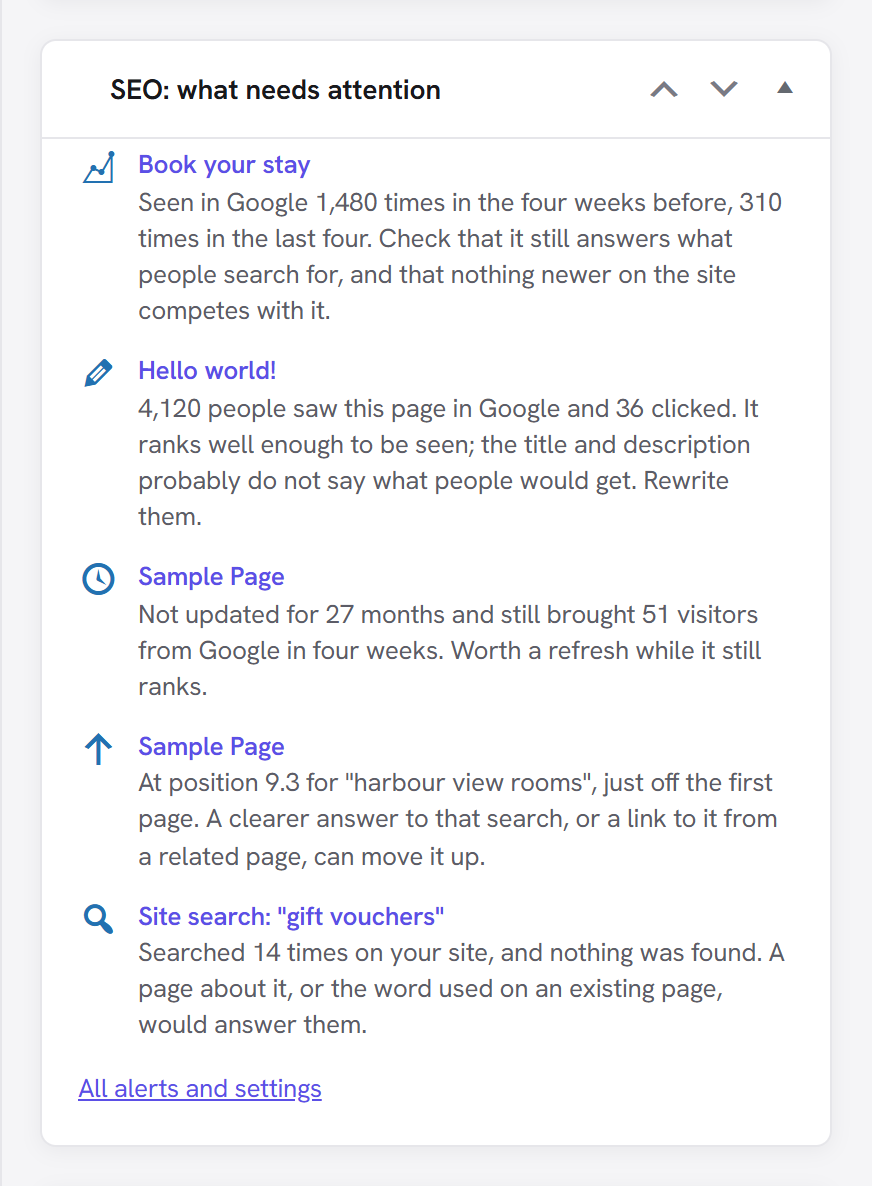
Each alert names the page and says what to do, in a sentence rather than a metric: not "CTR 0.9% at position 5.8" but "4,120 people saw this page in Google and 36 clicked".
The alerts
| Alert | When it appears | What to do |
|---|---|---|
| Set to noindex while it was getting clicks | A page you set to No index brought at least 10 visitors from Google in the last two months. | If it was not deliberate, switch No index off. |
| Impressions fell by half | The page was seen in Google at least 300 times in the four weeks before, and half as often or less in the last four. | Check that it still answers what people search for, and that nothing newer on the site competes with it. |
| Seen but not clicked | At least 1,000 people saw it on Google's first page and fewer than 1 in 100 clicked. | Rewrite the title and description; they probably don't say what people would get. |
| Old and still visited | Not updated for longer than your stale setting and still bringing at least 30 visitors from Google in four weeks. | Refresh it while it still ranks. Old pages nobody visits don't raise this. |
| Just off the first page | The page sits at position 8–15 for a search (from Where pages rank). The three biggest are shown. | A clearer answer to that search, or a link to the page from a related one. |
| A site search that finds nothing | Visitors searched your site for the same thing at least 5 times and got no results (from Site search). | A page about it, or the word they use on an existing page. |
| Search Console stopped working | The connection has expired, so none of the Google alerts can be checked. | Connect again. This one is also an admin notice on every screen, because without it every report goes quietly out of date. |
Every alert has a minimum. On a small site, "a 30% drop" might mean 50 impressions becoming 35, which says nothing. Below these numbers an alert would mostly be a false alarm, so none is raised.
At most eight alerts show at once, most urgent first: a long list stops being read.
SEO → Alerts
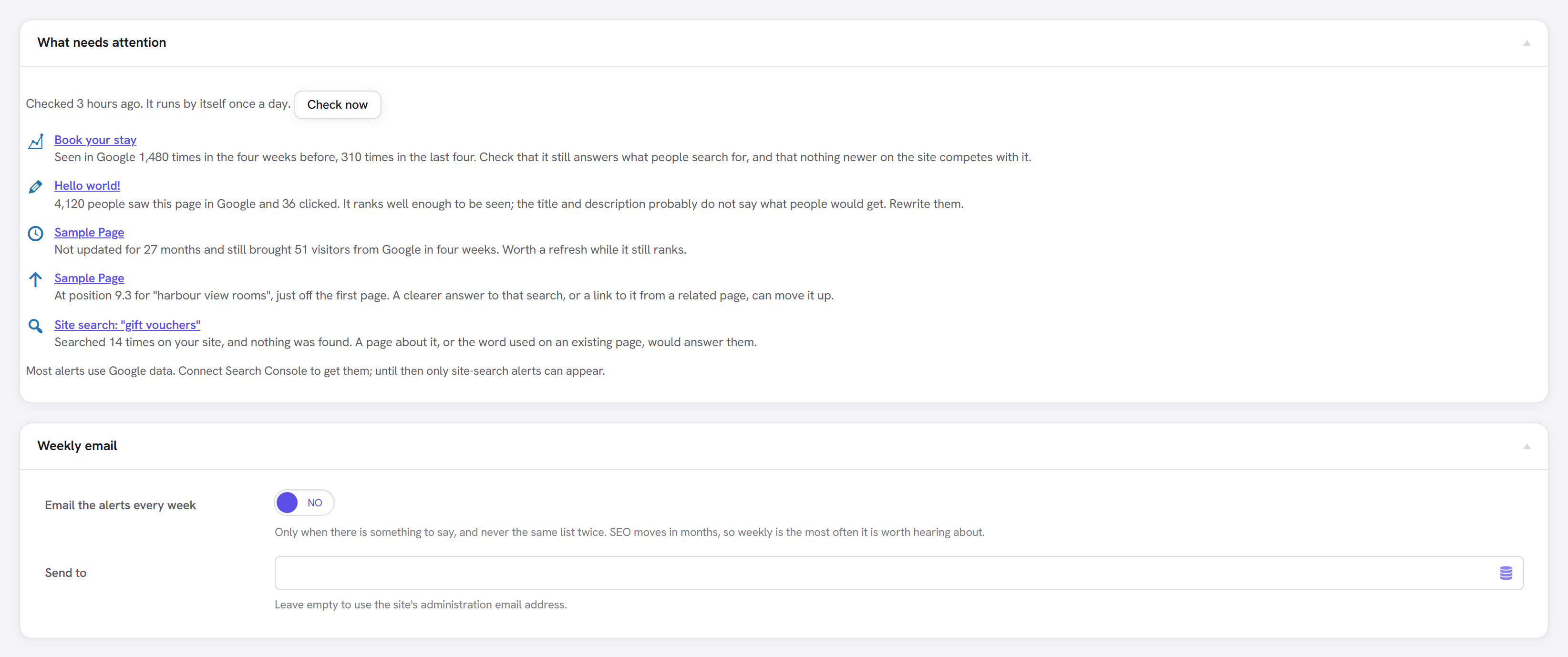
The full list, when it was last checked, and Check now. The checks also run on their own once a day. Each page name links to its editor.
In the editor

When you open a page that has an alert, it shows at the top of its SEO box. That is the moment to say "this is two years old and still gets visitors": while you are already in the page.
Weekly email
Off by default. Switch on Email the alerts every week and, if it should go somewhere other than the site's administration address, fill in Send to.
- It is sent only when there is something to say, and never the same list twice.
- Weekly is the most often it is sent. Search results move over weeks and months, so a daily alert would describe noise.
What it needs
- Search Console must be connected for every alert except site search. Without it, the Alerts view says so.
- Site search logging must be on for the site-search alert.
- No AI is involved: the alerts are worked out from the numbers. The AI Assistant is not needed.
Limits
- Alerts follow the reports' data, which Google publishes two to three days late.
- A page is matched to its post by its address. A Search Console address that doesn't match a post on the site (an old address, a different domain) shows its address instead, without an editor link.
- One alert per page: the most urgent wins.