Backlinks
Who links to a site is only known to whoever crawls the web. Bing shares what it has found about a site you have verified with it, free, through its Webmaster Tools API. SEO → Backlinks reads that with your own key and keeps the history.
Connecting
- Add and verify your site in Bing Webmaster Tools. If it is already in Google Search Console, Bing can import it from there. The address must match your site's address exactly.
- In Bing Webmaster Tools open Settings → API access and generate an API key. One key covers every site you have verified.
- Paste it into SEO → Backlinks → Bing Webmaster Tools API key and save.
- Press Read now.
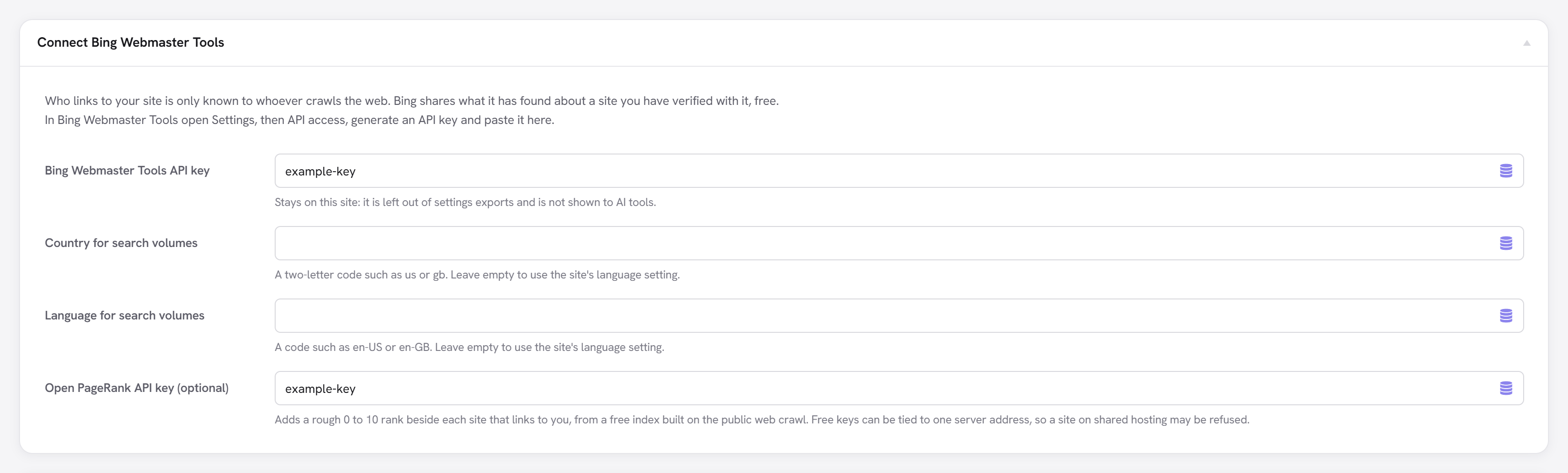
The key stays on your site. It is left out of settings exports and is not shown to AI tools.
What it shows
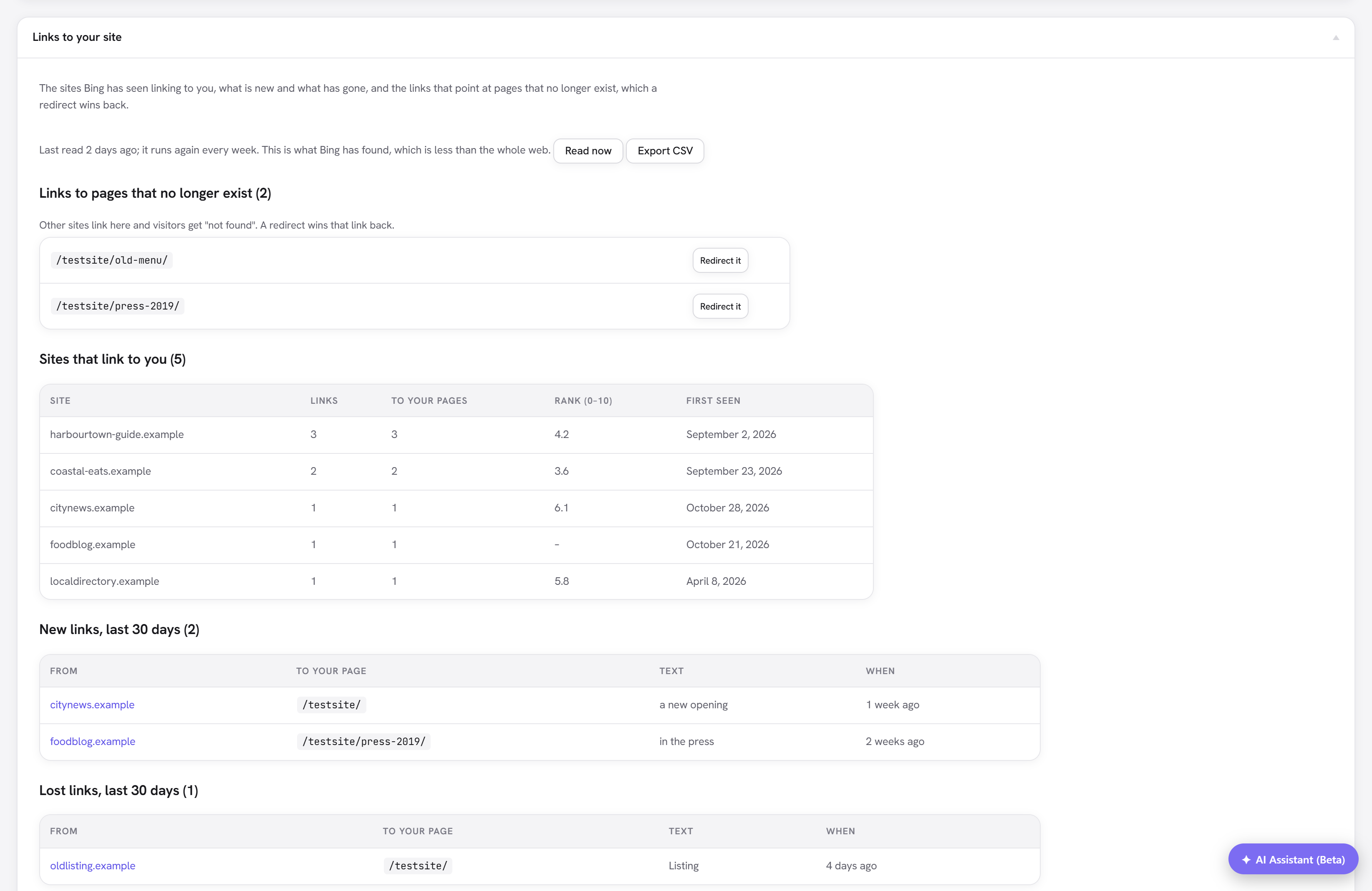
- Links to pages that no longer exist. Other sites link here and visitors get "not found". Redirect it opens the redirect form with the address filled in: this is the cheapest way to win back the value of an old link.
- Sites that link to you. Each site with how many links it sends, how many of your pages they point at, and when it was first seen.
- New links, last 30 days. Links that were not there on the last read. The very first read finds everything, so none of that is called new.
- Lost links, last 30 days. Links Bing no longer lists.
Export CSV downloads every link with its first and last seen dates, including lost ones. There is nothing to import: the data comes from Bing.
It reads weekly, and keeps the history
Each week the extension asks Bing which of your pages have links, then for the links to each page, 20 calls at a time in the background. Every link is stored with when it was first and last seen, so the change over months stays visible even though Bing only reports the present.
Two cases deliberately record no losses, because they prove nothing:
- A read that comes back empty, which is more likely a hiccup at Bing than every link vanishing at once.
- A read that was cut short. One read covers 20 result pages of your linked pages and five pages of links to each. A site with more than that sees a note saying lost links are not tracked, and everything Bing listed within those limits is still shown.
The rank column (optional)
Add a free Open PageRank key and each referring site gets a rough 0 to 10 rank, built from the public web crawl. It separates a link from a well-established site from one on a page nobody visits. A subdomain uses its domain's rank, and a site the index does not know shows a dash.
Treat it as a rough signal, not a target. No search engine uses this number.
:::caution Free keys and server addresses From 1 November 2026 free Open PageRank keys are tied to one IPv4 address, and calls from any other address are refused. A site on shared hosting, or one whose address changes, may lose the column. The rest of the report does not depend on it, and ranks already fetched are kept. :::
Limits
- This is the part of the web Bing has crawled, which is smaller than a commercial link index. It is real and it is about your site, but a link missing here may still exist.
- A lost link means Bing no longer lists it, which is usually but not always the link being removed.
- Google's Search Console has a links report too, but its API does not expose it.
- If Bing refuses a call, the report shows Bing's reason and the read stops until the next one.