Site health
The failures that hide a whole site from search are usually one switch, and nobody notices for weeks, until traffic has already gone:
- the site left on "Discourage search engines" after it went live,
- the homepage set to noindex,
- a robots.txt that errors or blocks everything, often a file left over from a staging copy,
- a sitemap that has stopped working,
- a Search Console connection that quietly expired, so every report stopped updating while still looking fine.
SEO → Site health checks for all of them once a day, on its own.
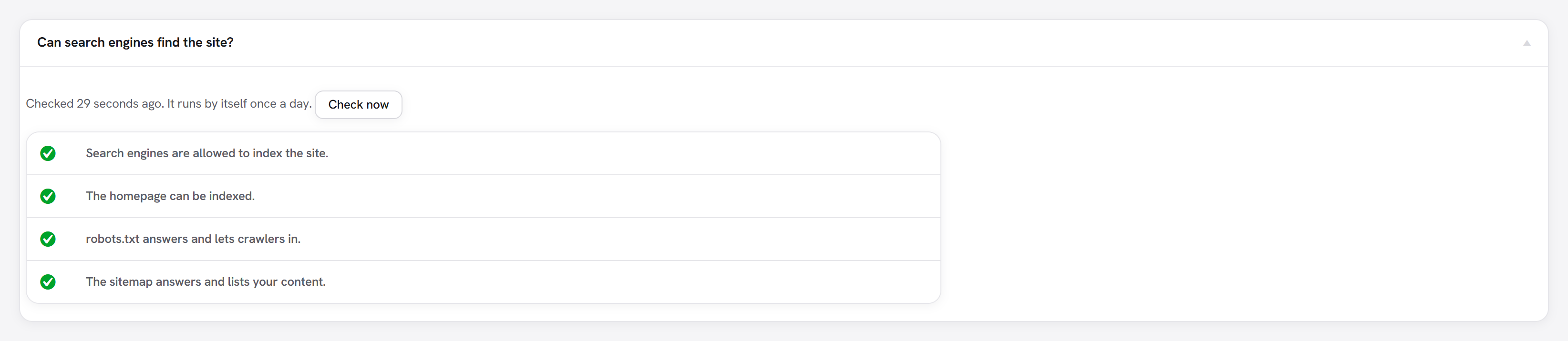
What it checks
The site fetches its own pages the way a search engine would and judges what comes back. What matters is what is served: the settings can say one thing while a caching plugin, a maintenance plugin or a file on the server says another.
| Check | A problem when |
|---|---|
| Search visibility | Settings → Reading asks search engines not to index the site. |
| Homepage | The homepage, as served, carries noindex (in a robots meta tag or the X-Robots-Tag header). |
| robots.txt | It does not answer, or it blocks the whole site (Disallow: / for every crawler or for Googlebot). Blocking only some crawlers, or only some folders, is a choice and is not flagged. |
| robots.txt file | A real robots.txt file on the server replaces the one WordPress writes, so your robots.txt rules and the sitemap line are not served. |
| Sitemap | The sitemap does not answer, or answers with nothing in it. |
| Search Console | You connected Search Console and the connection has stopped working. If it stopped about a week after connecting, it says why: the Google Cloud project was left in "Testing". |
Each problem says what is wrong, what to do, and where, with a link to the screen that fixes it. Check now runs every check again straight away, for after you have fixed something.
Where you are told
- The report: SEO → Site health, with problems listed first.
- An admin notice, only for a critical problem, meaning one that hides the site from search. It shows to administrators on every admin screen until the problem is fixed, and links to the report. Warnings never interrupt anyone.
- Tools → Site Health, WordPress's own health screen, gets a Search visibility (SEO) test showing the latest result.
Limits
robots.txtis checked at the top of the domain, because that is the only place crawlers read it. On a site that lives in a sub-folder, that is the file at the domain root.- Some servers block requests a site makes to itself. The homepage check then says it could not check and the other checks still run.
- It checks reachability, not rankings. For how pages are actually doing in Google, see Index coverage and Where pages rank.