Moving SEO settings to another site
Set the SEO up properly once, then carry it to the next site instead of doing it again. One file holds every site-wide SEO setting: title and description templates, sitemap choices, sharing-card defaults, structured data, verification codes.
It lives on SEO → Import / Export, below the spreadsheet.
Exporting
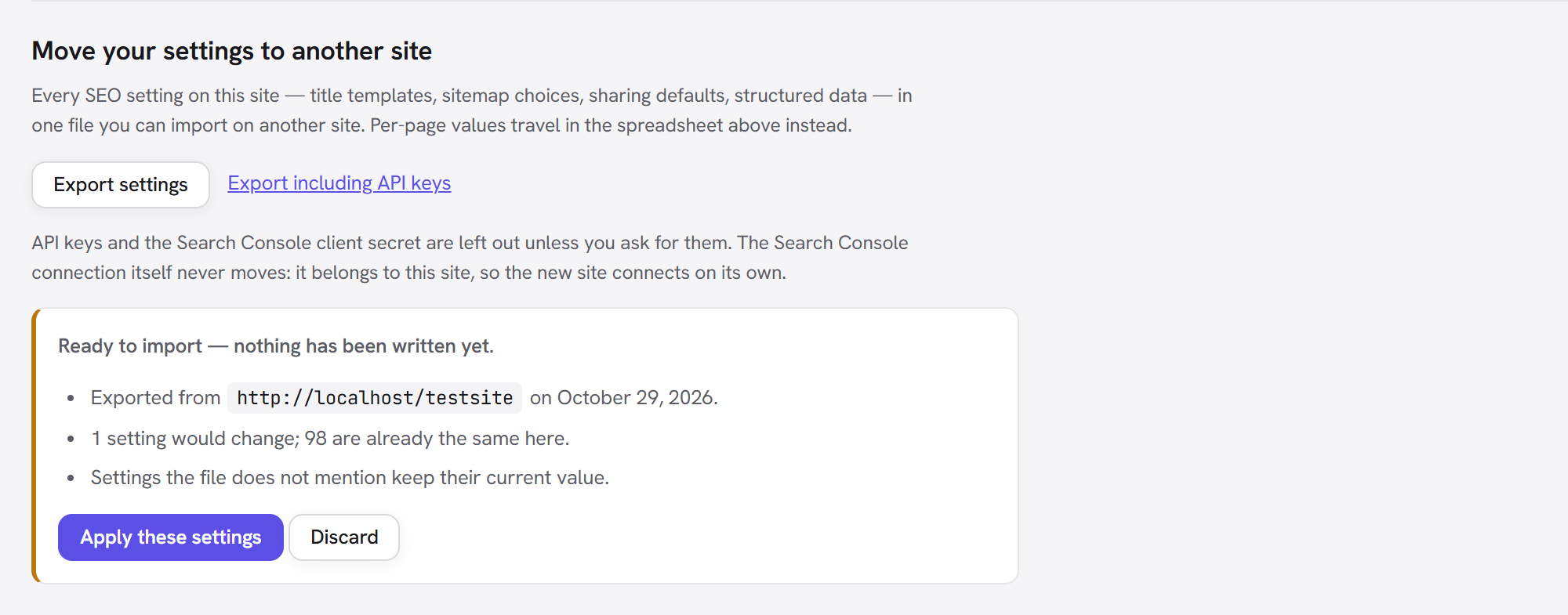
Export settings downloads a .json file named after the site and the date. It contains the
settings and nothing else — the page-level titles and descriptions travel in the
spreadsheet instead.
API keys and secrets are left out unless you choose Export including API keys, which asks you to confirm first. A file like this gets emailed and dropped into shared folders, and anyone who has it has whatever is inside it. The Search Console connection never travels either way: it belongs to the site that made it, so the new site connects on its own.
Importing
Upload the file and you get a preview before anything is written:
- which site it came from, and when;
- how many settings would change, and how many are already the same;
- how many, if any, this version of the extension does not recognise — those are ignored rather than written, so a file from somewhere else cannot plant values nothing reads.
Apply these settings writes them; Discard throws the upload away. Settings the file does not mention keep their current value — importing never resets anything to a default.
A file from a newer version of the extension is refused rather than half-read. Update the site first, then import.
:::tip Round trip Exporting a site and importing that same file back changes nothing — the preview says every setting is already the same. That is the quickest way to confirm an export is complete before you rely on it. :::