Sharing cards
A shared link shows a card: a title, a description and an image. Getting one of the three wrong is the difference between a link people click and a grey box they scroll past.
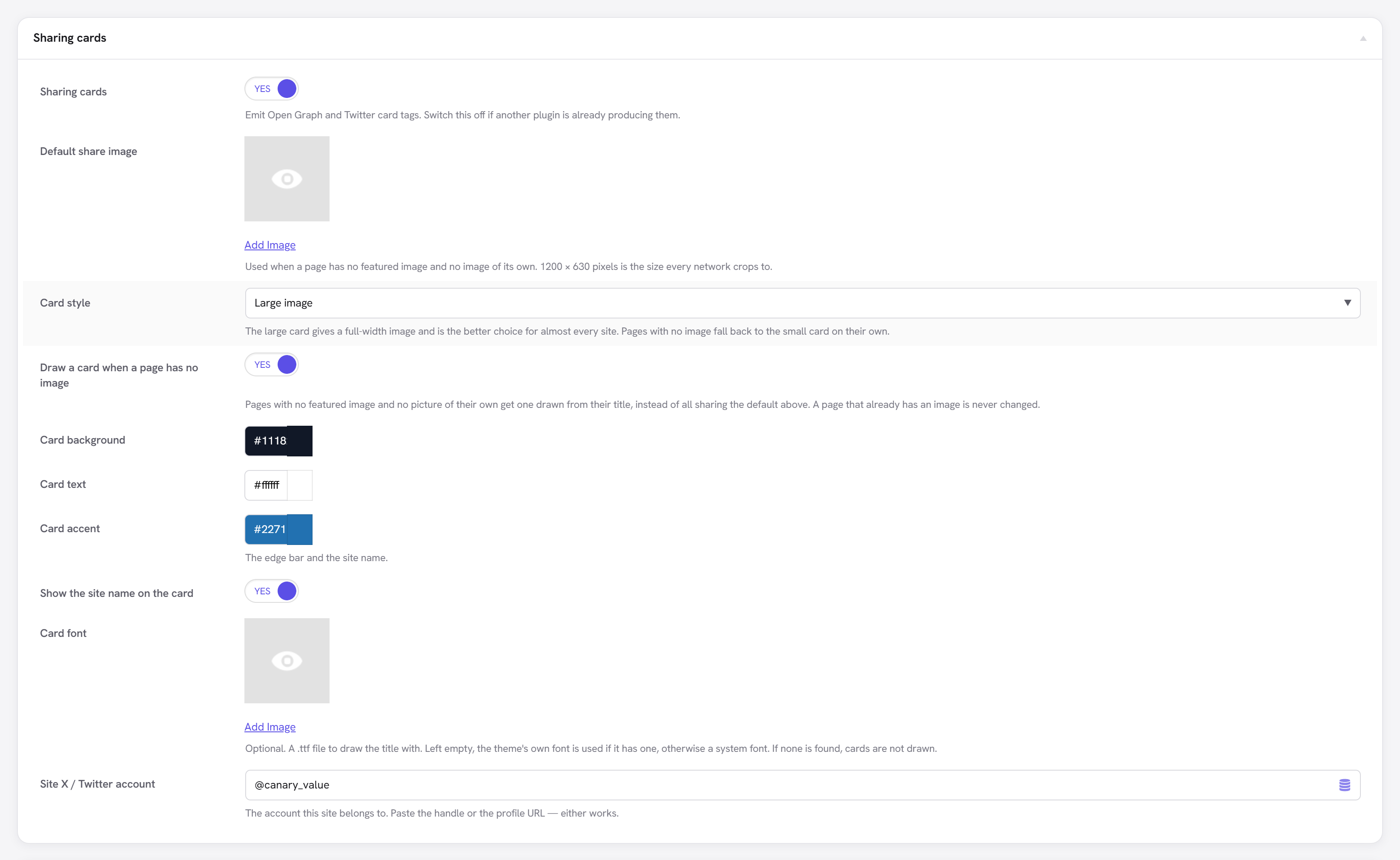
The important thing here is that nothing needs configuring. The card is resolved from the same chain as everything else:
| Card field | Comes from |
|---|---|
| Title | Your share title → the SEO title → the template |
| Description | Your share description → the meta description → generated from the content |
| Image | Your chosen image → the featured image → the first real picture on the page → your site-wide default |
Because the share title's template step is the resolved SEO title, changing a site-wide title template updates search results and share cards together. They cannot drift apart — which is the bug this replaces, since the two used to be calculated in different places.
Override any of it per page from the Social tab of the SEO panel.
Finding the image
The third rung is worth explaining, because it is the one most plugins get wrong.
Finding "the first image on the page" by searching the rendered HTML almost always finds a logo, an icon or a tracking pixel — they appear in the markup before your content does. Here the page-builder tree is read instead, so the search covers the elements that actually hold a picture, in the order a reader meets them.
Candidates are then filtered by size. Open Graph's own minimum is 200 × 200 and every network refuses anything below it, so a smaller image is skipped rather than used and the search continues. A card cropped from a 441 × 84 logo is a smear, and emitting one looks like it worked.
Two deliberate limits:
- Only images you host can be measured. A remote URL is taken on trust rather than fetched — an HTTP request on every page render to check an image's size is not a fair trade.
- A featured image is used whatever its size, because you chose it. The size rule applies only where we are guessing.
og:image:width and og:image:height are emitted only for images we could actually measure.
A guessed dimension is worse than none, because it is believed.
When a page has no picture at all
Most sites have pages with nothing to show — a contact page, a policy, a short announcement. Before this, every one of them fell through to the site-wide default, so every link to the site looked identical in a feed.
A card is now drawn from the page title instead: the title over your chosen colours, with the site name beneath it. It sits at the rung between "nothing on the page" and "the site default", so a page that already has a picture — or one you chose yourself — is never overridden.
Set the colours under Unyson+ → SEO → Social, and switch it off there if you would rather every such page used the default image.
No font ships with the extension. One is found instead: a .ttf you pick in the settings, then
your theme's own if it has one, then the usual system fonts. If none is found, nothing is drawn and
the ladder simply falls through to the default — drawing something unreadable would be worse than
drawing nothing.
The title is sized by measuring it, so a two-word title is set large and a long one is set smaller rather than being cut off. A title too long for even the smallest size is truncated with an ellipsis on the last line.
Cards are drawn once and cached. Retitling a page draws a new one and sweeps the old away.
What is emitted
Open Graph and Twitter tags are produced together from one resolution. Twitter's own fields exist so a page can say something different on one network — and when it does not, they inherit from Open Graph without anything being configured.
Posts are marked article with their published and modified times; pages and archives are
website. A static page is not news, and telling Google it is costs a real signal.
A large-image card with no image degrades to the small card on its own, rather than promising an image that never arrives.