Text Scroll Choreography
Pin foreground text to the screen and choreograph each phrase to the page scroll — it appears, holds on its corner while the visitor reads a whole "chapter", then exits, all at the scroll % you choose. Every line can tilt, 3D-warp or curve onto an arc, and play one of the Animation Engine's Text Effects on its letters (split reveal, typewriter, scramble, gradient, neon…). It's the flat-text sibling of Image Scroll Choreography and shares the same pose engine.
Tabs: Text, Scene, Advanced. The element lives under the Animation Engine tab in the page builder (it needs the Animation Engine extension active).
It's tempting to turn headlines into images once they start tilting, curving or splitting into letters, but that trades away something real text gives you for free: it's selectable, searchable, resizable, and readable by a screen reader. UnysonPlus applies every pose, warp and Text Effect with CSS/JS transforms on top of genuine HTML text, so the choreography never costs you the actual words. MDN: prefers-reduced-motion
Under the hood every line is three nested elements, each owned by a different system: the pose (translate / scale / rotate / opacity from your scroll keyframes) is on the outer wrapper, the warp (a static perspective / rotateX / skew, or the SVG arc) is on a middle wrapper, and the Text Effect animates only the inner letter-spans. Because they occupy separate transform layers, you can freely combine "move the whole line on scroll" with "animate the glyphs" without them clashing.
How it works
Place the element where the sequence should start, then put your "chapter" sections right after it — the element itself is a zero-height anchor, and its lines sit in a fixed, click-through layer that your sections scroll underneath. The Scroll length (screens) you set is the runway: every line's Appear / Hold / Exit scroll % (0–100) maps onto it.
Text tab
Recipe — one-click composition
At the top of the tab, a Recipe picker poses and staggers your lines for you: choose a composition — Stacked Rise, Alternating Sides, Center Focus or Diagonal Sweep — add your lines, and it spreads their appear / hold / exit across the whole scroll automatically (any number of lines). Your own words, warp and Text Effect settings ride along. Leave it on Custom to hand-author each line below.
Add one line per foreground phrase (keep each short — a phrase, not a paragraph). Each line has:
The words
| Option | What it does |
|---|---|
| Text | The words for the line. |
| Tag | H1–H6, Paragraph or Div — the real element in the DOM (kept for screen readers / SEO). |
| Size (vw) | Font size as a % of viewport width, so it scales with the screen. |
| Weight | Light → Black. |
| Color | Leave empty to inherit. Ignored by colour effects (Gradient, Neon, Glitch), which set their own. |
| Text align | Left / Center / Right. |
Placement
| Option | What it does |
|---|---|
| Anchor | Where the line rests once it has appeared — one of nine corners (bottom-left, centre, top-right…). |
| Max width (% of screen) | The line wraps within this width. |
| Edge inset (%) | Gap from the screen edges it is anchored to. |
| Stacking (z-index) | Higher = in front of the other lines in this scene. |
Choreography — the Appear → Hold → Exit
This is the heart of the element: three phases, each pinned to a scroll %.
| Option | What it does |
|---|---|
| Appear by | How the line enters — slide up / down / from a side / fade / scale. |
| Appear at (scroll %) | The scroll point where it has fully arrived and starts holding. |
| Entrance length (%) | How much scroll the entrance takes, ending at Appear at. |
| Hold until (scroll %) | It stays put on its anchor from Appear at to here. |
| Exit by | How it leaves — a direction, fade, scale, or Stay to the end. |
| Gone by (scroll %) | Fully gone by this point (ignored when Exit = Stay). |
| Hold size (%) | Scale while held (100 = its natural Size). |
| Tilt while held (°) | A gentle 2D rotation on the resting line. |
Warp
A static bend on the line (kept off the pose, so it never interferes with the appear/exit motion).
| Option | What it does |
|---|---|
| 3D tilt — rotateX (°) | Tilts the line back / forward in 3D (with perspective). |
| Skew (°) | Shears the line for an italic-lean / speed feel. |
| Curve (arc) | Bends the line onto an arc — positive curves up, negative down. Renders the line as SVG text-on-a-path. A per-glyph Text Effect is skipped while Curve is on (an arc has no separate letters to animate); Tilt / Skew still apply. |
Text effect
An optional Animation Engine Text Effect played on the glyphs. The effect animates the letters; the choreography moves the whole line — separately.
| Option | What it does |
|---|---|
| Text effect | None, Scroll reveal (read-along), or one of 16 effects — Split reveal, Blur in, Mask up, Slide, Bounce, Pop, Flip 3D, Typewriter, Scramble, Matrix decode, Split-flap, Gradient flow, Neon glow, Glitch, Shimmer, Wave. |
| Split by | Characters / Words / Lines — how the effect breaks the text up. |
| Effect plays | When it scrolls into view, or on page load. |
Scroll reveal (read-along) is special: instead of playing once, the letters light up as the visitor scrolls through the line's hold window — a read-along scrubbed to the page, exactly the length of that line's Appear → Hold stretch.
Scene tab
The shared timeline for the whole group of lines.
| Option | What it does |
|---|---|
| Foreground layer (z-index) | Stacking of the whole pinned foreground. A section with a higher z-index sits in front of these lines; lower, behind. |
| Scroll length (screens) | How many screen-heights the choreography spans, measured from where the element sits. |
| Scroll smoothing | 0 = locked to the scrollbar (frame-perfect); higher adds glide toward the scroll target. |
| Show choreography guide | An on-page authoring aid — a dashed marker at each line's appear / hold / exit point plus a live readout of the scroll % and each line's state. Turn it off before publishing. |
Live editor (in the guide)
With the guide on, signed-in editors get an Edit (✎) button on the guide HUD: scrub the scroll, retime keyframes on each line's track (drag / click / double-click to add / Delete key), tweak the selected keyframe's X / Y / scale / turn / fade with the ± steppers, then Copy keys and paste them into Custom keyframes (Advanced tab) to lock it in. Drag the ⠿ grip to move the panel out of the way. Author-only — it never affects what visitors see.
→ Full walkthrough with screenshots: Live Editor & Keyframe Timeline.
Advanced tab
- CSS ID, CSS Class (lands on the scene wrapper — target its lines with
.your-class .fw-choreo__layer), and scoped Custom CSS (use the keywordselectorfor the scene). - Custom keyframes (from the live editor) — paste the JSON from the editor's Copy keys to drive the lines from exact keyframes, overriding the Recipe and each line's Appear / Hold / Exit. One entry per line, in order; leave empty to use the settings.
Accessibility & performance
- The real text stays in the DOM as a heading / paragraph — readable by screen readers and search engines. Effects only wrap it in spans; the Curve mode keeps the heading and visually-hides it behind the SVG.
- Honours prefers-reduced-motion: the pose rests each line on its held position and the effects don't play.
- The pose engine is self-contained (no GSAP); the Text Effects load on demand — only the effect you pick ships its code, never all of them.
- The fixed layer is click-through by default, so it never blocks the content beneath it.
Live demo
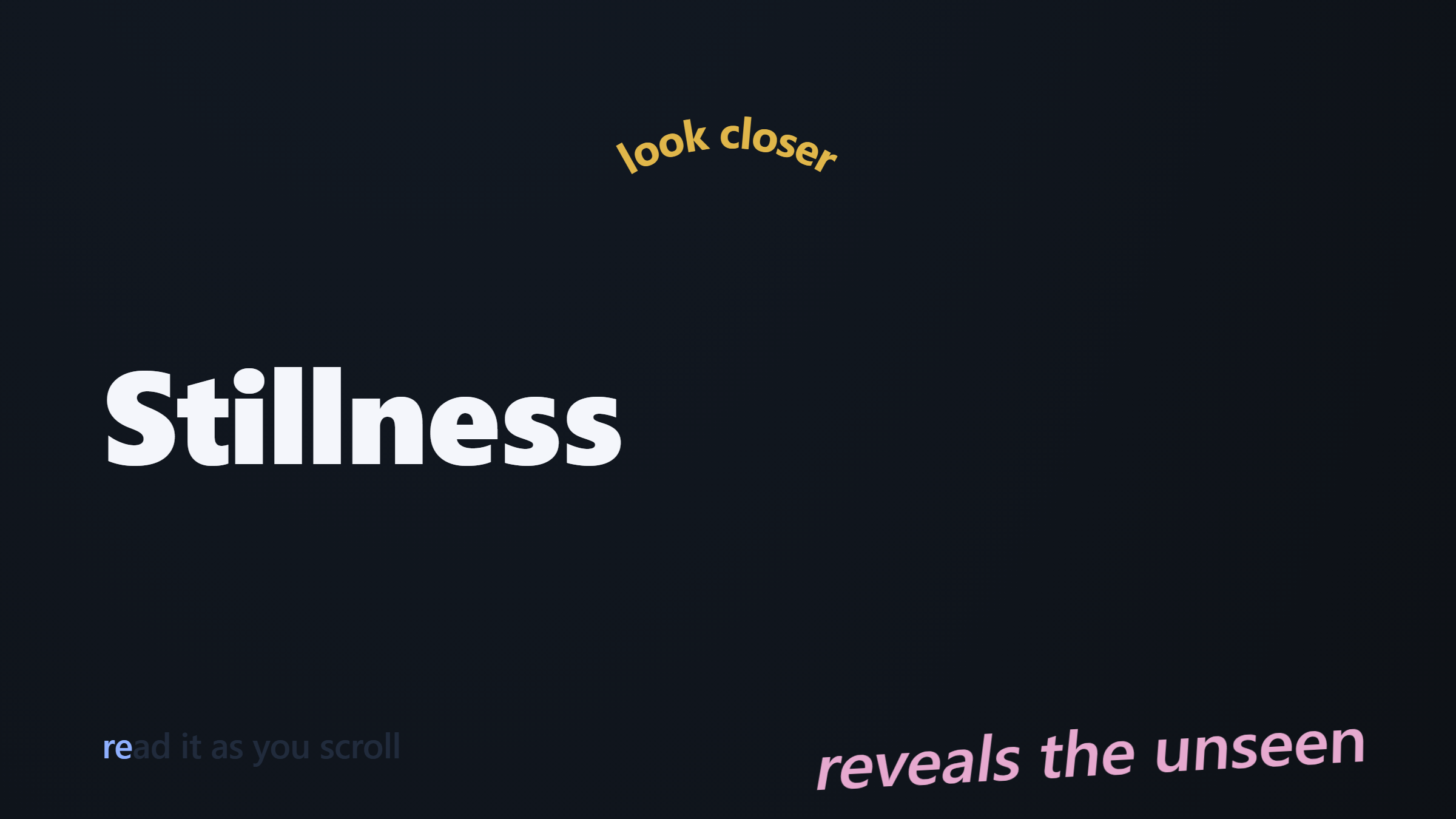
See it in action — four lines on one timeline (split-reveal headline, a warped gradient line, a curved arc, and a read-along), with the authoring guide on. → Open it in the Animation Engine demos.
Steps
- Add the Text Scroll Choreography element (Animation Engine) where the sequence starts, then put your "chapter" sections right after it.
- On the Text tab, add each line — the words, tag, size, weight, colour — and pick an Anchor.
- Set Appear by / at %, Hold until %, Exit by / Gone by % — plus an optional tilt, 3D warp or curve, and a Text Effect (or the scroll read-along).
- On the Scene tab set Scroll length (screens), the foreground z-index and smoothing. Turn on the guide to dial in the scroll %, then off before publishing.