Block (Div)
The Block tile is a Flexbox Div pre-set to the div tag with display: block — the
simplest wrapper. It doesn't arrange its children on an axis (that's Flex/Grid); it's normal
document flow, so it's the piece you reach for to group a few blocks, put padding or a
background around one thing, or wrap content you'll style as a unit.
<div> is a wrapper, not a substitute for meaning<div> (and this Block tile, which renders as one) carries no semantic meaning of its own — it's there purely to group things for spacing or styling, which is exactly why it's the right choice here instead of forcing a <section> or <article> onto content that isn't really a distinct region. The habit worth keeping as you nest Blocks inside Blocks is to reach for the least amount of wrapping that gets the layout you need — a flatter DOM is lighter for the browser to parse and easier for anyone (including a screen reader) to make sense of. MDN: the div element
Layout
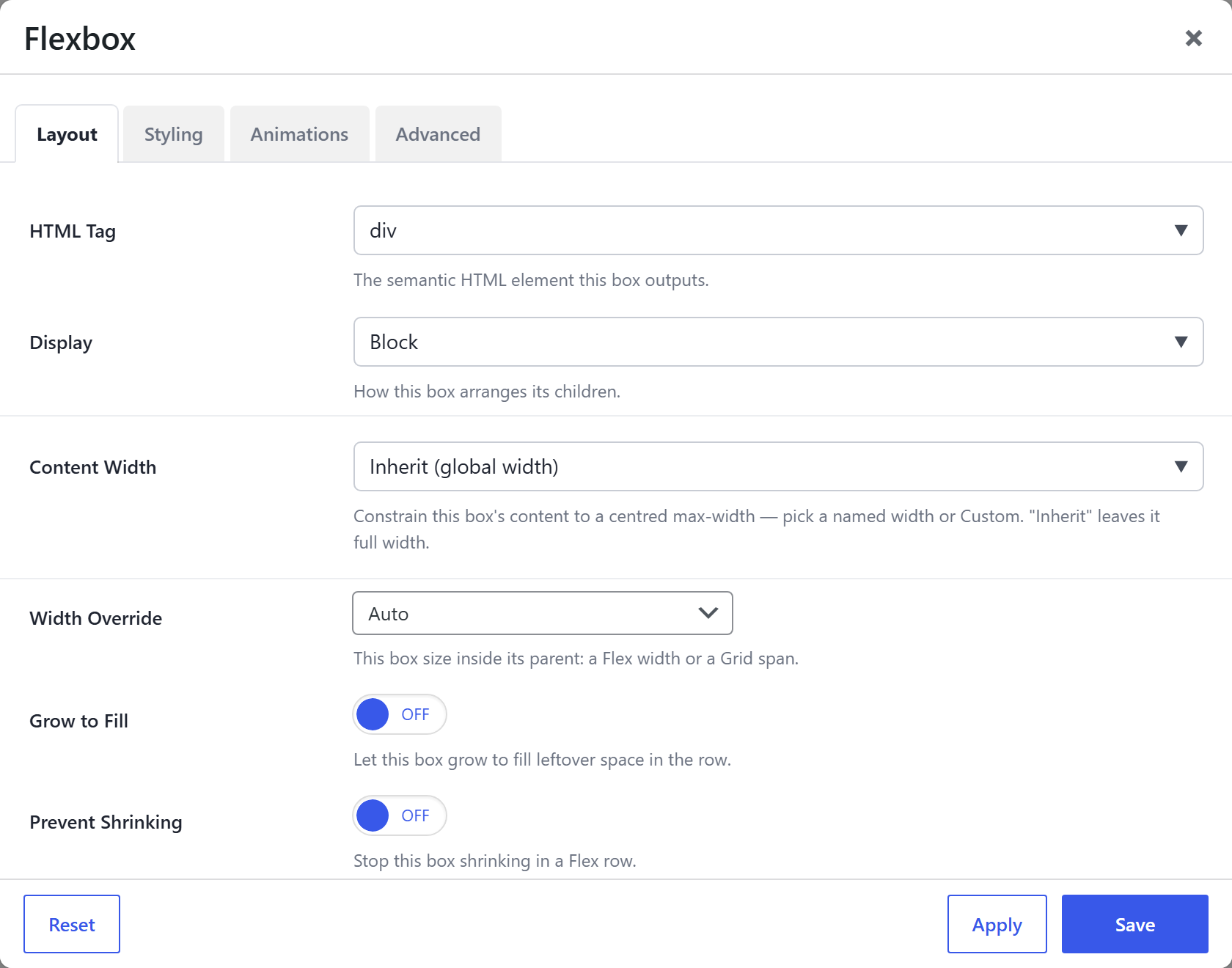
| Option | What it does |
|---|---|
HTML Tag (html_tag) | div for this tile. Switch to section / article / aside if the wrapper is semantically one of those. |
Display (display) | Block for this tile — normal document flow (children stack as they naturally would). Switch to Flex or Grid to arrange children on one or two axes (see Flexbox / Grid). |
Content Width (content_width) | Optionally constrain the block's content to a centred max-width (named or custom); Inherit leaves it full. |
Because Display is Block, the arrangement options (Direction / Wrap / Gap / Justify / Align and the Grid settings) don't apply and are hidden — switch Display to Flex or Grid to reveal them.
Also on every tile
The Block shares the full Div option set — see Flexbox (Div) → Options every tile shares for details:
- Styling: Background (color / gradient / image / video), Border / Box Style, Backdrop Blur, Min Height, Aspect Ratio, Blend Mode, Clip Shape, Edge Fade, Text Alignment, Margin & Padding.
- Child placement (how the Block sits in its parent): Width Override, Grow to Fill, Prevent Shrinking, Flex Basis, Min Width, Align Self, Order, Grid Column Start — every one per device.
- Responsive Collapse, Animations, and Advanced (CSS ID / class / custom CSS / visibility / dynamic content).